

Personal dotfiles for mangowc on Arch Linux (my personal system uses CachyOS, which is based on Arch).
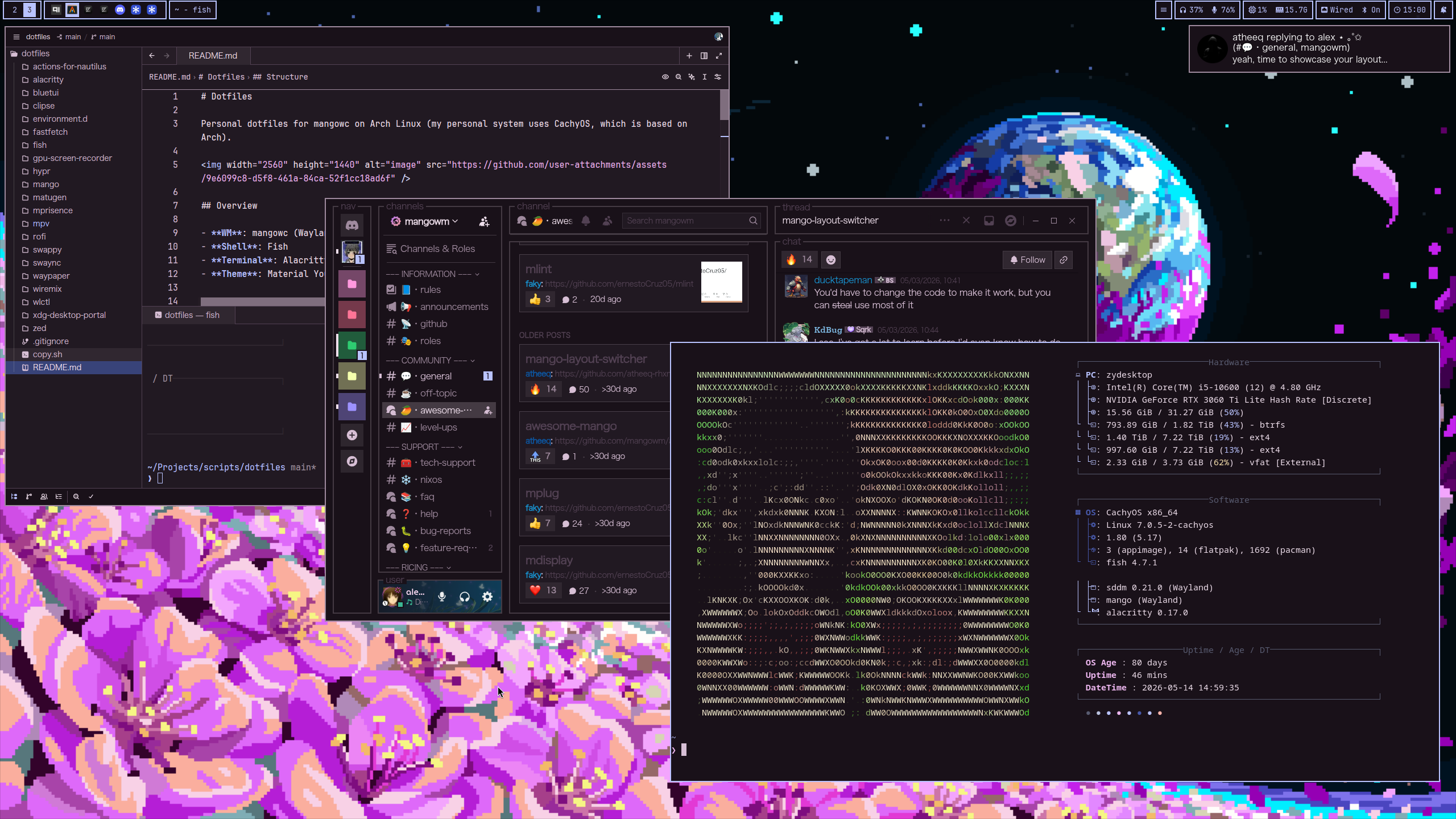
- WM: mangowc (Wayland)
- Shell: Fish
- Terminal: Alacritty
- Theme: Material You theme generated via Matugen
- Icons: Neuwaita
| Directory | Description |
|---|---|
actions-for-nautilus/ |
Configurable right click for nautilus |
alacritty/ |
Terminal |
bluetui/ |
TUI bluetooth manager |
clipse/ |
Clipboard manager |
environment.d/ |
Environment variables |
fastfetch/ |
System info |
fish/ |
Shell |
hypr/ |
Hyprlock & hypridle |
mango/ |
Wayland compositor |
matugen/ |
Color theming |
rofi/ |
App launcher |
swappy/ |
Screenshot markup |
swaync/ |
Notification center |
waypaper/ |
Wallpaper |
wlctl/ |
TUI Wi-Fi manager |
xdg-desktop-portal/ |
Portal config |
zed/ |
Code editor |
Config not in this repo - mpv/ is cloned from
zydezu/mpvconfig at install time, and
gpu-screen-recorder has no config to keep.
yay -S \
    `# compositor & bar` \
    mangowm waybar-git \
    `# portals` \
    xdg-desktop-portal xdg-desktop-portal-gtk xdg-desktop-portal-wlr \
    `# wallpaper, notifications & lock` \
    swaybg waypaper swaync sway-audio-idle-inhibit-git hyprlock hypridle xfce-polkit \
    `# launcher & screenshot` \
    rofi rofi-power-menu grim slurp wayfreeze-git swappy \
    `# theming` \
    matugen adw-gtk-theme adwaita-fonts ttf-jetbrains-mono-nerd noto-fonts \
    qt5ct qt6ct qt6-declarative qt6-svg \
    qt5-quickcontrols qt5-quickcontrols2 qt5-declarative qt5-graphicaleffects \
    `# terminal, shell & editors` \
    alacritty fish zed \
    `# apps` \
    helium-browser-bin nautilus actions-for-nautilus-git mpv qimgv \
    `# audio` \
    pipewire wireplumber wiremix \
    `# clipboard` \
    clipse cliphist wl-clipboard wl-clip-persist \
    `# system utilities` \
    networkmanager brightnessctl gpu-screen-recorder dunst fastfetch github-cli xdg-terminal-exec-git \
    `# tui tools` \
    bluetui wlctl \
    `# display manager` \
sddm xorg-server./copy.shRun this script to copy the specified configs from ~/.config to the dotfiles repo.
Use waypaper to change the wallpaper and generate the corresponding matugen theme from it, applying to all configured applications.
Binds to launch various applications.
| Key | Action |
|---|---|
| Super + Return | Launch alacritty |
| Super + Space | Launch rofi (app launcher) |
| Super + l | Lock session |
| Super + b | Launch Helium browser |
| Super + d | Launch Discord |
| Super + e | Launch Nautilus |
| Super + z | Launch Zed |
| Super + v | Launch clipse |
| Super + s | Launch wiremix (audio mixer) |
| Super + w | Toggle Cloudflare WARP |
| Ctrl + Shift + Esc | Launch btop |
| Super + Shift + c | Launch color picker |
| Super + Shift + n | Toggle do-not-disturb |
Screenshots use grim and wl-copy, whilst screenrecording uses gpu-screen-recorder.
| Key | Action |
|---|---|
| Screenshot (active screen) | |
| Alt + Print | Screenshot (all screens) |
| Ctrl + Print | Screenshot (select region) |
| Shift + Print | Screen record (active screen) |
| Ctrl + Shift + Print | Screen record (select region) |
Tags are numbered from 1 to 9, they act like separate workspaces.
| Key | Action |
|---|---|
| Super + Left | Switch tags to the left |
| Super + Right | Switch tags to the right |
| Super + Ctrl + Left | Move window to the left tag |
| Super + Ctrl + Right | Move window to the right tag |
| Super + 1-9 | Switch to numbered tag (follow the window) |
| Super + Ctrl + 1-9 | Send window to numbered tag (follow it) |
| Super + Ctrl + Shift + 1-9 | Send window to numbered tag (stay put) |
| Key | Action |
|---|---|
| Super + q | Kill focused client |
| Super + Tab | Toggle overview |
| Alt + Tab | Cycle windows within the overview |
| Super + g | Toggle global, then overlay |
| Super + f | Toggle floating |
| Super + t | Switch layout |
| Super + m | Minimize window |
| Super + n | Restore minimized |
| Super + Alt + m | Toggle scratchpad |
Super+g is bound twice — toggleglobal then toggleoverlay — so the first
press toggles global and the second toggles the overlay.
| Key | Action |
|---|---|
| Super + Shift + ←↑↓→ | Exchange client with neighbour |
| Super + Ctrl + Shift + Left | Move current tag to left monitor |
| Super + Ctrl + Shift + Right | Move current tag to right monitor |
| Super + Ctrl + Alt + Left | Focus left monitor |
| Super + Ctrl + Alt + Right | Focus right monitor |
| Super + Left click | Move window |
| Super + Right click | Resize window |
| Key | Action |
|---|---|
| Super + Shift + r | Reload config |
| Super + Shift + w | Reload waybar |
| Key | Action |
|---|---|
| Alt + Shift + x | Increase gaps |
| Alt + Shift + z | Decrease gaps |
| Alt + Shift + r | Toggle gaps |
| Key | Action |
|---|---|
| XF86AudioRaiseVolume | Volume +5% |
| XF86AudioLowerVolume | Volume -5% |
| XF86AudioMute | Toggle mute |
| XF86AudioPlay | Play / pause |
| XF86AudioNext | Next track |
| XF86AudioPrev | Previous track |
| XF86AudioStop | Stop |
| XF86MonBrightnessUp | Brightness +5% |
| XF86MonBrightnessDown | Brightness -5% |
| Gesture | Action |
|---|---|
| Swipe right | View to left |
| Swipe left | View to right |
| Swipe up | Toggle overview |
| Swipe down | Toggle overview |
| Setting | Value |
|---|---|
| Keyboard layout | gb (compose on Menu) |
| Mouse natural scroll | Off |
| Trackpad natural scroll | On |
| Disable while typing | Off |
See mango/binds.conf for the full list.
Before starting mangowm, make sure monitor.conf is configured for your display setup to ensure the desktop loads correctly.
When applying these dotfiles and logging into mango from your login manager, it may seem like things are not working. Check the configuration files in mango/monitor.conf, mango/waybar/config.jsonc, swaync/config.jsonc, and hypr/hyprlock.conf specifically for setting a monitor output (you may need to change or remove lines like DP-1).