


-C0C0C0?style=flat-square)






Home Assistant packaging of ShellyLanMan — the web application that discovers, monitors and manages the Shelly devices on your LAN, started from ShellyScanner, built on its basis and developed further.
In Home Assistant's colours:
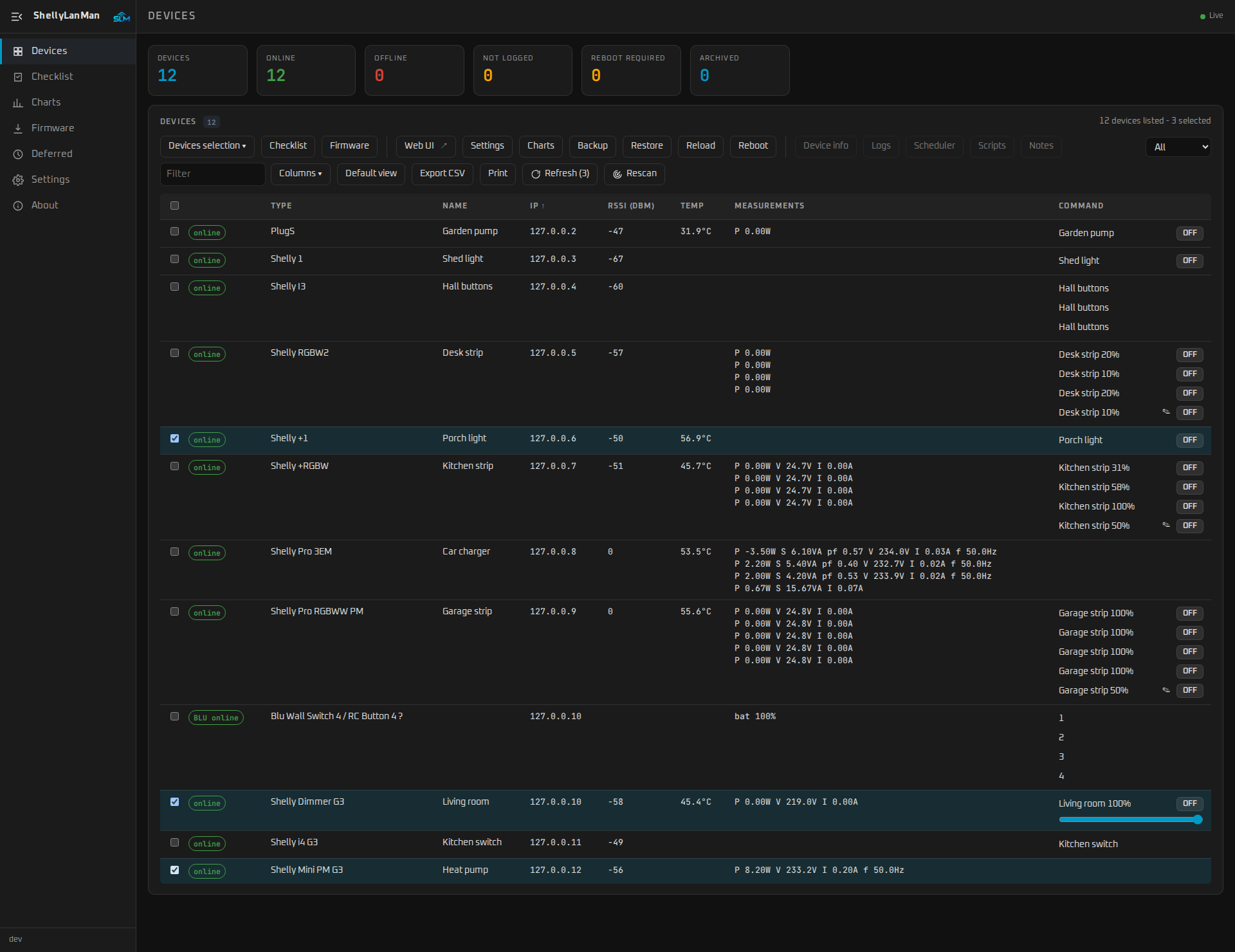
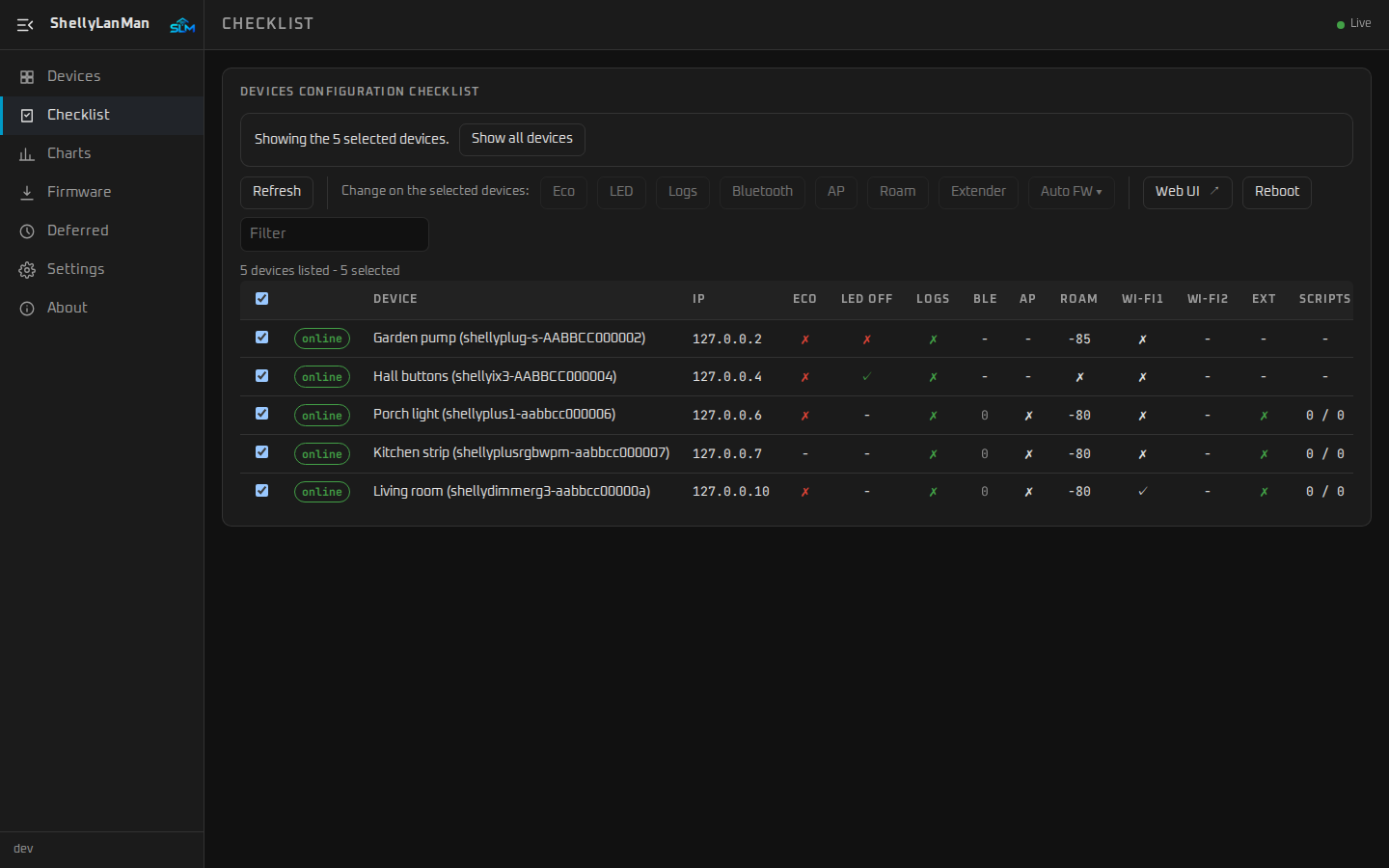
Two ways to run ShellyLanMan:
- As a Home Assistant app (Home Assistant OS or Supervised): below, Install the app.
- As a standalone Docker container, on any machine in your LAN: see ShellyLanMan's README. The integration works with either.
| Part | Status |
|---|---|
App (shellylanman/): ShellyLanMan inside Home Assistant OS, in the sidebar |
available |
Integration (custom_components/shellylanman, HACS): ShellyLanMan's status, configuration backup and checklist on your Shelly devices, its tools in Assist |
available |
The app needs Home Assistant OS (or a Supervised installation): Home Assistant Container and Core have no apps. There, run ShellyLanMan with Docker as described in its README.
-
Add this repository to Home Assistant's app store:
-
Open the app and install it, then start it:


Or by hand: Settings → Apps → App Store → ⋮ → Repositories, add
https://github.com/wimmme/shellylanman-ha, then install ShellyLanMan.
See shellylanman/DOCS.md for what the app does and how it is
set up, and COMPATIBILITY.md for how this repository and
ShellyLanMan work together.
Needs ShellyLanMan 0.5.0 or newer (the app, or the Docker version). The integration is in the HACS default list, so it is in Home Assistant's Marketplace too (Home Assistant 2026.11 and newer, Settings → Marketplace, where HACS moved).
-
Search for ShellyLanMan in the Marketplace (or in HACS before Home Assistant 2026.11), download it, then restart Home Assistant. With HACS this button opens it:
-
With the app, Home Assistant offers ShellyLanMan under Settings → Devices & services → Discovered: one click. Otherwise add it with ShellyLanMan's address (
http://<host>:3082):


The Shellys themselves come from Home Assistant's own Shelly integration — add them there first (Home Assistant usually discovers them). This integration does not add your Shellys to Home Assistant; it adds what ShellyLanMan knows about them. Per Shelly it makes a device of its own, which Home Assistant shows as linked to the Shelly integration's device through their MAC address (since Home Assistant 2026.8 a device belongs to one integration; they are no longer merged into one).
What you get:
| Entity | |
|---|---|
| ShellyLanMan status (online / offline / password needed / error / not found / searching) | enabled |
| Last configuration backup, and a button Back up configuration | enabled |
| Checklist items: eco mode, LED off, debug log, Bluetooth, access point, Wi-Fi roaming, static IP, range extender, automatic firmware update | disabled — switch on what you want to watch |
| A device ShellyLanMan: devices online / offline / needing attention, version, Scan the network again | enabled |
Relays, lights, meters and firmware updates stay with Home Assistant's own Shelly integration; ShellyLanMan is not in the path of your automations.
Home Assistant discovers most Shellys itself, but wants one click per device, and it misses some (a Shelly whose announcement it did not hear). The integration's Configure — and a repair notice while Shellys are missing — lists the Shellys ShellyLanMan knows that are not in the Shelly integration, with the reason for each (discovered by Home Assistant, not offered, needs a password, not answering). Tick the ones you want; they are added through the Shelly integration's own steps, as if you added them there, and the result says what happened to each.
A Shelly with a password gets the one ShellyLanMan stores, but only on a trusted path: with the app on the same host (its loopback listener), or with the MCP token (access level configure) set in the integration. Otherwise you type the password in Home Assistant under Discovered. Needs ShellyLanMan 0.7.0 for the password and the "protected" hint; older versions still add Shellys without a password.
- With the app (Home Assistant 2026.10 or newer offers it with one click): Home
Assistant's own Model Context Protocol integration is discovered too, at
http://127.0.0.1:8097/mcp— ShellyLanMan's MCP server without token, reachable only on the Home Assistant host (app option MCP for Home Assistant without token). On 2026.9 add Model Context Protocol by hand with that URL. - Any installation: enter the MCP token (ShellyLanMan → Settings → MCP) in the integration (Reconfigure); it adds an LLM API ShellyLanMan for conversation agents.
Either way the MCP server must be on in ShellyLanMan (Settings → MCP; on, read only, in a new installation since 0.9.12), and its access level (read / control / configure) decides what Assist may do. Home Assistant offers Model Context Protocol only while it is on.
- Settings → Devices & services → ShellyLanMan → ⋮ → Delete. Its devices and entities go with it; the Shellys in Home Assistant's Shelly integration stay, and so do ShellyLanMan and its backups.
- To remove the files too: in the Marketplace (or HACS) open ShellyLanMan → ⋮ → Remove, then restart Home Assistant.
The app is removed separately, under Settings → Apps. Home Assistant's Model Context Protocol integration, if you added it for Assist, is its own entry.
How the integration measures up to Home Assistant's
integration quality scale:
QUALITY_SCALE.md. What comes next: ROADMAP.md.
GPL-3.0-or-later, as ShellyLanMan and ShellyScanner. See LICENSE.