
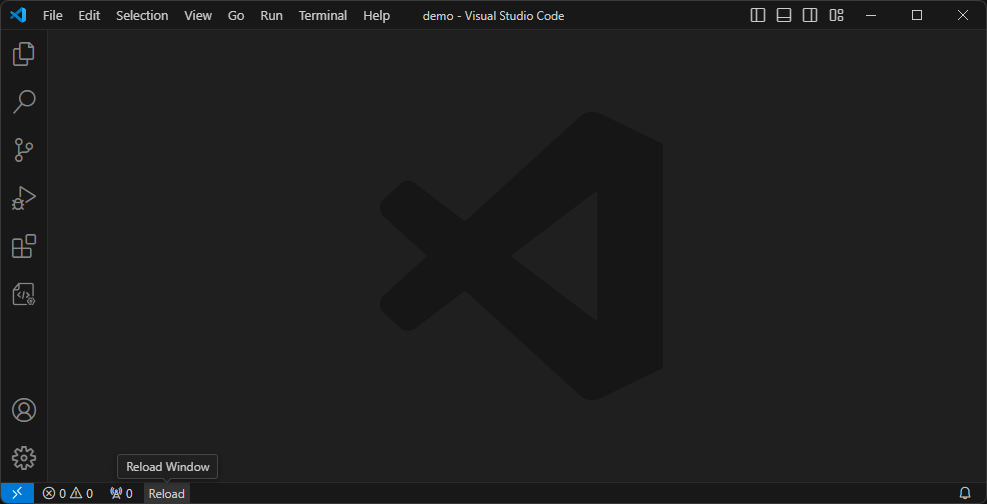
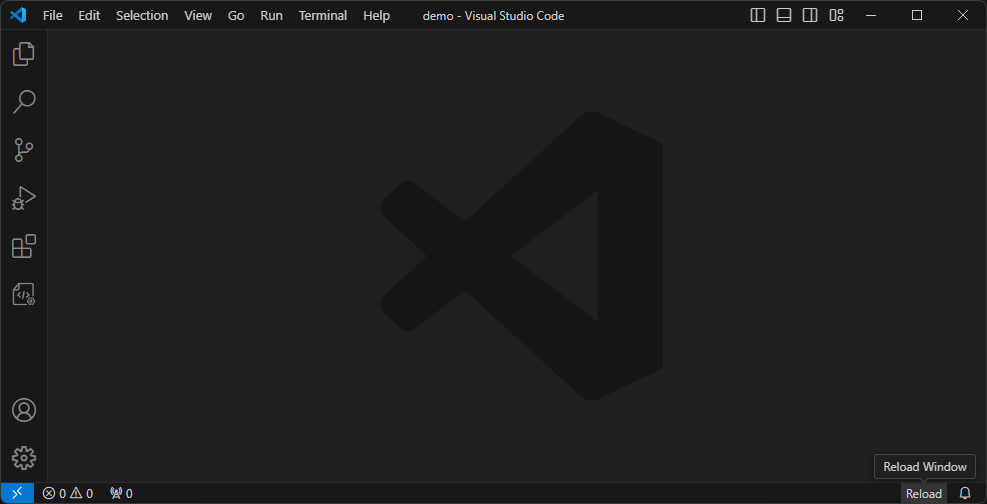
在状态栏左侧/右侧添加一个可配置的重载窗口按钮。
前端项目安装npm依赖或编译代码后可能需要重启vscode,以前是通过命令,后来找到了这个 Reload 扩展帮我简化了操作。非常感谢 natqe 的 reload 的给与我灵感。
Add a configurable reload window button to the left/right side of the status bar.
Front-end projects may need to restart vscode after installing npm dependencies or compiling code. I used to use commands, but then I found this Reload extension to help me simplify it. operate. Many thanks to natqe’s reload for giving me inspiration.
- 左 left
- 右 right
{
  "tomjs.reload.position": "right",
  "tomjs.reload.text": "Reload",
  "tomjs.reload.tooltip": "I'll be back!"
}-
tomjs.reload.position: 状态栏中重载按钮的位置,默认为right.left: 显示在状态栏左下角right: 显示在状态栏右下角
-
tomjs.reload.text: 重新加载按钮的文本,默认为重载. -
tomjs.reload.tooltip: 重新加载按钮的提示,默认为重载窗口.
-
tomjs.reload.position: The position of the reload button in the status bar, default isright.left: Show on the left side of the status bar.right: Show on the right side of the status bar.
-
tomjs.reload.text: The text of the reload button in the status bar. default:Reload. -
tomjs.reload.tooltip: The tooltip of the reload button in the status bar. default:Reload Window.