
🌐 Easily host your own Lavalink audio server on Square Cloud and power your Discord music bot from the cloud.
New to Square Cloud? Follow these steps in order. You will create an account, choose a plan and upload a ready-made zip: no coding needed.
Sign up on the Square Cloud signup page with your email.
Hosting on Square Cloud requires an active plan, and the upload in step 4 asks for one, so choose it now.
Lavalink needs 1 GB of RAM: the Hobby plan runs it. If your bot plays music on many servers at once, the Standard plan gives it more RAM and CPU. Compare every plan and its price on the pricing page.
Download project.zip from the latest release. This is the file you upload in the next step: you don't need to extract it.
- Open the Square Cloud upload page.
- Select the zip option and send the
project.zipyou downloaded. - Select Web Publication and choose a subdomain, for example
my-lavalink. Your server will be atmy-lavalink.squareweb.app. - Open Advanced configuration and add the environment variable
LAVALINK_SERVER_PASSWORDwith a long random password (32 characters or more). Your bot uses this password to connect. - Click Deploy.
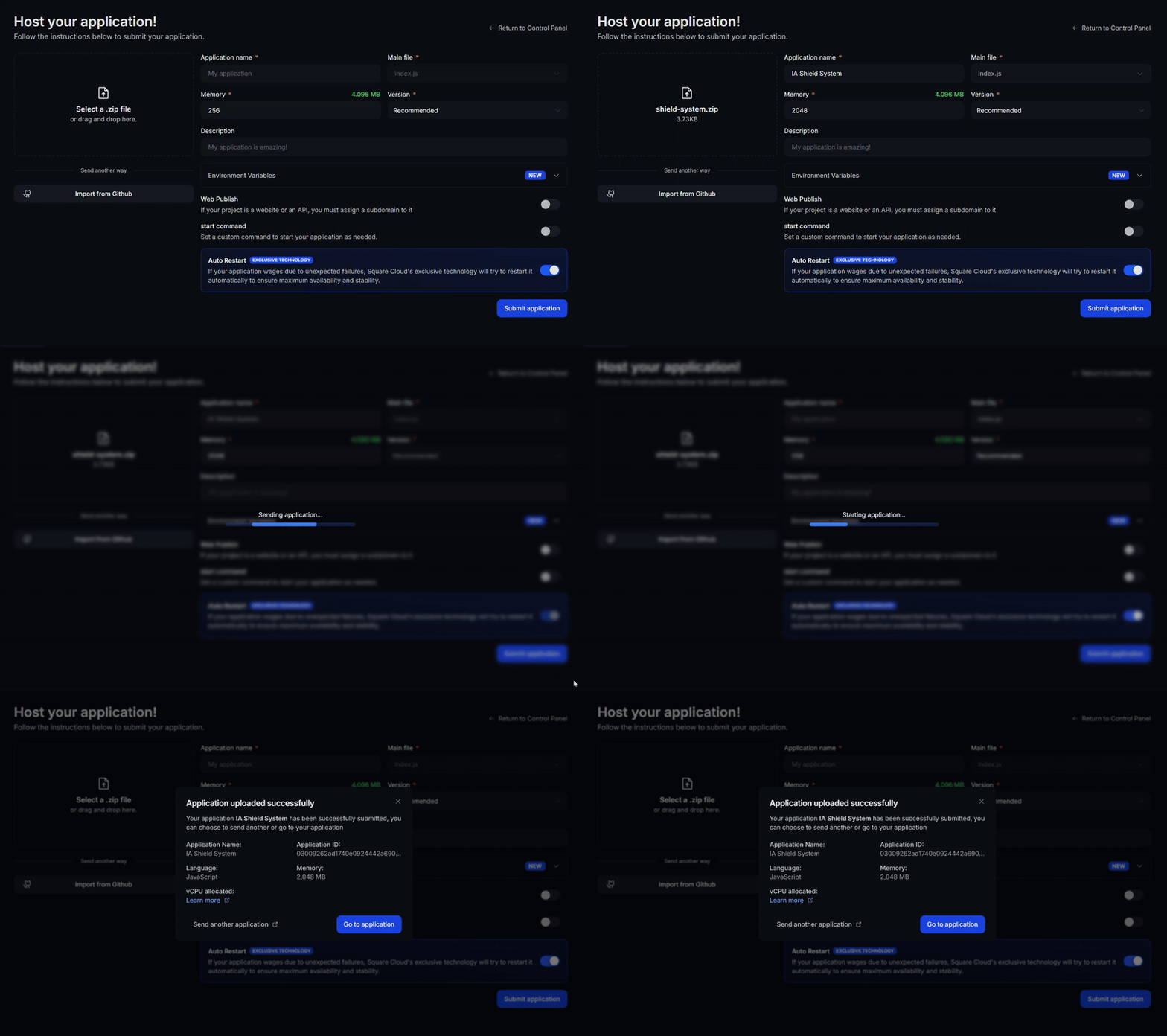
On the first boot, Lavalink downloads the youtube-source plugin, so give it a minute before connecting.
Square Cloud serves your Lavalink over HTTPS, so connect on port 443 with secure: true (the field names change between client libraries):
const node = {
  host: "my-lavalink.squareweb.app", // <subdomain>.squareweb.app
  port: 443,
  password: process.env.LAVALINK_PASSWORD, // the LAVALINK_SERVER_PASSWORD you set
  secure: true,
};
⚠️ Discord requires DAVE (end-to-end encrypted voice) since March 2026. Use a Lavalink v4 client library with DAVE support, or your bot won't be able to join voice channels.
📖 Need more details? Read the full Lavalink guide in the Square Cloud documentation.
- Lavalink 4.2.2 (
Lavalink.jar) with the youtube-source 1.18.2 plugin, configured inapplication.yml. squarecloud.app, the Square Cloud configuration file.
Lavalink.jar is not stored in this repository: it ships inside the release project.zip. To build the project yourself, download Lavalink.jar from the Lavalink 4.2.2 release and put it next to application.yml.
The goal of this project is to let you host a Lavalink instance on Square Cloud, so your Discord music bots can stream audio from anywhere.
🙋♂️ Questions or suggestions? Contact Square Cloud Support or open an issue in this repository!
Maintained by @JoaoOtavioS on GitHub.