

An open-source React rich text editor for posts and articles, built on Tiptap. It has the WYSIWYG tools you expect from TinyMCE or Froala, plus a media canvas: image galleries, collages, YouTube and social embeds, and link cards. Documents render to sanitized HTML on your server. MIT licensed.
Website and live demos · Docs · Feature tour · Playground · Examples · npm

npm install post-canvas- Rich text with a toolbar, a selection menu, a
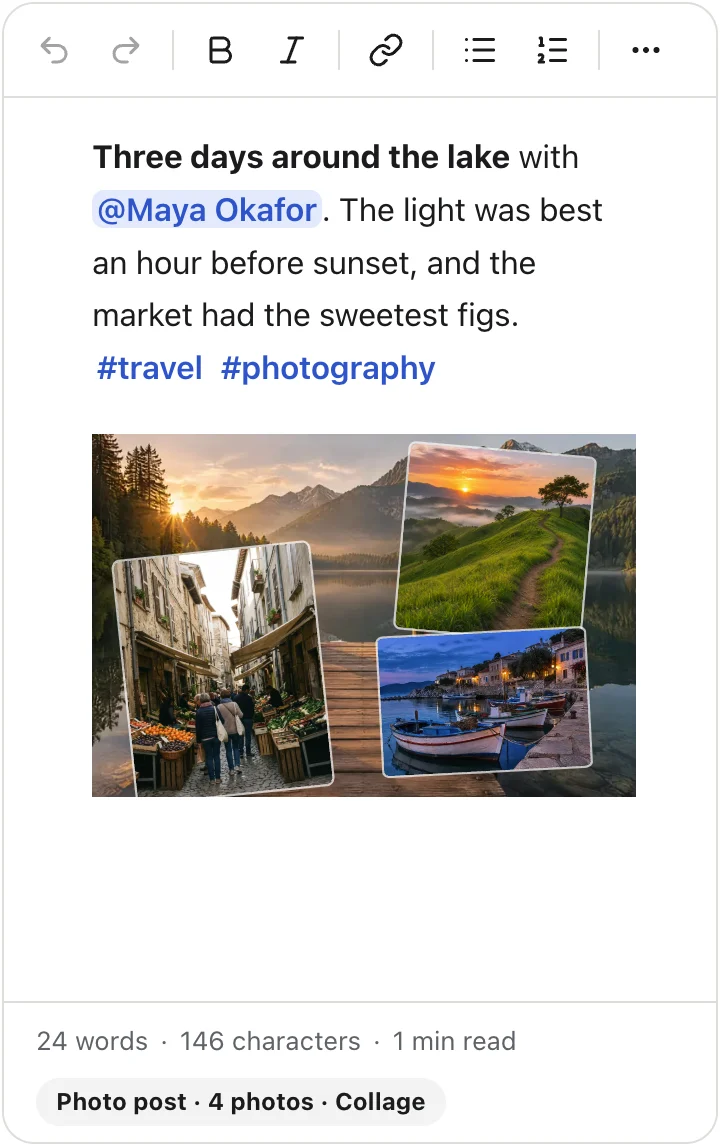
/menu, Markdown shortcuts, mentions and hashtags. - Image galleries in four layouts (carousel, grid, masonry and collage), with a collage editor.
- YouTube, Vimeo and social embeds that load on click by default, and link cards for any other page.
- Presets for a social post, an article with a title and cover, and a comment box.
- Sanitized HTML, a React Server Component and Markdown output, from the same schema as the editor.
Every image below is the real editor. Click Try it live under any of them to use it in your browser.
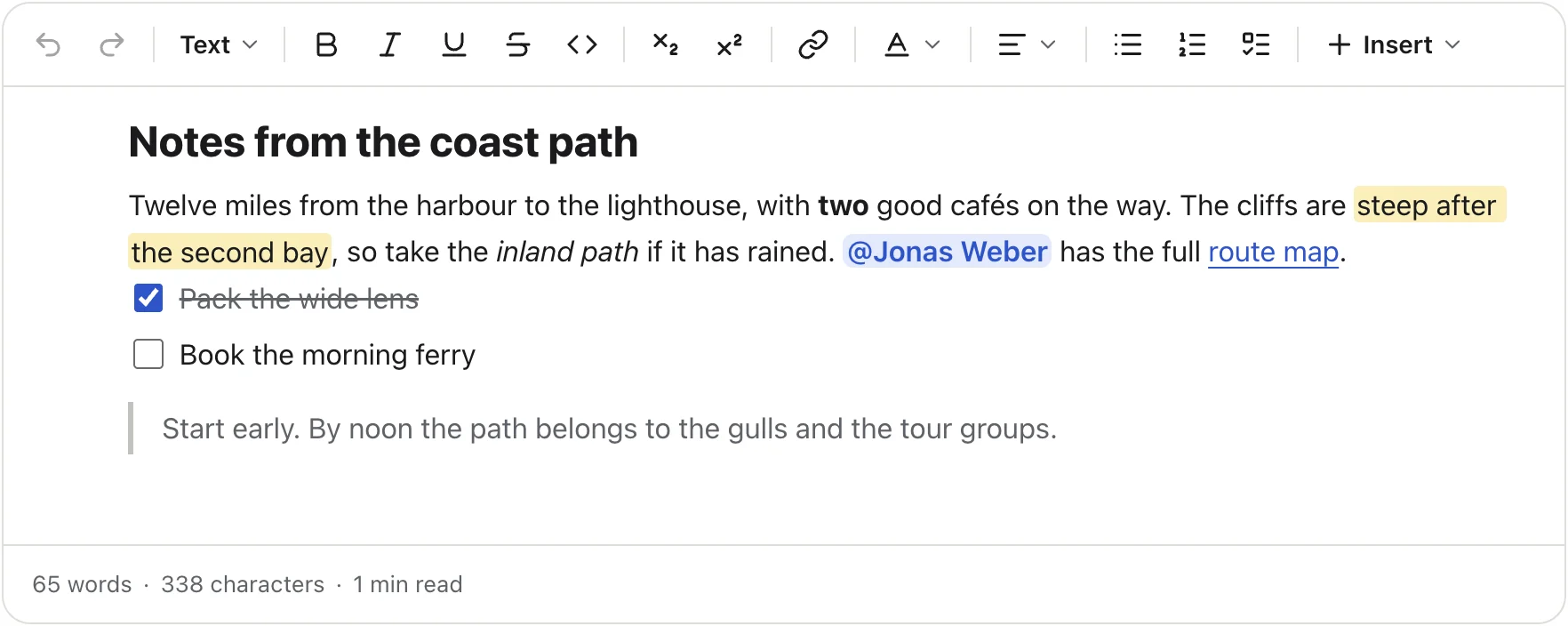
Headings, bold, italic, underline, strike, code, links, colours, highlights, alignment, lists, task lists, quotes,
tables and code blocks with syntax highlighting. Select text for a small menu, or type / on an empty line to insert
any block. Paste from Word or Google Docs and the structure stays while their styling goes.
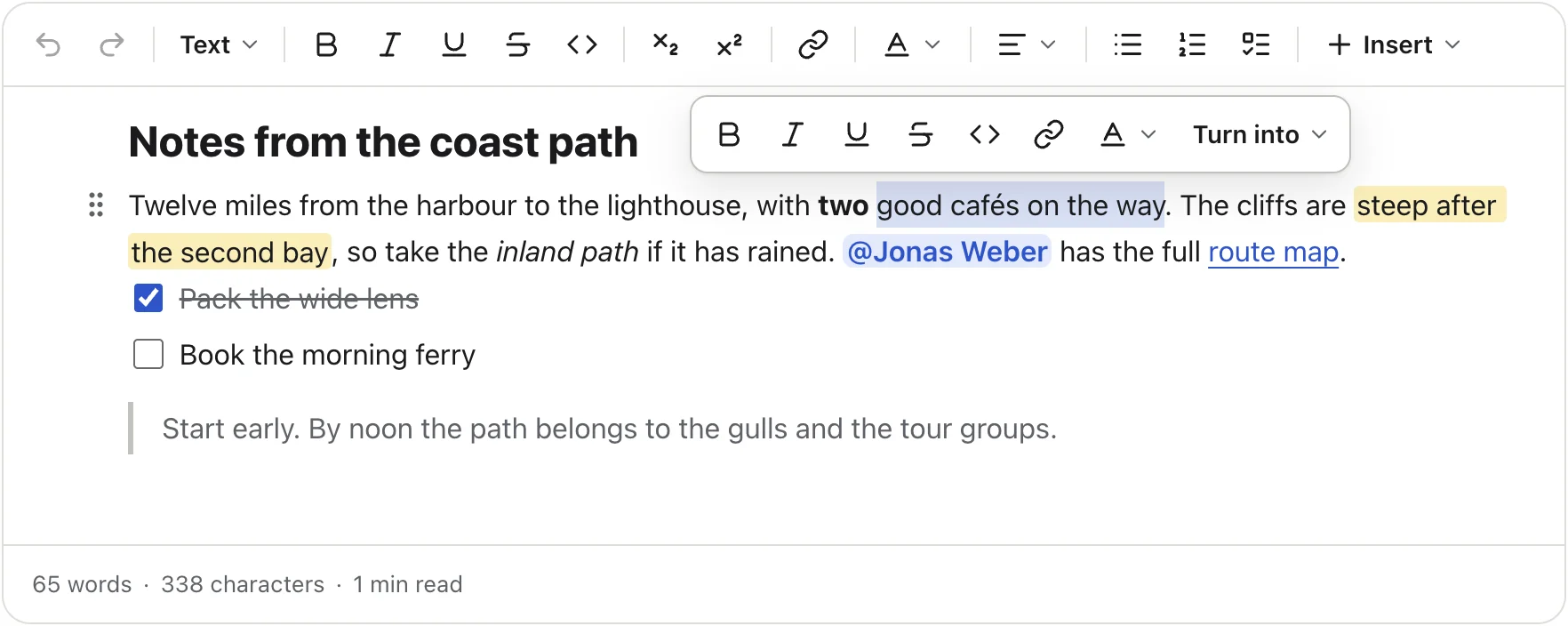
The selection menu |
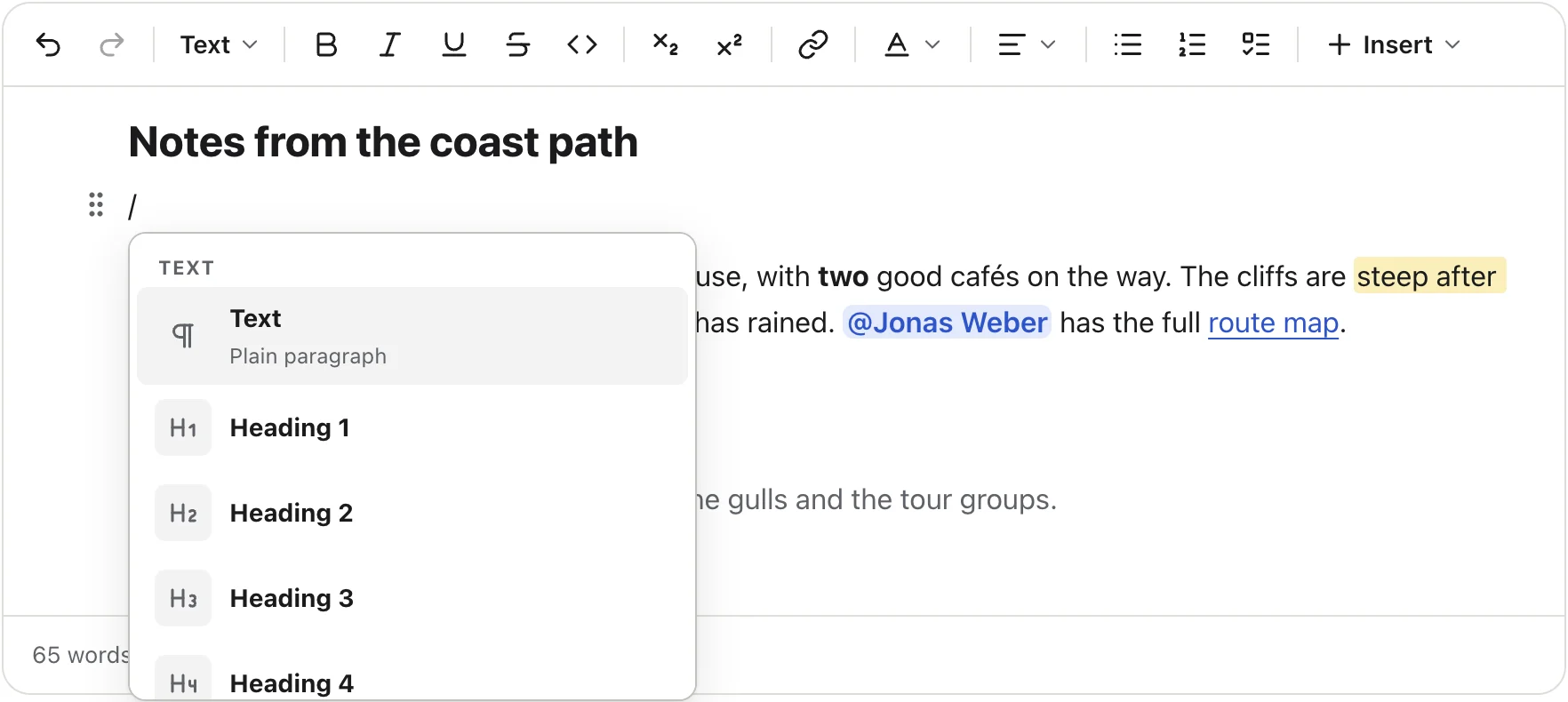
The / menu
|
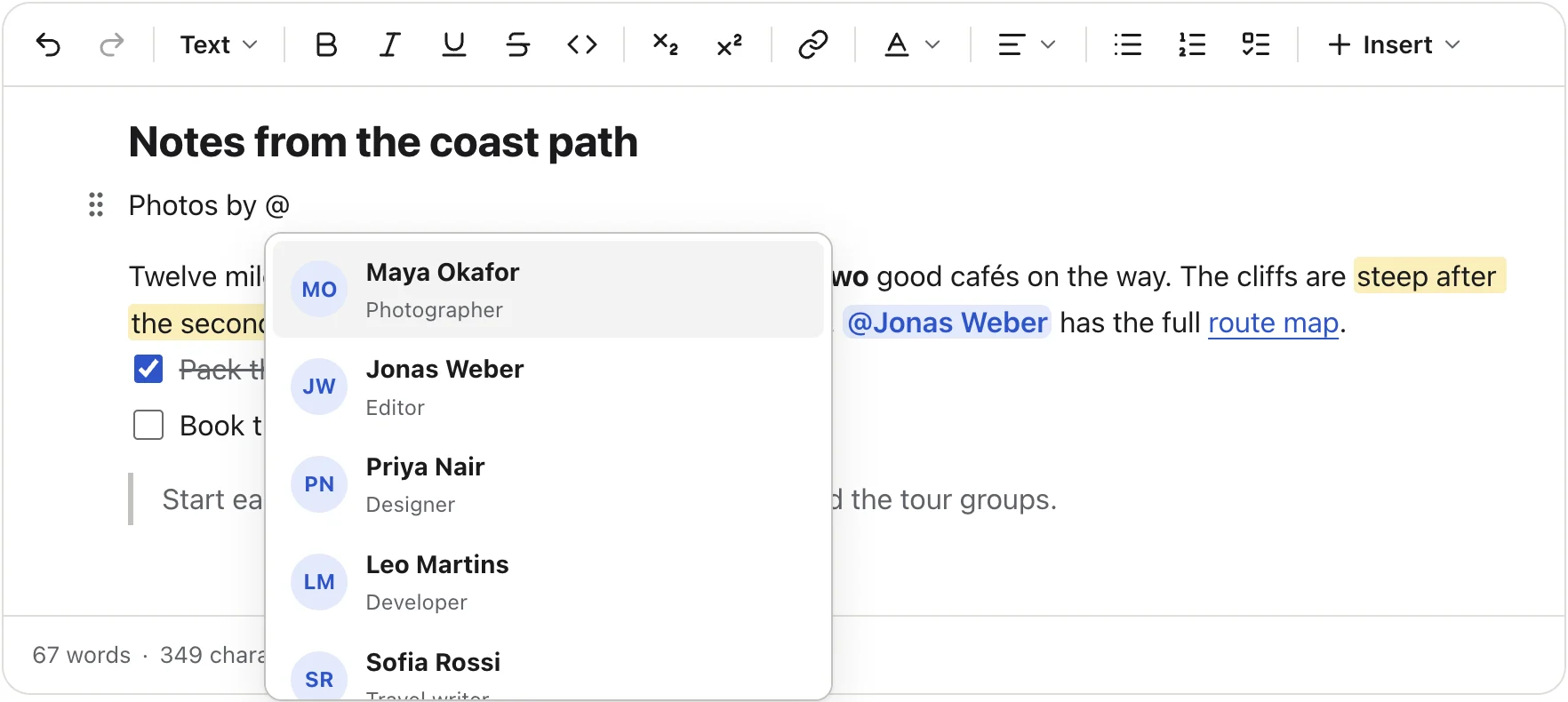
Type @ or # and pick from your people and tags. Your adapter returns the matches, and the editor stores each one
with its id.
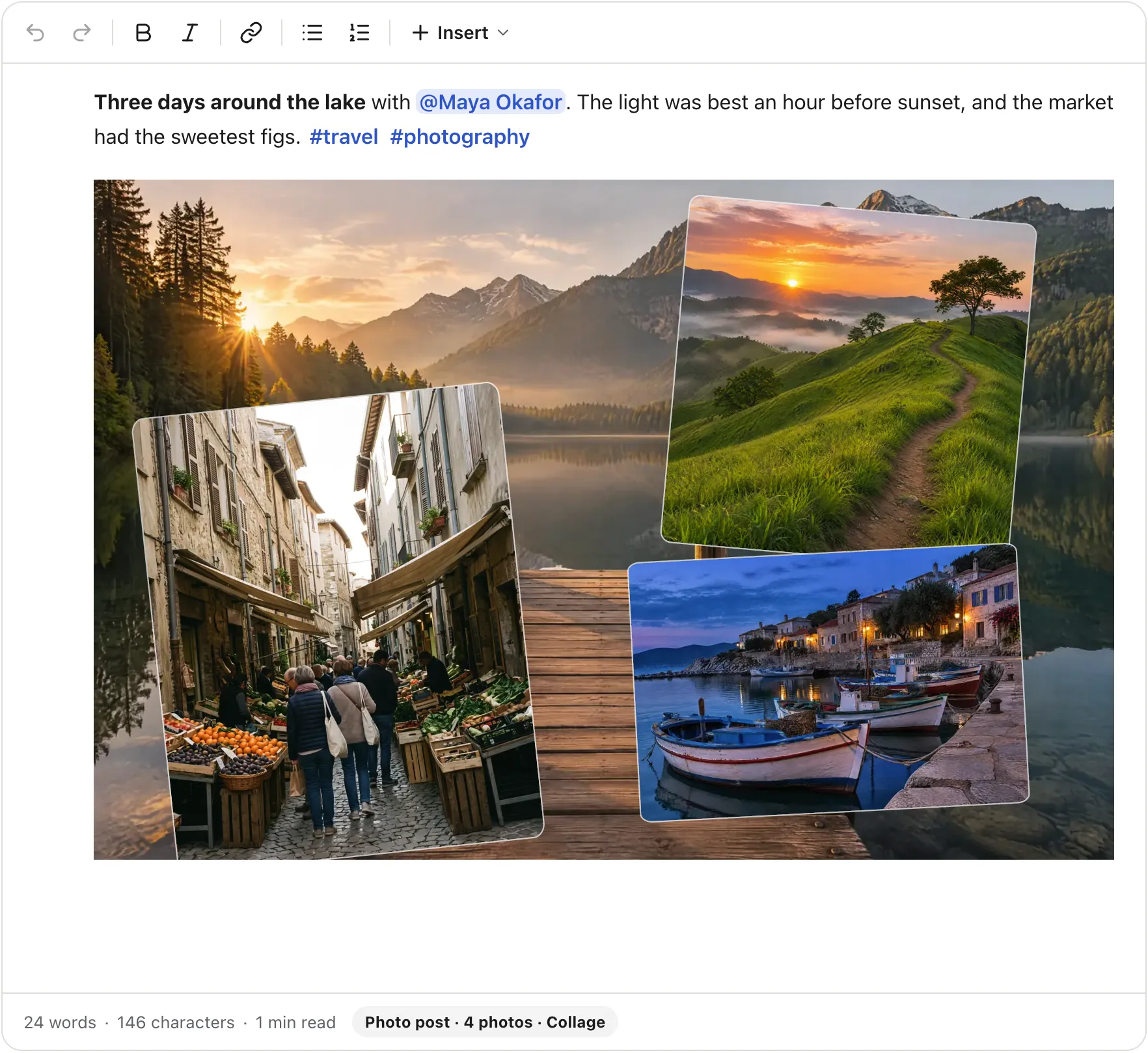
One gallery block holds several photos and shows them in four layouts. Writers switch layouts from the gallery's toolbar, drag to reorder, and add alt text and a caption. Uploads go through your own adapter (S3, Cloudinary or your own route), with progress, retry and cancel.
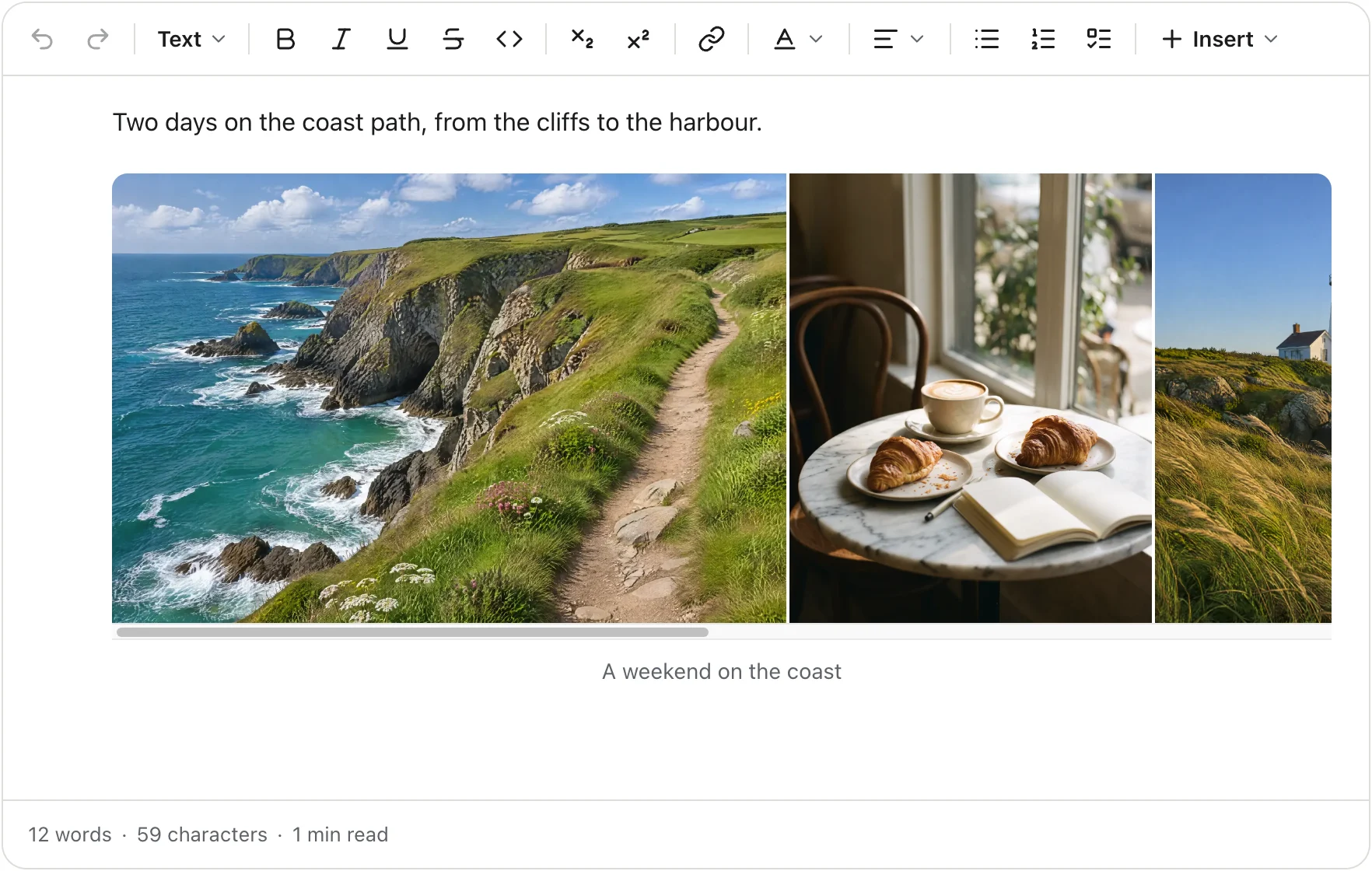
Carousel |
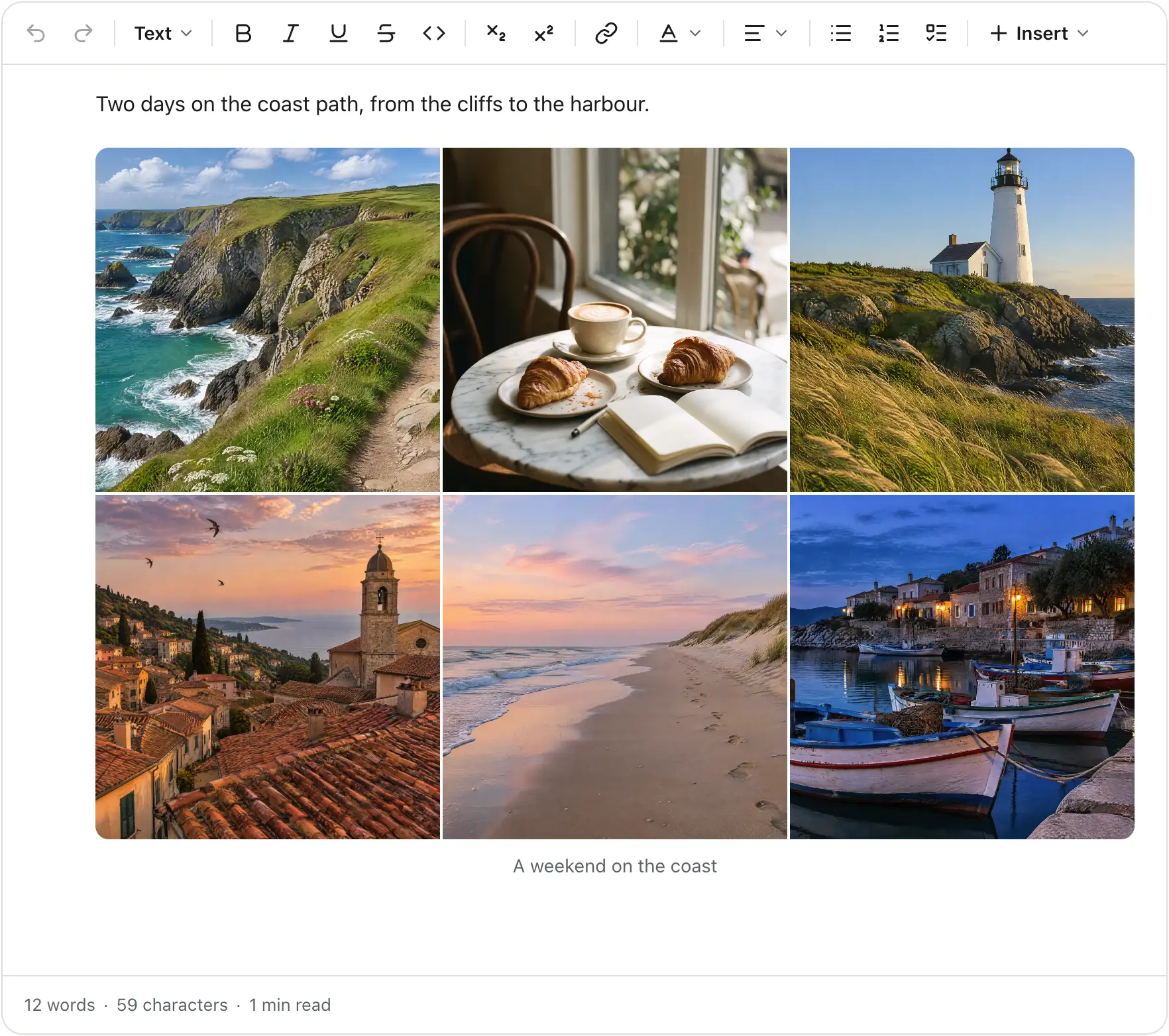
Grid |
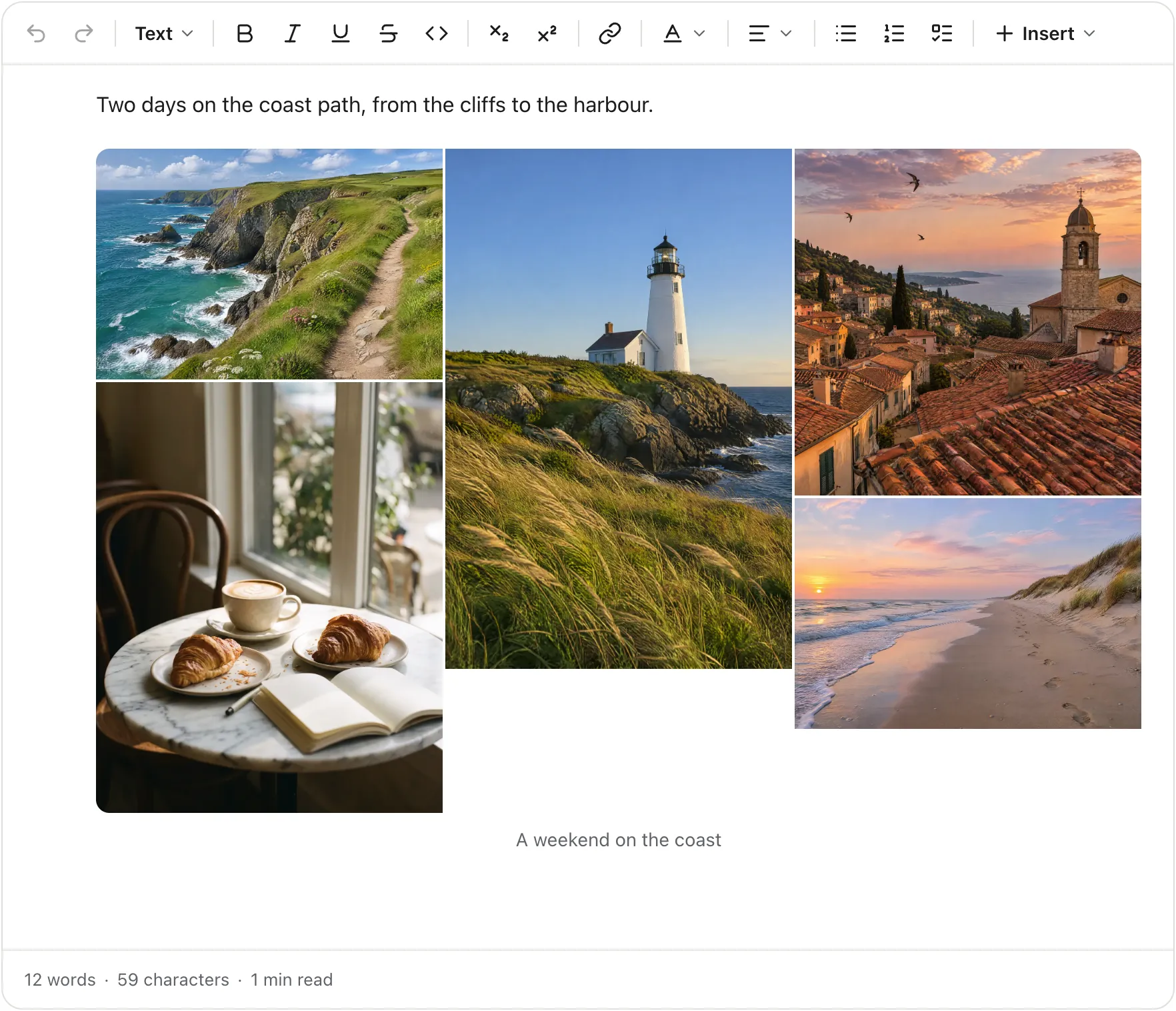
Masonry |
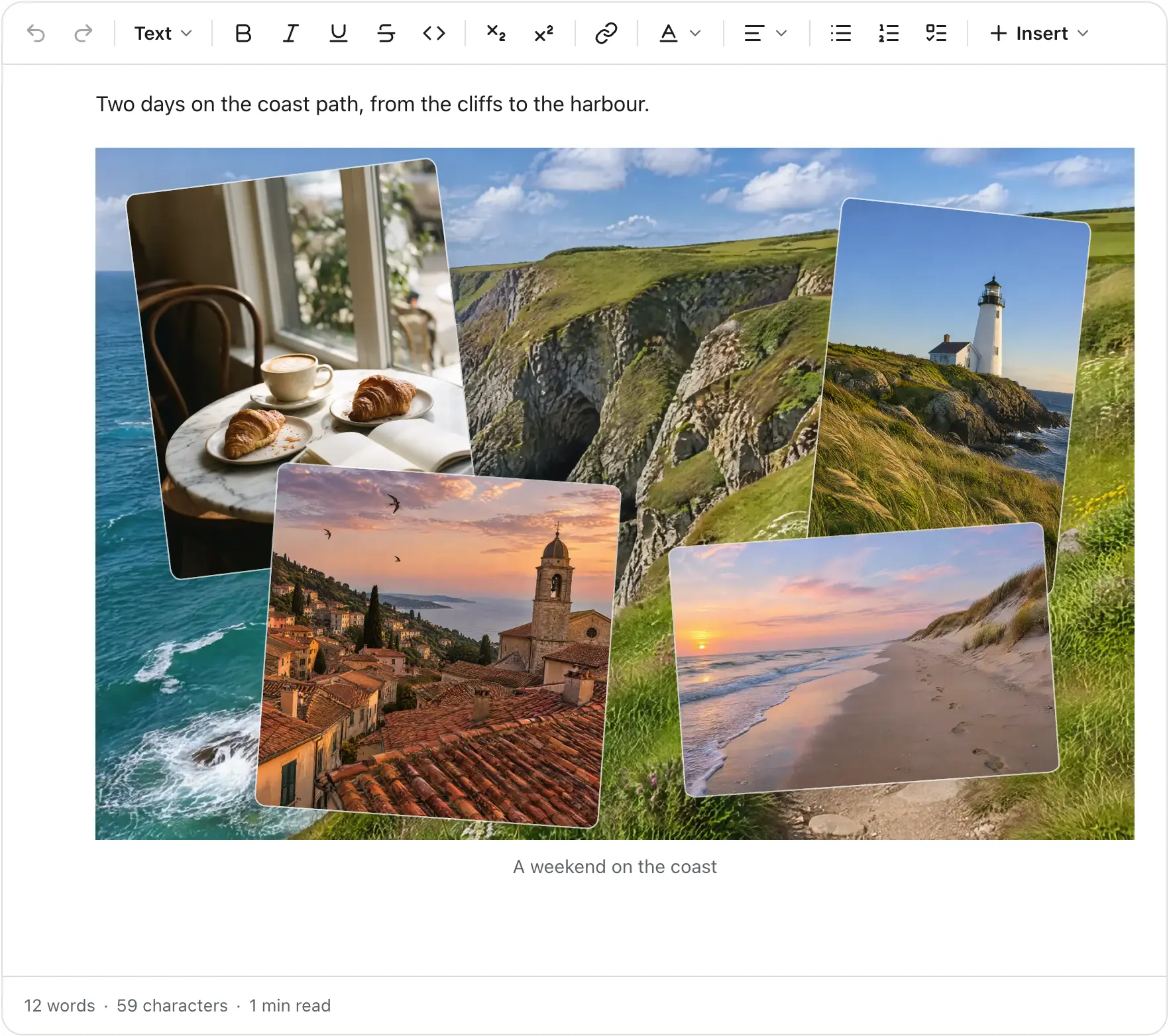
Collage |
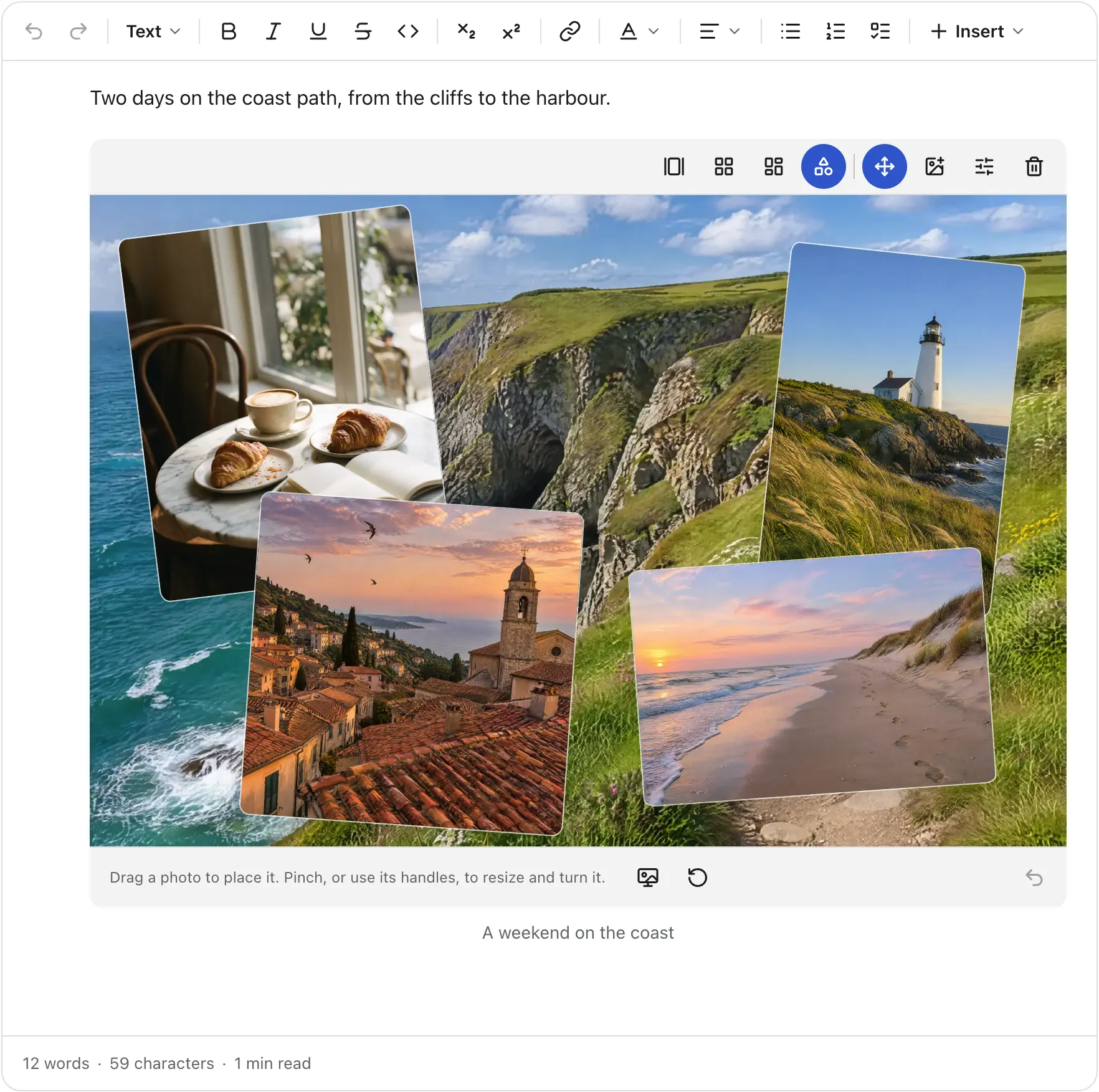
The first photo is the background. Arrange the collage opens an editor where you drag each photo into place, resize it and turn it, with a pinch on touch screens.
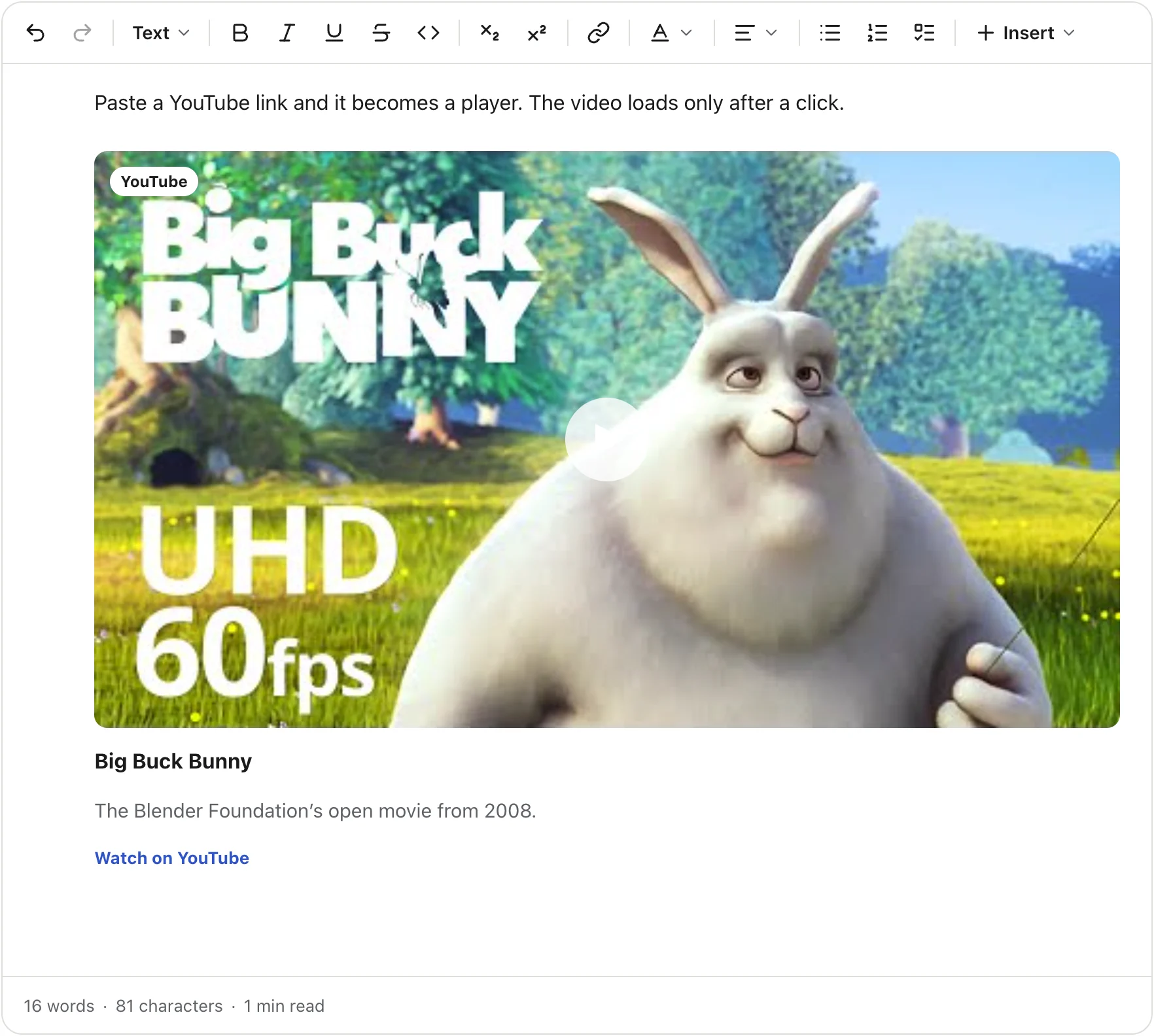
Paste a link and the editor picks the block. YouTube and Vimeo become players. Spotify, SoundCloud, X, Instagram, TikTok, CodePen, Loom, Figma and Google Maps become embeds, and you can add your own provider. Any other page becomes a link card through your link preview adapter. By default, players and embeds load only after a click.
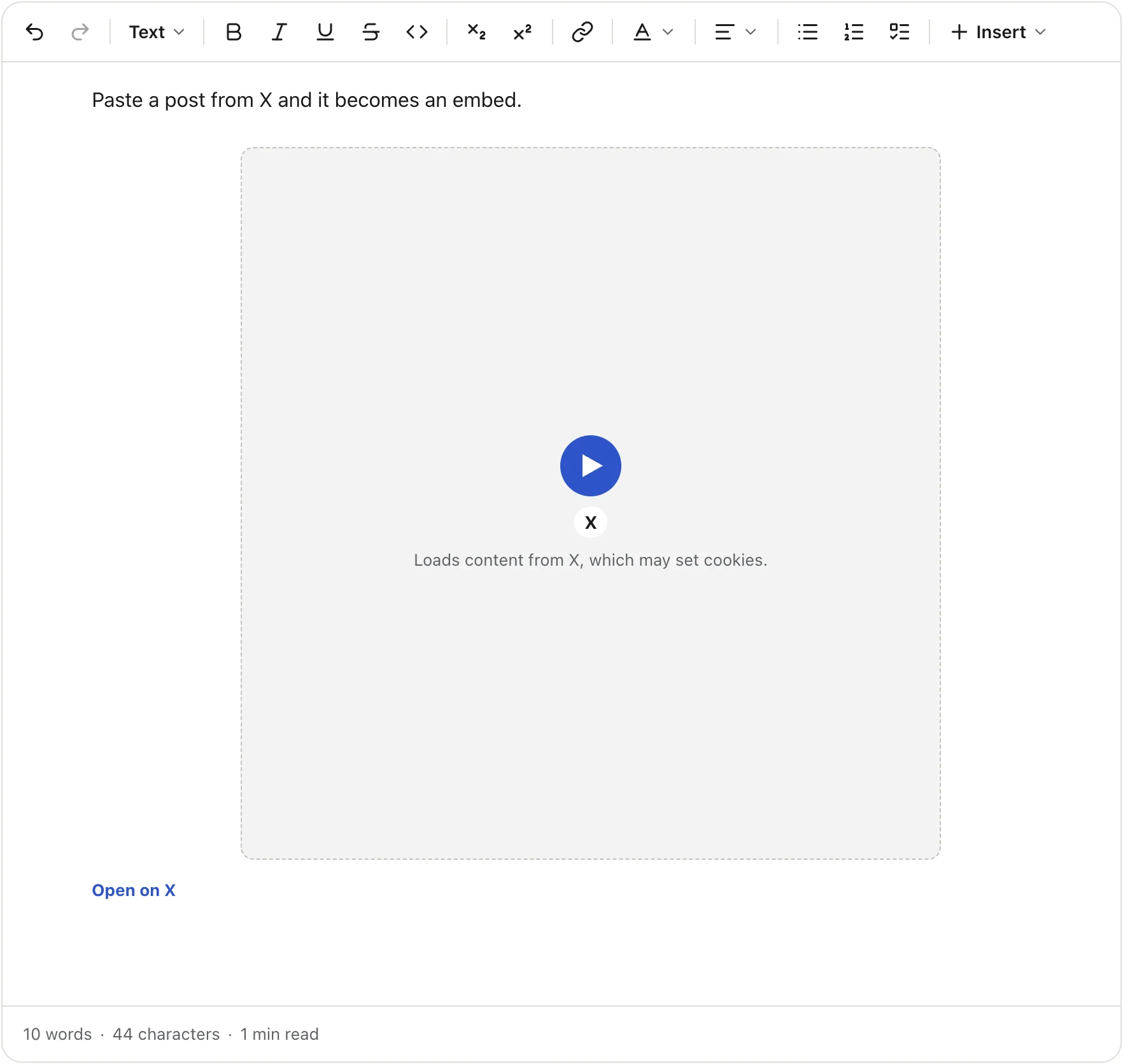
A post from X, before the click |
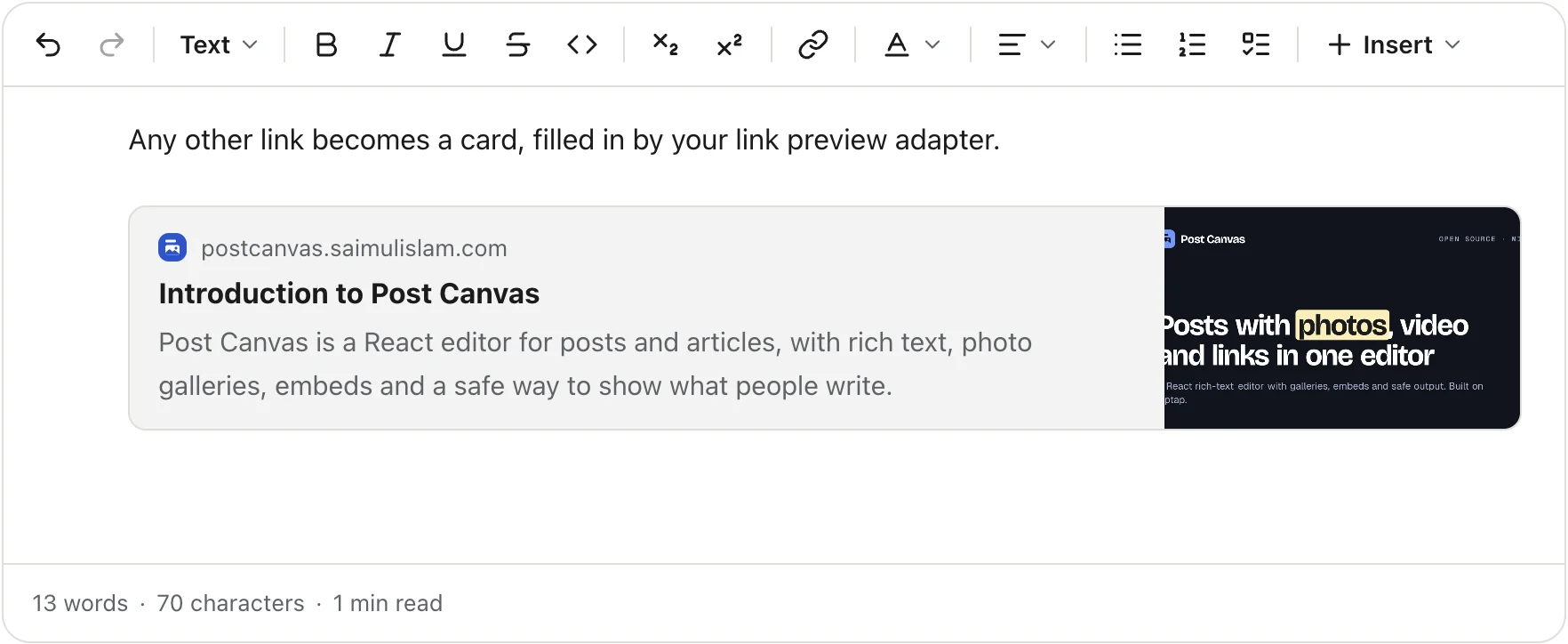
A link card |
social is a post composer, article adds a title and a cover, comment is a small reply box, and full turns on
everything. Change any single feature on top of a preset.
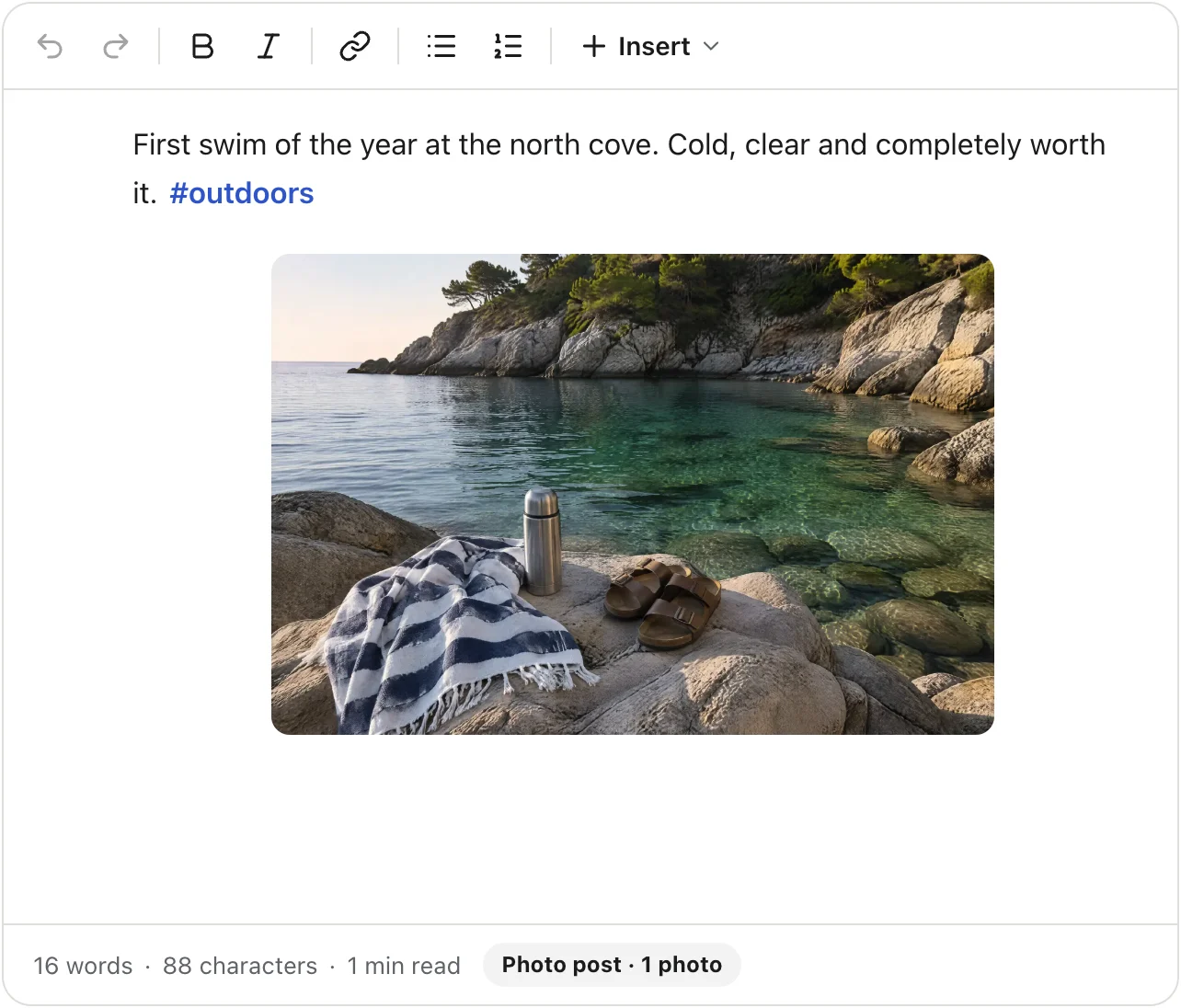
preset="social"
|
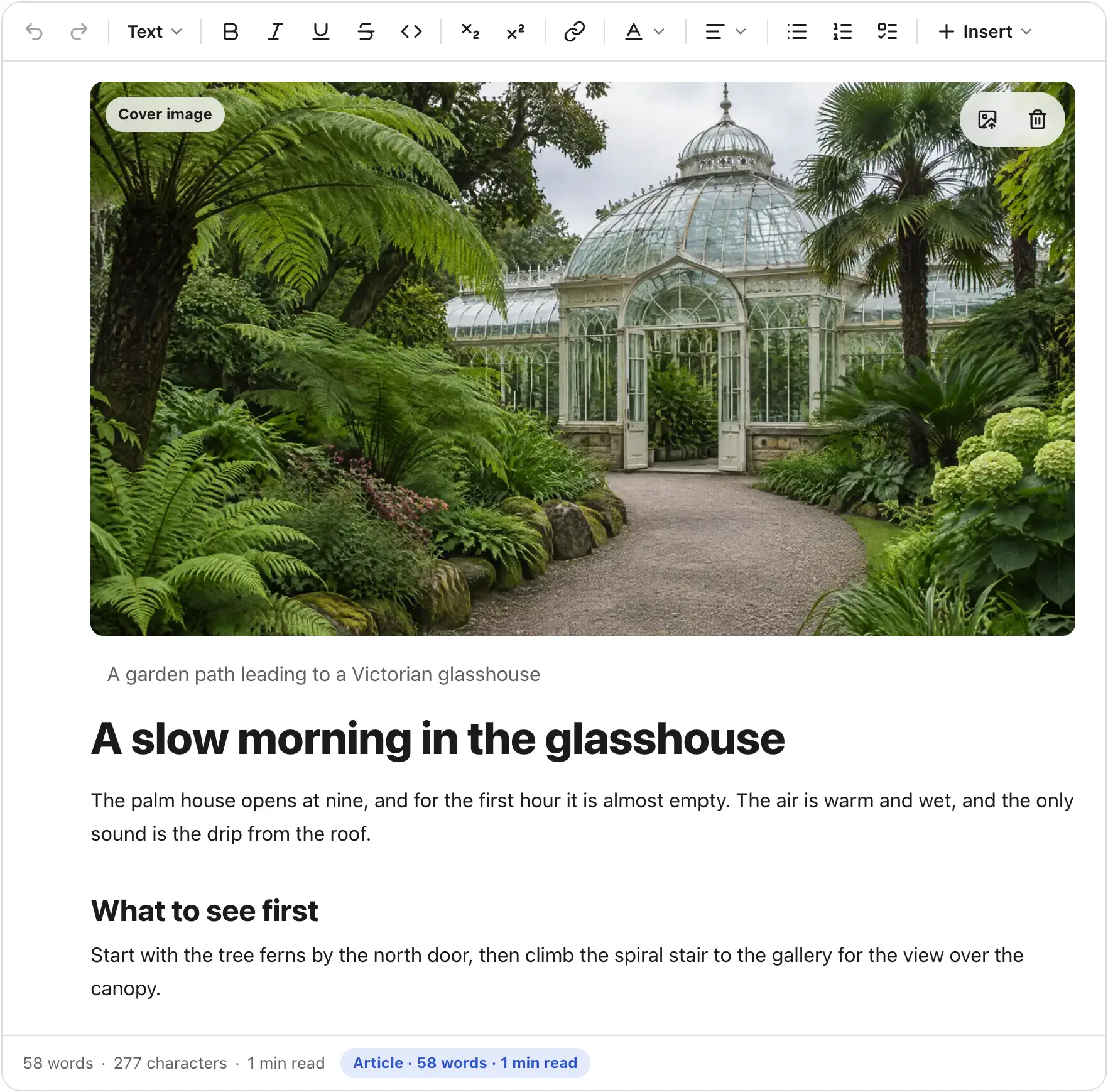
preset="article"
|

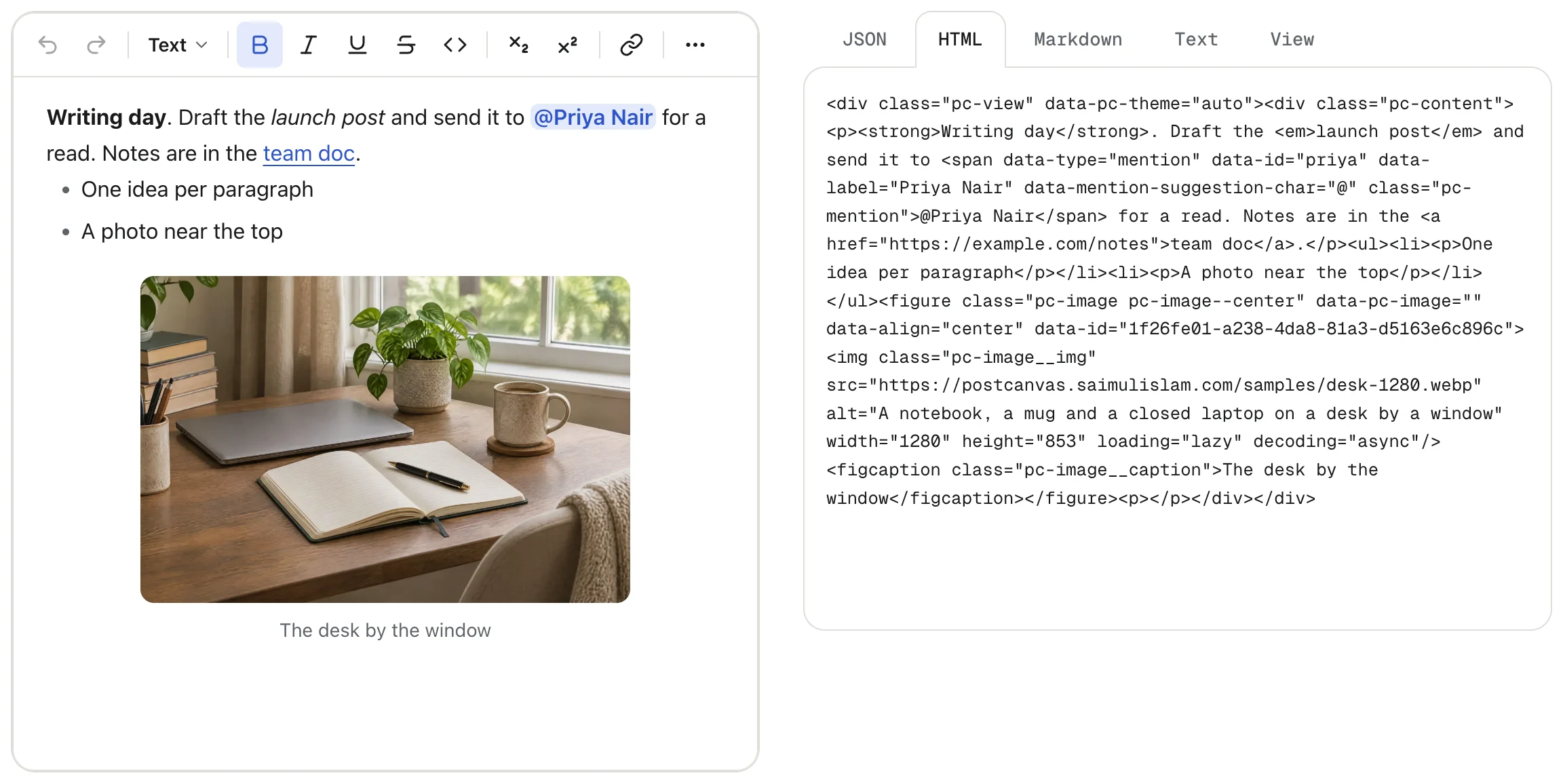
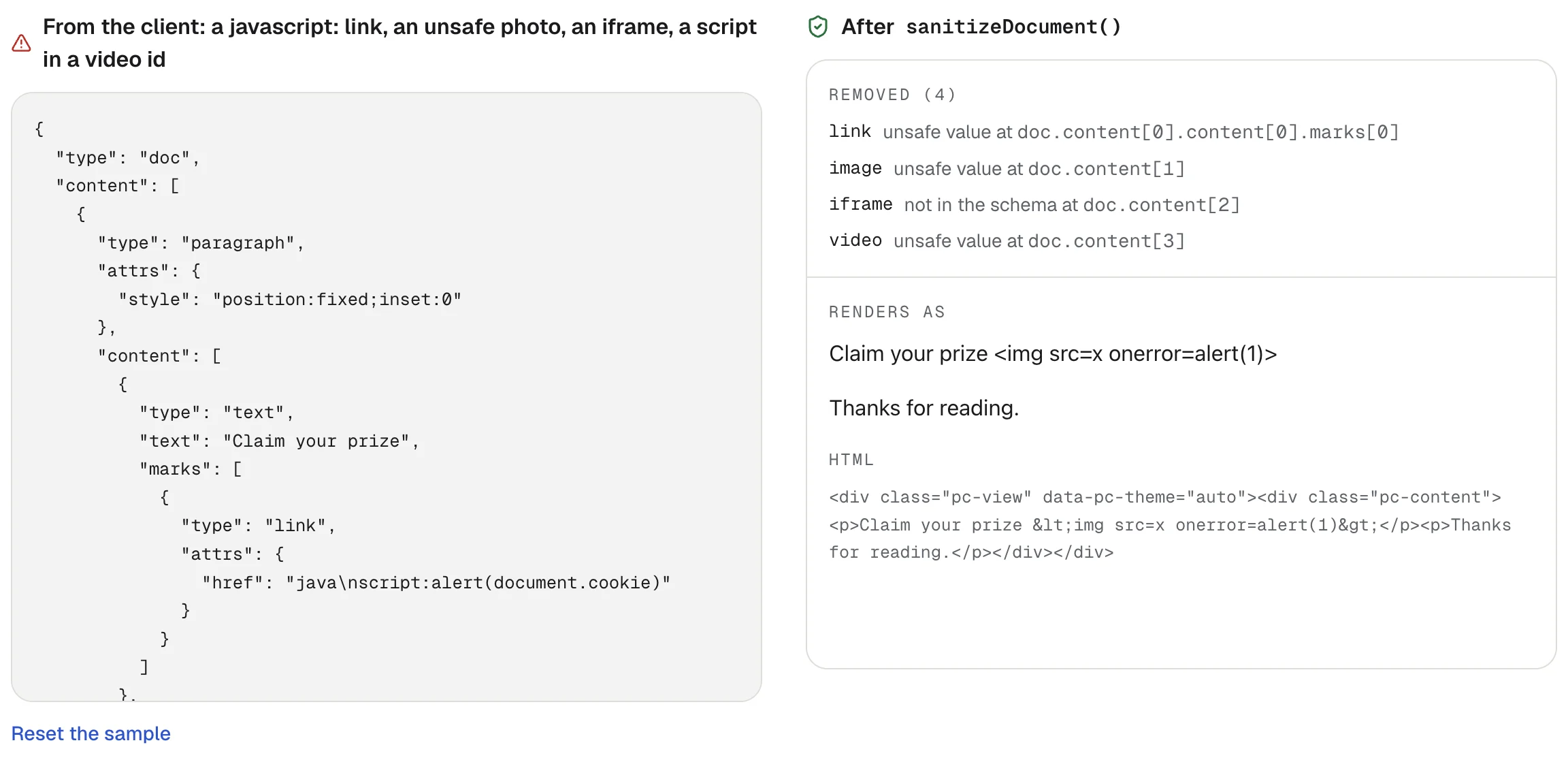
The editor saves Tiptap JSON. sanitizeDocument() and validateDocument() check it on your server with the same
schema as the editor, and need no DOM. renderToHTML() and the React Server Component PostCanvasView show it without
the editor, and it converts to Markdown and plain text. Player URLs are built from validated ids at render time, and
iframes are sandboxed.
The editor works with touch at phone width and follows light, dark or auto themes through CSS tokens. It ships in English, German, Spanish, French, Italian and Portuguese. A vanilla build and a CDN bundle run it without React.
|
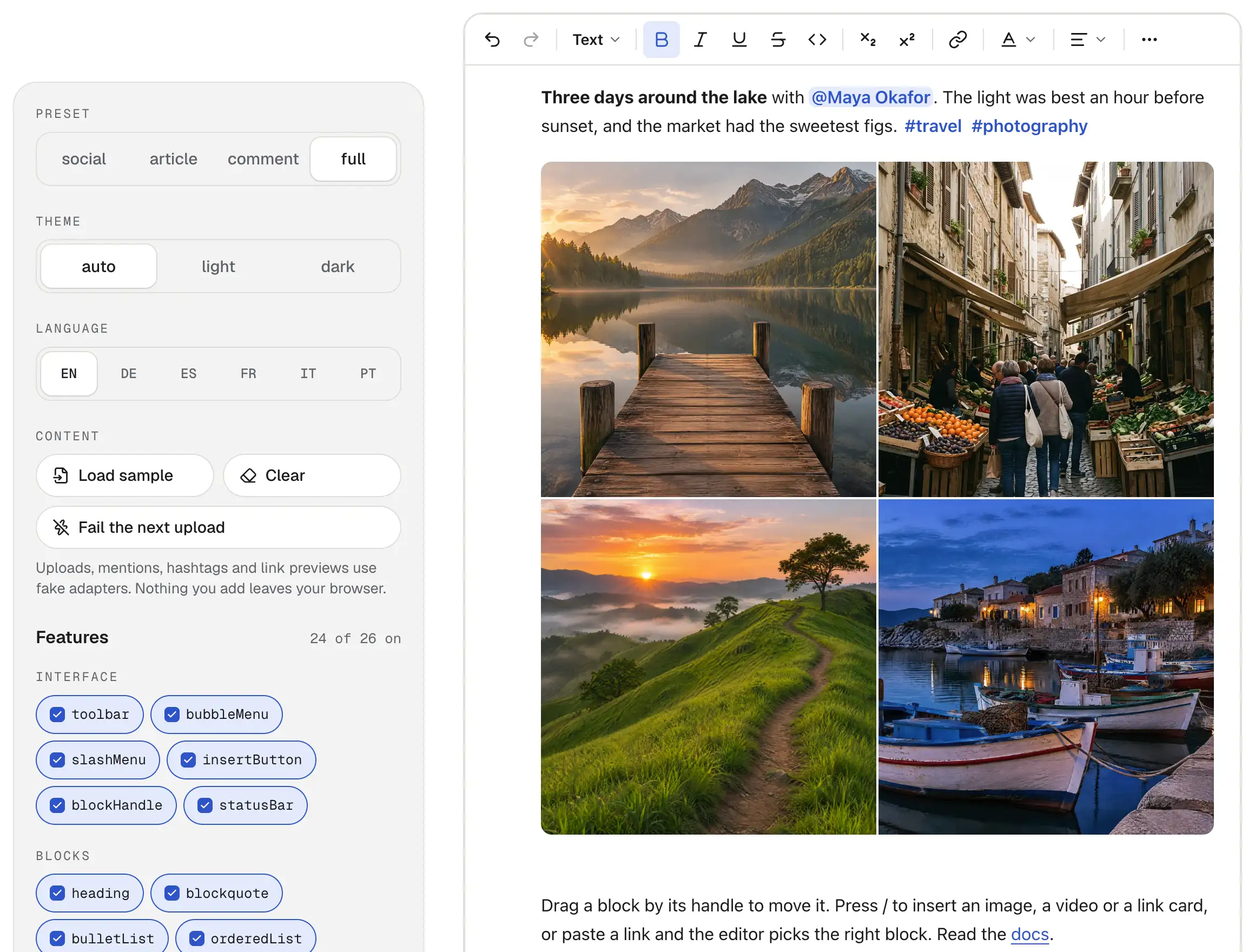
The playground: switch every option and read the output |
Also included: a + button, a / menu and a block handle to insert, move, duplicate and delete blocks; image and
file uploads with optional HEIC conversion; autosave and drafts; and HTML import from other editors.
Not yet: real-time collaboration, comments, AI features, emoji shortcodes, right-to-left layouts, and Vue and Angular wrappers. See the roadmap.
npm install post-canvasPost Canvas needs React 18.2 or newer. It is ESM only.
import { PostCanvas } from 'post-canvas';
import 'post-canvas/styles.css';

export function Composer() {
  return <PostCanvas preset="social" onChange={({ json }) => console.log(json)} />;
}
json is the document as Tiptap JSON. Save it in your database, and read it back with defaultContent.
Render the editor in a client component, and show saved posts in a Server Component.
// app/composer.tsx
'use client';

import { PostCanvas } from 'post-canvas';
import 'post-canvas/styles.css';

export function Composer({ action }: { action: (json: unknown) => Promise<void> }) {
  return <PostCanvas preset="article" onChange={({ json }) => void action(json)} />;
}
// app/posts/[id]/page.tsx
import { PostCanvasView } from 'post-canvas/render';
import 'post-canvas/styles.css';
export default async function Post({ params }: { params: Promise<{ id: string }> }) {
const { id } = await params;
const post = await loadPost(id); // your data layer
return <PostCanvasView content={post.content} />;
}PostCanvasView sanitizes the document before it renders. Always sanitize or validate JSON that came from a browser
before you store it: use sanitizeDocument() or validateDocument() from post-canvas/server.
<link rel="stylesheet" href="https://unpkg.com/post-canvas/dist/cdn/post-canvas.css" />
<div id="editor"></div>
<script src="https://unpkg.com/post-canvas/dist/cdn/post-canvas.iife.js"></script>
<script>
  const canvas = PostCanvas.create(document.getElementById('editor'), { preset: 'article' });
  canvas.on('change', (json) => console.log(json));
</script>
Uploads, mentions, link previews, autosave, theming and the other guides are in the docs.
TinyMCE and Froala store a post as an HTML string, and Quill can export one. Post Canvas stores JSON. fromHTML() converts each old post once
and reports what it could not keep, so you can check the result before you save it. The
migration guide covers the conversion
and maps TinyMCE and Froala options to Post Canvas features.
Post Canvas is built on Tiptap 3 and ProseMirror, and saves Tiptap JSON. post-canvas/extensions exports the Tiptap
extensions it is made of, so you can build your own editor from them or add your own nodes next to the built-in ones.
See the extensions reference.
Current versions of Chrome, Edge, Firefox and Safari, on desktop and mobile. Most testing so far is in Chromium. Safari, Firefox and real touch devices have had less, so please report anything that looks wrong. Trackpad pinch in the collage editor zooms the page instead of the collage (touch pinch works).
Issues and pull requests are welcome. Read CONTRIBUTING.md for setup and the checklist, and SECURITY.md to report a vulnerability.
MIT, free for commercial use. The optional HEIC conversion uses a library you
install yourself (heic-to), which is LGPL licensed. Post Canvas does not
bundle it.