


🧪 Color Dispensing Control Panel is a modern Python GUI application designed to manage paint color dispensing operations. It integrates smoothly with an STM32-based pump control system and MySQL database for robust, precise, and user-friendly color dispensing, stock management, and bill of materials (BOM) handling. A fully integrated desktop GUI for managing color dispensing, stock tracking, and calibration in automated liquid systems. Built with Python and connected to STM32 firmware via serial communication, this app supports real-world manufacturing workflows with robust MySQL integration.
- Project Overview
- Features
- Technology Stack
- Prototype Demo Videos
- Installation
- Database Setup
- Usage
- Serial Communication
- Exporting Reports
- Troubleshooting
- Contributing
- Credits
- License
This desktop application is tailored for paint dispensing workflows where color formulations (BOMs) and pump calibrations matter. It includes:
- Color Entry: Manage base colors and associate pump numbers.
- BOM Entry: Define color mixes with percentages.
- Stock Entry: Record incoming stock quantities with batch numbers and dates.
- Dispensing: Send volume commands to STM32 pumps with calibration and real-time logs.
- Export: Save stock history as CSV and Excel reports.
- Filtered stock history with date range support for auditing and inventory control.
- Simulated actual dispensing volumes with ±0.5% variance and calculated differences.
- Export of dispensing logs including actual and difference volumes for each batch.
Color Dispensing Control Panel is a Tkinter manufacturing application for defining colors and BOMs, receiving stock, and dispensing paint through STM32 pumps. The principal workflow is: an operator opens a workflow from the main menu, selects a BOM and quantity, the application resolves base colors and pump mappings, sends calibrated commands to the controller, records activity in MySQL, and exports audit reports.
flowchart TD
subgraph group_ui["Operator Workflows"]
  node_main_menu["Main Menu<br/>[main.py]"]
  node_color_entry["Color Entry<br/>[colorentry.py]"]
  node_bom_entry["BOM Entry<br/>[bomentry.py]"]
  node_stock_entry["Stock Entry<br/>[stockentry.py]"]
  node_dispensing["Dispensing<br/>[dispensing.py]"]
end
subgraph group_data["Data Management"]
  node_db_connector["DB Connector"]
  node_mysql[("MySQL Database")]
end

subgraph group_hardware["Pump Control"]
  node_pump_calibration["Pump Calibration<br/>[dispensing.py]"]
end

subgraph group_reports["Audit Reports"]
  node_stock_reports["Stock Reports"]
  node_dispense_detail["Dispense Details"]
  node_duration_individual["Individual Durations"]
  node_duration_total["Duration Summary"]
end

node_operator(("Operator"))
node_stm32{{"STM32 Controller"}}

node_operator -->|"uses"| node_main_menu
node_main_menu -->|"opens"| node_color_entry
node_main_menu -->|"opens"| node_bom_entry
node_main_menu -->|"opens"| node_stock_entry
node_main_menu -->|"opens"| node_dispensing
node_color_entry -->|"writes colors"| node_mysql
node_bom_entry -->|"writes BOMs"| node_mysql
node_stock_entry -->|"uses"| node_db_connector
node_dispensing -->|"uses"| node_db_connector
node_db_connector -->|"connects"| node_mysql
node_dispensing -->|"reads BOMs"| node_mysql
node_dispensing -->|"loads calibration"| node_pump_calibration
node_dispensing -->|"sends commands"| node_stm32
node_stm32 -->|"returns status"| node_dispensing
node_stock_entry -->|"exports history"| node_stock_reports
node_dispensing -->|"exports details"| node_dispense_detail
node_dispensing -->|"exports durations"| node_duration_individual
node_dispensing -->|"summarizes durations"| node_duration_total

click node_main_menu "https://github.com/robinglory/pythongui_stm32_waterdispensing/blob/main/main.py"
click node_color_entry "https://github.com/robinglory/pythongui_stm32_waterdispensing/blob/main/colorentry.py"
click node_bom_entry "https://github.com/robinglory/pythongui_stm32_waterdispensing/blob/main/bomentry.py"
click node_stock_entry "https://github.com/robinglory/pythongui_stm32_waterdispensing/blob/main/stockentry.py"
click node_dispensing "https://github.com/robinglory/pythongui_stm32_waterdispensing/blob/main/dispensing.py"
click node_db_connector "https://github.com/robinglory/pythongui_stm32_waterdispensing/blob/main/mysql_connection.py"
click node_pump_calibration "https://github.com/robinglory/pythongui_stm32_waterdispensing/blob/main/dispensing.py"
click node_stock_reports "https://github.com/robinglory/pythongui_stm32_waterdispensing/tree/main/Stock%20Entry%20Log"
click node_dispense_detail "https://github.com/robinglory/pythongui_stm32_waterdispensing/tree/main/Dispensing%20Log/DispensingDetail"
click node_duration_individual "https://github.com/robinglory/pythongui_stm32_waterdispensing/tree/main/Dispensing%20Log/Dispensing%20Time%20Duration%20Log/DispenseDurationIndividual"
click node_duration_total "https://github.com/robinglory/pythongui_stm32_waterdispensing/tree/main/Dispensing%20Log/Dispensing%20Time%20Duration%20Log/DispenseDurationTotal"

classDef toneNeutral fill:#f8fafc,stroke:#334155,stroke-width:1.5px,color:#0f172a
classDef toneBlue fill:#dbeafe,stroke:#2563eb,stroke-width:1.5px,color:#172554
classDef toneAmber fill:#fef3c7,stroke:#d97706,stroke-width:1.5px,color:#78350f
classDef toneMint fill:#dcfce7,stroke:#16a34a,stroke-width:1.5px,color:#14532d
classDef toneRose fill:#ffe4e6,stroke:#e11d48,stroke-width:1.5px,color:#881337
classDef toneIndigo fill:#e0e7ff,stroke:#4f46e5,stroke-width:1.5px,color:#312e81
classDef toneTeal fill:#ccfbf1,stroke:#0f766e,stroke-width:1.5px,color:#134e4a
class node_main_menu,node_color_entry,node_bom_entry,node_stock_entry,node_dispensing toneBlue
class node_db_connector,node_mysql toneAmber
class node_pump_calibration toneMint
class node_stock_reports,node_dispense_detail,node_duration_individual,node_duration_total toneRose
class node_operator,node_stm32 toneIndigo
- Elegant and responsive Tkinter GUI with light theme.
- Real-time serial communication with STM32 pumps.
- Dynamic calibration per pump and volume range.
- Pump ID remapping for hardware constraints (e.g., Pump 8 ↔ Pump 9).
- Stock management integrated with MySQL database.
- Date-filtered stock history log.
- Export stock and dispensing reports to CSV and Excel formats.
- Simulated actual quantity and difference recording for dispensing sessions.
- Multi-window layout separating dispensing and stock history views.
- User-friendly error handling and status messages.
- Python 3.12
- Tkinter for GUI
- MySQL for database management
- PyMySQL for Python-MySQL connectivity
- tkcalendar for date selection widgets
- pandas for CSV and Excel export
- openpyxl for Excel file handling
- Serial communication via
pyserial(connects to STM32 firmware) - random module to simulate slight variance in actual dispensed volume
| Feature | Preview | Watch |
|---|---|---|
| 1. Color Entry | 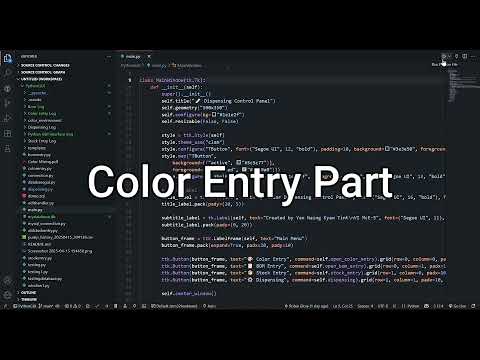 |
Watch Video |
| 2. BOM Entry | 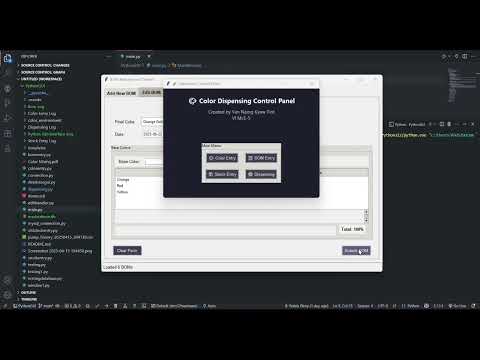 |
Watch Video |
| 3. Stock Entry | 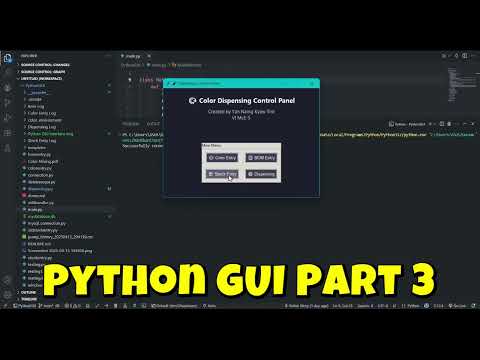 |
Watch Video |
| 4. Dispensing System | 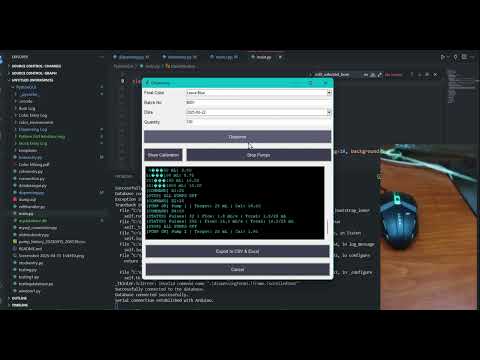 |
Watch Video |
-
Clone the repository:
git clone https://github.com/yourusername/ColorDispensingControlPanel.git cd ColorDispensingControlPanel -
Create and activate a Python virtual environment (optional but recommended):
python -m venv venv
source venv/bin/activate  # Linux/macOS
venv\Scripts\activate     # Windows
-
Install dependencies:
pip install -r requirements.txt
Ensure your requirements.txt includes:
pymysql tkcalendar pandas openpyxl pyserial -
Setup MySQL database:
- Create the database
mkt. - Create required tables:
ColorTable,BOMHeading,BOMDetail,StockRecord(see Database Setup section). - Make sure
BOMHeadingtable includes columns:ActualQuantityandDifferenceQuantity(for volume simulation).
- Create the database
-
Configure database connection:
Edit the database credentials in your Python files (e.g.,
stockentry.py):self.db = Database(host='localhost', user='your_user', password='your_password', database='mkt')
Ensure the following tables exist with the given structure (sample):
CREATE TABLE ColorTable (
    ColorID VARCHAR(255) PRIMARY KEY,
    BaseColor VARCHAR(255) NOT NULL,
    PumpNumber INT NOT NULL,
    Stock INT NOT NULL,
    Date DATE NOT NULL
);

CREATE TABLE BOMHeading (
    BH_ID VARCHAR(10) PRIMARY KEY,
    FinalColor VARCHAR(255) NOT NULL,
    Quantity FLOAT DEFAULT 0,
    ActualQuantity FLOAT DEFAULT NULL,
    DifferenceQuantity FLOAT DEFAULT NULL,
    Date DATE NOT NULL
);

CREATE TABLE BOMDetail (
    DetailID INT AUTO_INCREMENT PRIMARY KEY,
    BH_ID VARCHAR(10),
    BaseColor VARCHAR(255),
    Percentage INT,
    FOREIGN KEY (BH_ID) REFERENCES BOMHeading(BH_ID)
);

CREATE TABLE StockRecord (
    RecordID INT AUTO_INCREMENT PRIMARY KEY,
    ColorID VARCHAR(255) NOT NULL,
    BatchNumber VARCHAR(255) NOT NULL,
    Come INT NOT NULL,
    Date DATE NOT NULL
);Run the main application:
python main.py- Navigate through the main menu for Color Entry, BOM Entry, Stock Entry, and Dispensing.
- Use the date filters in Stock Entry to view and export stock history.
- In Dispensing, choose colors and volumes to send commands to STM32 pumps.
- Monitor calibration values and pump logs in real time.
- Simulated actual dispensing volumes will be saved in the database with small ±0.5% variance.
- Differences between target and actual volume are recorded and exported.
The application communicates with STM32 microcontroller via serial port (default: COM8, baud rate: 9600). Ensure:
- Correct COM port is set.
- STM32 firmware is running and responding to commands.
- Pump calibrations are synchronized with GUI settings.
- Simulated actual volume updates occur after dispensing each batch.
Stock and dispensing data can be exported as:
- CSV: Comma-separated text format for compatibility.
- Excel (.xlsx): Well-formatted spreadsheet with dates, quantities, actual and difference values.
Exports save automatically in the folder:
C:\Users\ASUS\Documents\MinKhantTun(Project)\PythonGUI\PythonGUI\Stock Entry Log
or
C:\Users\ASUS\Documents\MinKhantTun(Project)\PythonGUI\PythonGUI\Dispensing Log
You can modify the folder path in stockentry.py and dispensing.py if needed.
- Database Connection Error: Verify MySQL credentials and database server status.
- Serial Communication Issues: Confirm correct COM port and cable connection.
- Pump Calibration Mismatches: Re-check calibration values in Dispensing calibration menu.
- GUI Layout Problems: Ensure consistent use of geometry managers (pack or grid) in your Tkinter widgets.
- Missing Dependencies: Install required Python packages with
pip install -r requirements.txt. - Export Data Missing: Make sure dispensing has been completed at least once for each batch to store simulated values.
Contributions are welcome! Please:
- Fork the repository.
- Create a feature branch (
git checkout -b feature/your-feature). - Commit your changes (
git commit -m 'Add some feature'). - Push to branch (
git push origin feature/your-feature). - Open a Pull Request.
- Developed by Yan Naing Kyaw Tint (Robin) — Mechatronics and Computer Science student.
- Inspired by embedded systems and paint dispensing automation needs.
- Uses open source libraries: Tkinter, PyMySQL, tkcalendar, pandas, openpyxl.
- Based on serial integration with firmware from companion repo: stm32-water-dispense-controller
- This GUI repository: PythonGUI_STM32_WaterDispensing
This project is licensed under the MIT License.