


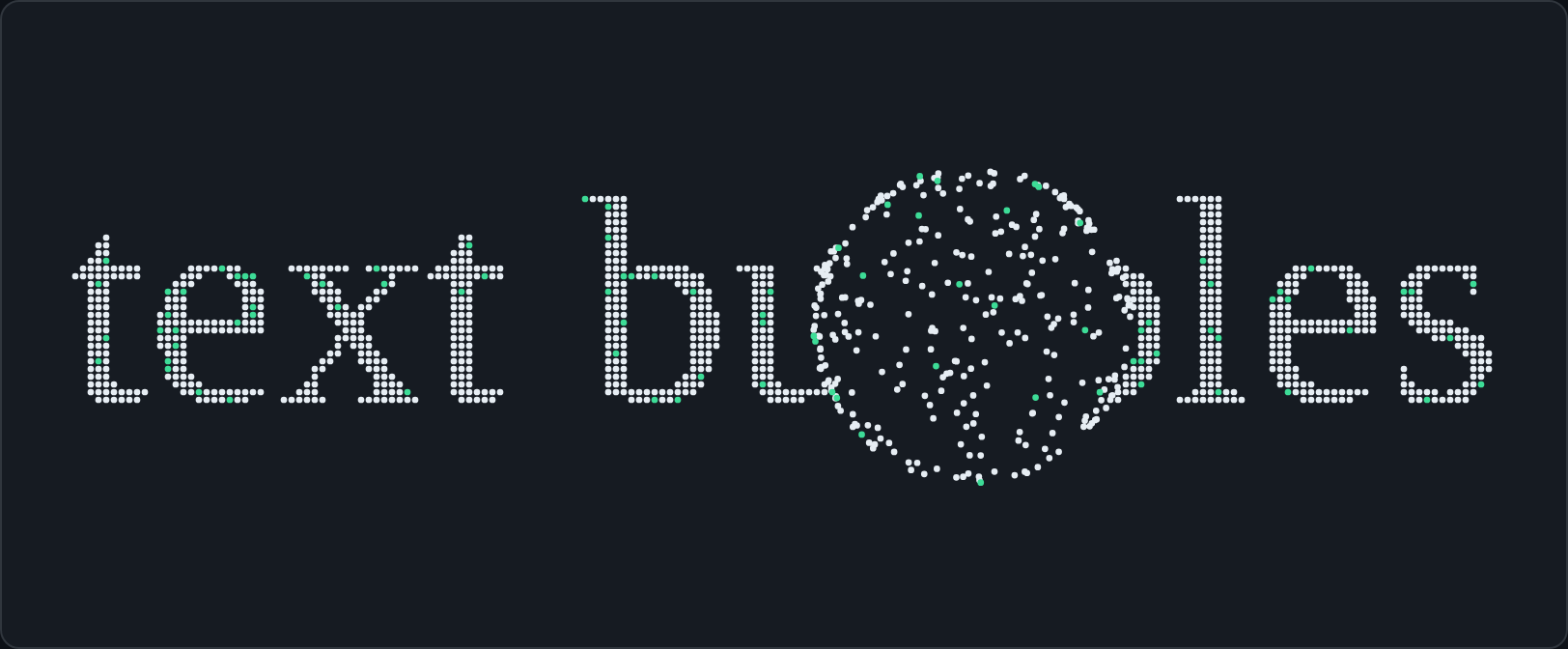
Text drawn as interactive particles. Particles near the pointer scatter, then ease back into
place. It works with plain JavaScript, React or a <text-bubbles> custom element (Astro, Vue,
Svelte, plain HTML).
- Small: about 4 KB gzipped and no dependencies.
- Light on the CPU: the loop sleeps when nothing moves and pauses off-screen or in a hidden tab. It never allocates per frame and draws one path per color.
- Accessible: your real text (an
<h1>, say) stays in the DOM as a fallback, andprefers-reduced-motionis respected. - Themeable: colors can be
var(--token)and update when your theme changes. - Sharp and responsive: canvas scaled to the device pixel ratio, sized to its container with
ResizeObserver, multi-line, with word wrapping on narrow containers.
Live playground · npm · GitHub
npm install text-bubbles
# or: pnpm add text-bubbles / yarn add text-bubbles| Entry | What it is | gzip (incl. core) |
|---|---|---|
text-bubbles |
Core: createTextBubbles(target, options) |
~3.9 KB |
text-bubbles/react |
<TextBubbles> + useTextBubbles() ("use client") |
~0.5 KB (+ core) |
text-bubbles/element |
Registers <text-bubbles> |
~4.4 KB |
The adapters import the core by package name, so it is never bundled twice. React is an
optional peer dependency (>= 18), needed only for text-bubbles/react.
<div id="hero" style="height: 240px; color: #111">
  <h1 class="fallback">Hello world</h1>
</div>

<script type="module">
  import { createTextBubbles } from "text-bubbles";

  const bubbles = createTextBubbles(document.getElementById("hero"), {
    text: "Hello world",
    font: "Georgia, serif",
    accentColor: "#3ddc97",
    accentRatio: 0.07,
    intro: true,
  });

  await bubbles.ready; // first paint done
  // bubbles.update({ text: "Bye" }); bubbles.destroy();
</script>
The canvas is appended inside the target and covers it (position: absolute). If the target is
position: static, it is switched to relative. Give the target a height. If it has none, one is
derived from the font size.
import { TextBubbles } from "text-bubbles/react";

export function Hero() {
  return (
    <TextBubbles
      text="Hello world"
      font="Georgia, serif"
      color="var(--fg)"
      accentColor="var(--signal)"
      accentRatio={0.07}
      intro
      className="hero" // give it a height, e.g. .hero { height: 16rem }
    >
      {/* Accessible fallback: stays in the DOM, fade it once particles are drawn */}
      <h1 className="hero-fallback">Hello world</h1>
    </TextBubbles>
  );
}.hero-fallback { position: absolute; inset: 0; margin: 0; display: grid; place-items: center; transition: opacity .4s; }
.hero[data-ready="true"] .hero-fallback { opacity: 0; }Props are the options plus as (element type, default div), id, className,
style and children. The wrapper gets data-ready="true|false". Options are compared by value,
so inline literals never re-initialize anything: changes go through instance.update().
The hook form gives you the element and the instance:
import { useRef } from "react";
import { useTextBubbles } from "text-bubbles/react";

function Title() {
  const ref = useRef<HTMLDivElement>(null);
  const { ready, instance } = useTextBubbles(ref, { text: "Hi", fontSize: 120 });
  return <div ref={ref} style={{ height: 200 }} onClick={() => instance.current?.refresh()} />;
}text-bubbles/react starts with "use client", so you can render <TextBubbles> straight from a
Server Component. The fallback children are server-rendered. With next/font, pass the generated
family so the canvas uses the real font:
// app/page.tsx (Server Component)
import { Instrument_Serif } from "next/font/google";
import { TextBubbles } from "text-bubbles/react";

const serif = Instrument_Serif({ weight: "400", subsets: ["latin"] });

export default function Page() {
  return (
    <TextBubbles text="Pedro Vilaça" font={serif.style.fontFamily} intro style={{ height: 240 }}>
      <h1 className={serif.className}>Pedro Vilaça</h1>
    </TextBubbles>
  );
}---
// src/components/Hero.astro
---
<text-bubbles
class="hero"
text="Pedro Vilaça"
font="'Instrument Serif', serif"
font-size="200"
color="var(--fg)"
accent-color="var(--signal)"
accent-ratio="0.07"
wrap-below="608"
line-height="0.95"
density="38"
intro
>
<h1 class="hero-fallback">Pedro Vilaça</h1>
</text-bubbles>
<script>
import "text-bubbles/element";
</script>
<style>
.hero { display: block; height: 16rem; }
.hero-fallback { position: absolute; inset: 0; margin: 0; display: grid; place-items: center; transition: opacity .5s; }
.hero[data-ready="true"] .hero-fallback { opacity: 0; }
</style>- Attributes are the options in kebab-case:
text,font,font-weight,font-style,font-size,max-width,align,line-height,wrap-below,color,accent-color,accent-ratio,density,bubble-spacing,bubble-size,radius,speed,ease,intro,reduced-motion,max-dpr. Changing an attribute callsupdate(). introis a boolean attribute.intro="800"sets the duration in ms.- Without a
textattribute, the element's text content (your fallback) is drawn. - Light DOM children are kept as the fallback.
data-ready="true"is set and areadyevent is dispatched after the first paint.element.instanceexposes the instance. - An inline element is switched to
display: block. - Importing
text-bubbles/elementregisters the tag (it is guarded against double definition).defineTextBubbles("my-tag")registers it under another name. Both are no-ops on the server.
All options are optional except text.
| Option | Type | Default | Description |
|---|---|---|---|
text |
string |
(required) | Text to draw. \n starts a new line. |
font |
string |
"sans-serif" |
CSS font-family. Use the real loaded family for web fonts. |
fontWeight |
string | number |
400 |
CSS font-weight. |
fontStyle |
string |
"normal" |
CSS font-style (italic…). |
fontSize |
number |
160 |
Maximum font size (px). The text shrinks to fit the container. |
maxWidth |
number |
none | Maximum text width (px). |
align |
"left" | "center" | "right" |
"center" |
Horizontal alignment. |
lineHeight |
number |
1 |
Line height, as a multiple of the font size. |
wrapBelow |
number |
0 (off) |
Below this container width (px), each word gets its own line. |
color |
string |
"currentColor" |
Any CSS color, currentColor, var(--token) or --token. |
accentColor |
string |
"currentColor" |
Color of the accent particles (same syntax). |
accentRatio |
number (0–1) |
0 |
Share of particles drawn in accentColor (deterministic). |
density |
number |
40 |
Spacing = fitted font size / density, clamped to 2–6 px. |
bubbleSpacing |
number |
auto | Fixed spacing in px (overrides density). |
bubbleSize |
number |
auto | Particle radius in px. Default: 42% of the spacing (min 0.8). |
radius |
number |
80 |
Pointer interaction radius (px). |
speed |
number |
6 |
Scatter speed (px per frame at 60 fps). |
ease |
number (0–1] |
0.08 |
Return easing per frame. Higher returns faster. spacing is a deprecated alias. |
intro |
boolean | { duration?: number } |
false |
Converge from a scattered state on the first paint (default 1200 ms). |
reducedMotion |
"respect" | "ignore" | "hide" |
"respect" |
Under prefers-reduced-motion: reduce: draw static particles, animate anyway, or draw nothing. |
maxDpr |
number |
2 |
Cap for devicePixelRatio scaling. |
pauseWhenHidden |
boolean |
true |
Pause when off-screen or when the tab is hidden. |
maxParticles |
number |
12000 |
The spacing is raised automatically above this count. |
onReady |
() => void |
Called once, after the first paint. | |
onPointerEnter |
() => void |
Called when a pointer (mouse, pen, touch) enters the container. | |
onPointerLeave |
() => void |
Called when it leaves (or the touch ends). |
The defaults are exported as DEFAULTS from text-bubbles.
createTextBubbles(target, options) returns:
| Member | Description |
|---|---|
ready: Promise<void> |
Resolves after the first paint (immediately when nothing will be painted, e.g. reducedMotion: "hide" with reduced motion on, or after destroy()). |
update(partial) |
Merges options. Layout options (text, font, sizes, wrapping, spacing…) re-sample the text. color, accentColor, accentRatio and bubbleSize only repaint. radius, speed and ease apply on the next frame. Pass undefined to restore a default. |
pause() / resume() |
Stop and restart the animation. The last frame stays visible. |
refresh() |
Re-measure, re-resolve colors and re-sample (e.g. after a font or CSS change the library cannot observe). |
destroy() |
Removes the canvas, listeners and observers, and restores the target's inline styles. |
canvas |
The canvas element. |
particleCount |
Current number of particles. |
- The canvas has
aria-hidden="true"andpointer-events: none. Put the real text in the container as children (<h1>…</h1>). It stays in the DOM for screen readers, search engines, no-JS visitors and text selection. Fade it out visually with[data-ready="true"]. reducedMotion: "respect"(the default) draws the particles once, with no animation loop, no intro and no pointer effect. Use"hide"to keep only your fallback, or"ignore"to always animate. Changes to the user preference are applied live.- Touch input never calls
preventDefault, and the listeners are passive, so the page always scrolls.
- Particles live in typed arrays. The animation loop does no allocation and no layout reads, and draws one path per color. Small dots are drawn as squares, which look the same and cost less.
- The loop runs only while something moves. It stops once every particle is at rest and wakes on
pointer movement. It also pauses when the element is off-screen (
IntersectionObserver) or the tab is hidden. - The text is rasterized and sampled only on layout changes (size, text, font…), throttled to one per animation frame. Theme changes only repaint.
- The default spacing scales with the font size (2–6 px), and the particle count is capped
(
maxParticles, default 12 000), so a huge container can't freeze a phone. devicePixelRatiois capped at 2 by default (maxDpr).- Web fonts are awaited with
document.fonts.load()(up to 3 s) before sampling, and the text is re-sampled if the font finishes loading later. - Importing any entry on the server is safe: nothing touches
windowordocumentuntil you create an instance.
:root { --fg: #16202b; --signal: #0b7a4e; }
:root[data-theme="dark"] { --fg: #e6edf3; --signal: #3ddc97; }createTextBubbles(el, { text: "Hi", color: "var(--fg)", accentColor: "var(--signal)", accentRatio: 0.07 });Tokens are read with getComputedStyle on the target, so scoped variables work too.
var(--a, fallback) is supported. While a color uses var() or currentColor, the instance
watches class, style and data-theme on <html> and prefers-color-scheme, and repaints
(debounced) when they change. For other theme mechanisms, call instance.refresh().
All evergreen browsers: Chrome/Edge 80+, Firefox 75+, Safari 14+ (iOS 14+). The library needs
Canvas 2D, ResizeObserver and IntersectionObserver, and uses document.fonts when it exists.
The custom element needs Custom Elements v1. The build targets ES2020.
pnpm install
pnpm dev            # playground at http://localhost:5173
pnpm test           # unit tests (Vitest)
pnpm test:e2e       # browser tests (Playwright, uses the installed Google Chrome)
pnpm lint           # Biome
pnpm typecheck
pnpm build          # library -> dist/
pnpm size           # size budgets (size-limit)
pnpm build:demo # playground -> demo-dist/Published to npm from GitHub Actions via Trusted Publishing (OIDC, no tokens, with provenance). See docs/releasing.md for the one-time npm setup and the tag-based release steps.
MIT © Pedro Vilaça