 AndroidViewClient/culebra was initially conceived as an extension to monkeyrunner but has since evolved
into a versatile pure Python tool.
It streamlines test script creation for Android applications by automating tasks and simplifying interactions. This test framework:
AndroidViewClient/culebra was initially conceived as an extension to monkeyrunner but has since evolved
into a versatile pure Python tool.
It streamlines test script creation for Android applications by automating tasks and simplifying interactions. This test framework:
- Automates the navigation of Android applications.
- Generates reusable scripts for efficient testing.
- Offers device-independent UI interaction based on views.
- Utilizes 'logical' screen comparison (UI Automator Hierarchy based) instead of image comparison, avoiding extraneous detail issues like time or data changes.
- Supports concurrent operation on multiple devices.
- Provides straightforward control for high-level operations such as language change and activity start.
- Fully supports all Android APIs.
- Written in Python with support for Python 3.6 and above in versions 20.x.y and beyond.
| 🛎 | A new Kotlin backend is under development to provide more functionality and improve performance. Take a look at CulebraTester2 and 20.x.y-series prerelease. |
|---|




NOTE: Pypi statistics are broken see here. The new statistics can be obtained from BigQuery.
As of February 2024 we have reached:
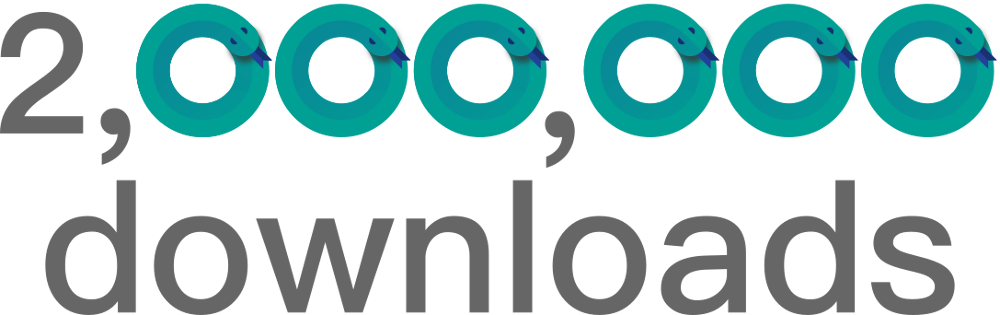
Thanks to all who made it possible.
pip3 install androidviewclient --upgrade
Or check the wiki for more alternatives.
NEW! AndroidViewClient now includes a Model Context Protocol (MCP) server that enables AI assistants like Claude Code and Kiro to interact with Android devices through natural language.
-
Install with MCP support:
pip3 install androidviewclient --upgrade
-
Start CulebraTester2 on your device:
Check the details at How to run CulebraTester2 ?
-
Configure your AI assistant:
Claude Code — register the server with one command:
claude mcp add culebratester2 --env CULEBRATESTER2_URL=http://localhost:9987 -- culebra-mcp
Or add it to
.mcp.jsonin your project root, so everyone who clones the project gets it:{ "mcpServers": { "culebratester2": { "command": "culebra-mcp", "env": { "CULEBRATESTER2_URL": "http://localhost:9987" } } } }Kiro — add the same entry to
.kiro/settings/mcp.jsonor~/.kiro/settings/mcp.json. -
Start testing with natural language:
- "Get the device screen size"
- "Launch the Calculator app"
- "Find the button with text Submit and click it"
- "Take a screenshot"
- "Swipe up to scroll"
The MCP server provides 20 tools for Android automation:
Element-based interactions:
- Find elements by text or resource ID
- Click, long-click, enter text, clear text
- Navigate with back/home buttons
- Launch applications
Coordinate-based interactions:
- Click/long-click at coordinates
- Swipe gestures
Device actions:
- Wake/sleep device
- Get current app
- Force stop apps
- Take screenshots
For detailed MCP configuration options, see the MCP Configuration Guide.
Quick reference:
| Claude Code | Kiro | |
|---|---|---|
| Project config | .mcp.json (repository root) |
.kiro/settings/mcp.json |
| User config | ~/.claude.json (via claude mcp add --scope user) |
~/.kiro/settings/mcp.json |
| Tool pre-approval | permissions.allow in .claude/settings.json |
autoApprove in the server entry |
| Example | examples/mcp_config.json |
examples/mcp_config_kiro.json |
- Usage examples:
examples/test_calculator_mcp.py
CULEBRATESTER2_URL: Base URL for CulebraTester2 (default:http://localhost:9987)CULEBRATESTER2_TIMEOUT: HTTP timeout in seconds (default:30)CULEBRATESTER2_DEBUG: Enable debug logging (1,true, oryes)
🚀 Check Examples and Screencasts and videos page to see it in action.
Detailed information can be found in the AndroidViewClient/culebra wiki