




Plexus is a general-purpose .NET library for building and editing node-based block diagrams with typed ports, routed wires, annotations, nestable collapsible groups, multiple pages, full undo/redo, and cross-application copy/paste. It ships a UI-free core, a headless PNG renderer built on CanvasNet, and an Avalonia editor control.
- 🔌 Typed Ports - Directional, colored port types; single-wire inputs by default, optional fan-in, per-node ports
- 🧭 Routed Wires - Orthogonal, obstacle-avoiding routing with draggable segments and crossing jumps
- 🎨 Dynamic Styling - Color, dash, light up, tint or fade wires and nodes from what they connect or hold
- 🗂️ Pages and Groups - Multiple pages, nestable collapsible groups and sticky-note annotations
- ↩️ Undo/Redo - Every mutation is undoable, with transactions to group a gesture into one step
- 📋 Copy/Paste - Versioned JSON clipboard that treats pasted data as untrusted input
- 🖼️ Headless Rendering - Render any page to a PNG image without a UI framework
- 🖱️ Avalonia Editor - Select, move, connect, pan, zoom, rename, drag-and-drop, hover tooltips and go-to-element
- 🧩 Node Palette - Searchable palette showing node types exactly as they look on the canvas
- 📝 Property Grid - Generic, annotation-driven property grid with a one-line node properties dialog and an optional live preview panel for custom node inspectors
- ✨ Easy by Default - Working diagram in a few lines; theme, router and text measurer are replaceable
- 🔄 Multi-Target - Core supports .NET 8, 9 and 10; the other packages target .NET 10
- ✅ Continuous Compliance - Compliance evidence generated on every CI run
| Package | Purpose |
|---|---|
DemaConsulting.Plexus |
UI-free core: model, undo history, routing, scene, clipboard |
DemaConsulting.Plexus.Rendering |
Headless PNG renderer (depends on CanvasNet) |
DemaConsulting.Plexus.Avalonia |
Avalonia editor control (depends on Avalonia) |
DemaConsulting.Plexus.Avalonia.PropertyGrid |
Property grid and node dialog (depends on Avalonia and the core) |
The Avalonia package does not depend on the rendering package, and the core depends on no UI or drawing library, so headless use needs no Avalonia. The property grid package is generic (it edits any annotated .NET object); its Plexus adapter shows a node, an annotation or a group with one assignment and makes every commit one undo step.
Install the packages you need using the .NET CLI:
dotnet add package DemaConsulting.Plexus
dotnet add package DemaConsulting.Plexus.Rendering
dotnet add package DemaConsulting.Plexus.Avalonia
dotnet add package DemaConsulting.Plexus.Avalonia.PropertyGridDeclare node types, build a diagram, connect two nodes and render the page to a PNG file:
using DemaConsulting.Plexus;
using DemaConsulting.Plexus.Geometry;
using DemaConsulting.Plexus.Rendering;

// 1. Declare the vocabulary: port types, node types, ports and properties
var types = new NodeTypeRegistry();
types.PortTypes.Add(new PortType("f32", Color.Parse("#FF8C00")));
types.Add(new NodeType("acme.Producer")
{
    Title = "PRODUCER",
    Outputs = { new PortDefinition("out", "f32") },
    Properties = { new PropertyDefinition("Rate", 10.0) { Unit = "Hz", ShowInSummary = true } },
});
types.Add(new NodeType("acme.Consumer")
{
    Title = "CONSUMER",
    Inputs = { new PortDefinition("in", "f32") },
});

// 2. Build a diagram: pages hold nodes, wires, annotations and groups
var diagram = new Diagram(types);
var page = diagram.Pages.Add("Main");
page.AddNode("acme.Producer", 30, 30, "A");
page.AddNode("acme.Consumer", 300, 90, "B");
page.Connect("A.out", "B.in");

// 3. Render the page headlessly
PlexusRenderer.SavePng(page, "diagram.png");

// 4. Every change is undoable
diagram.History.Undo(); // removes the wire
To edit the same diagram interactively, add the Avalonia editor control to a window and set its Page:
<Window xmlns="https://github.com/avaloniaui"
        xmlns:x="http://schemas.microsoft.com/winfx/2006/xaml"
        xmlns:plexus="https://github.com/demaconsulting/plexus">
  <plexus:DiagramEditor x:Name="Editor" ShowGrid="True" SnapToGrid="True" />
</Window>Editor.Page = page;To let users add nodes, put a NodePalette beside the editor and point it at the editor; it shows every node type of the
editor's diagram as it will look on the canvas, with a search box, and needs no other code (drag an item onto the editor,
or double-click it, to add the node):
<plexus:NodePalette Editor="{Binding #Editor}" />To edit a node's properties, open the ready-made dialog of the property grid package, for example when the user double-clicks a node (OK applies the rename, the changed properties and the host data as one undo step):
using DemaConsulting.Plexus.Avalonia.PropertyGrid.Diagrams;

Editor.NodeDoubleClicked += async (_, e) => await NodePropertiesDialog.ShowAsync(window, e.Node);
Pass NodePropertiesDialogOptions with a Preview factory to show a live visualization of the settings next to the
grid; it reads the staged values and redraws on every edit before OK.
See the User Guide for concepts, customization (themes, routers, connection rules, custom node visuals and host data), clipboard and snapshot handling, and the full editor API.
The screenshots are taken from the demo application (see below), which is built only from the public API.
The demo editor: node palette, page tabs, the diagram editor and a status bar. The host supplies the node types and Plexus does everything else.
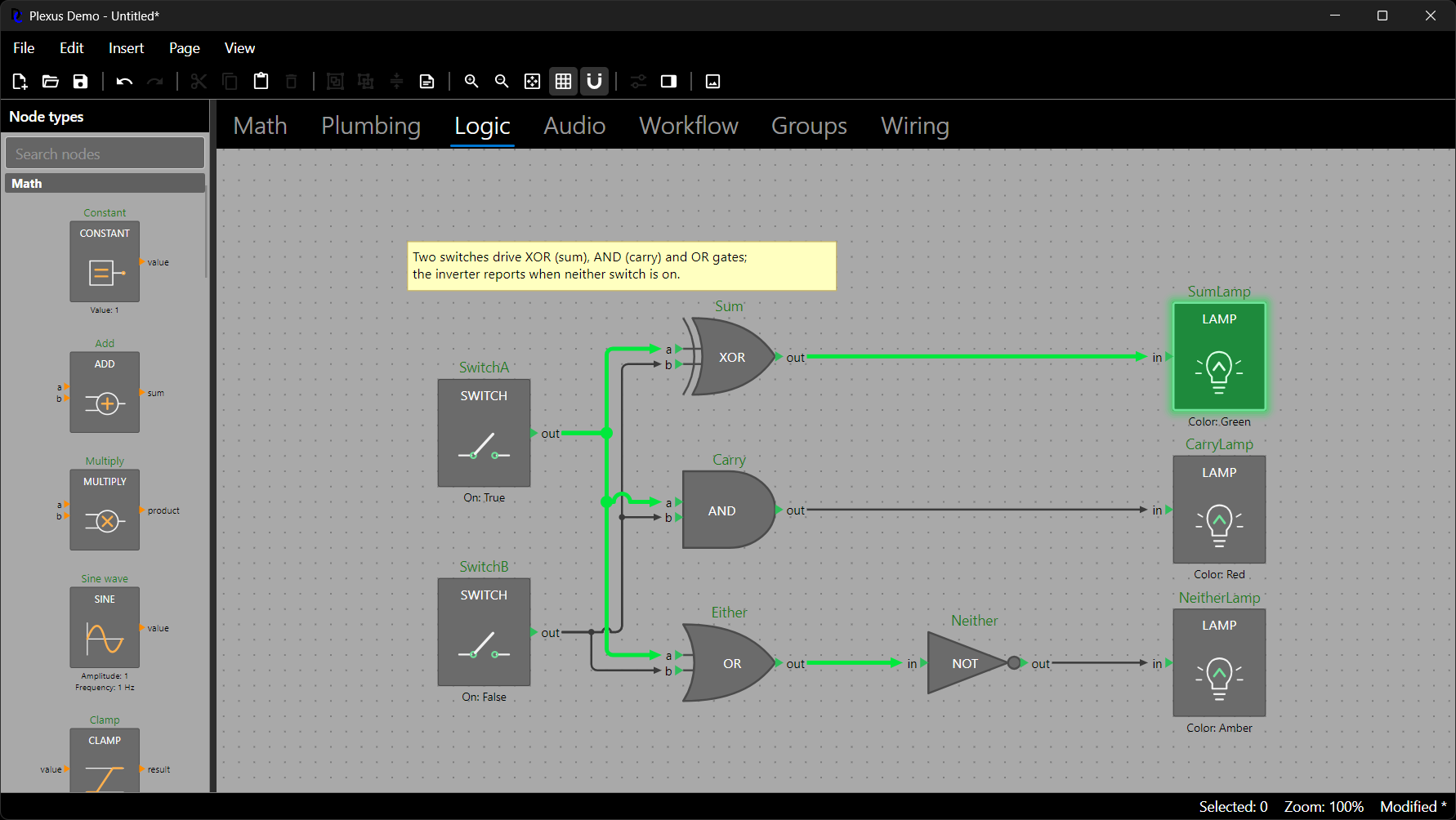
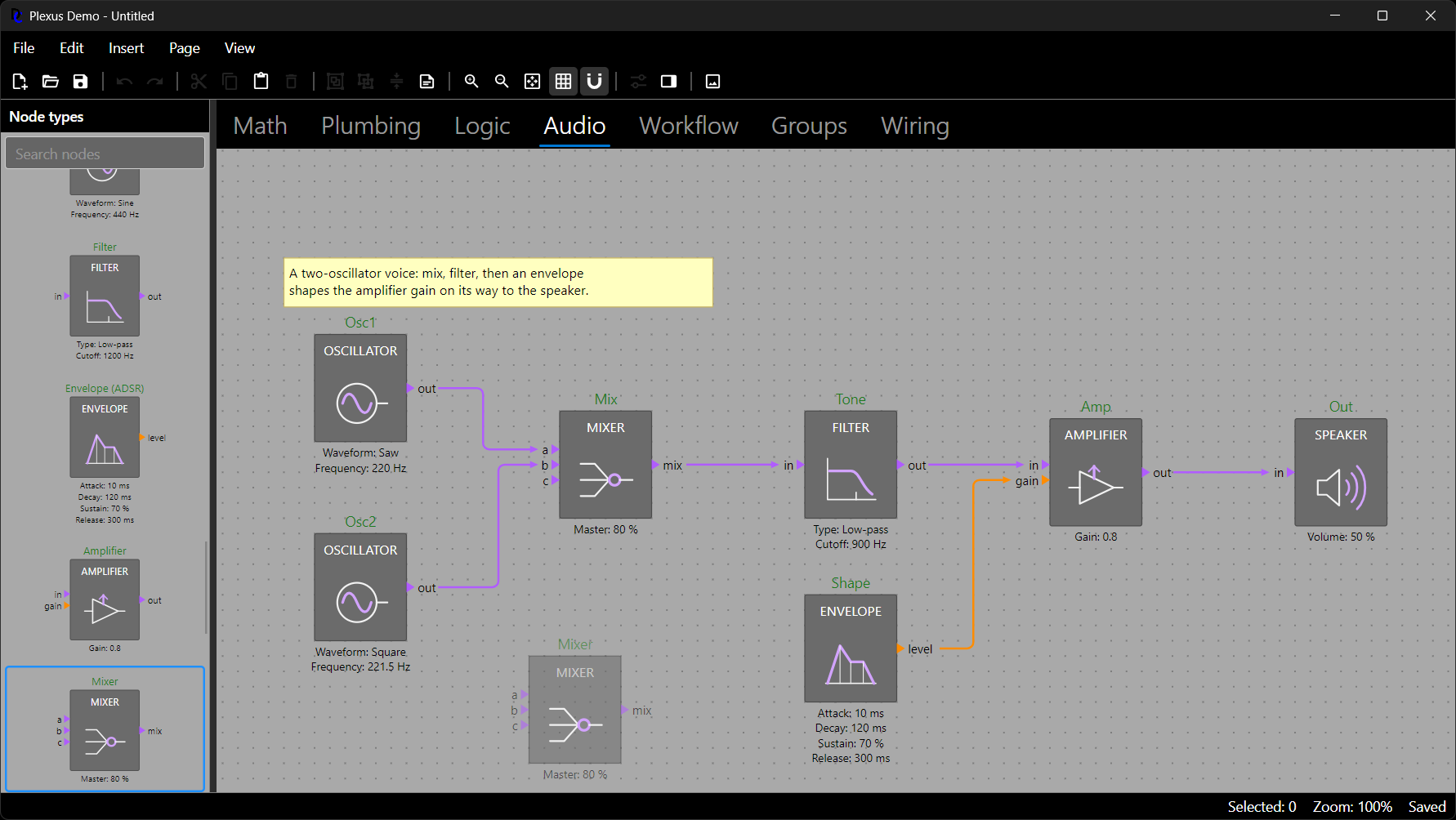
The node palette draws every node type exactly as the canvas does. Dragging a type over the canvas shows a translucent ghost of where the node will land.
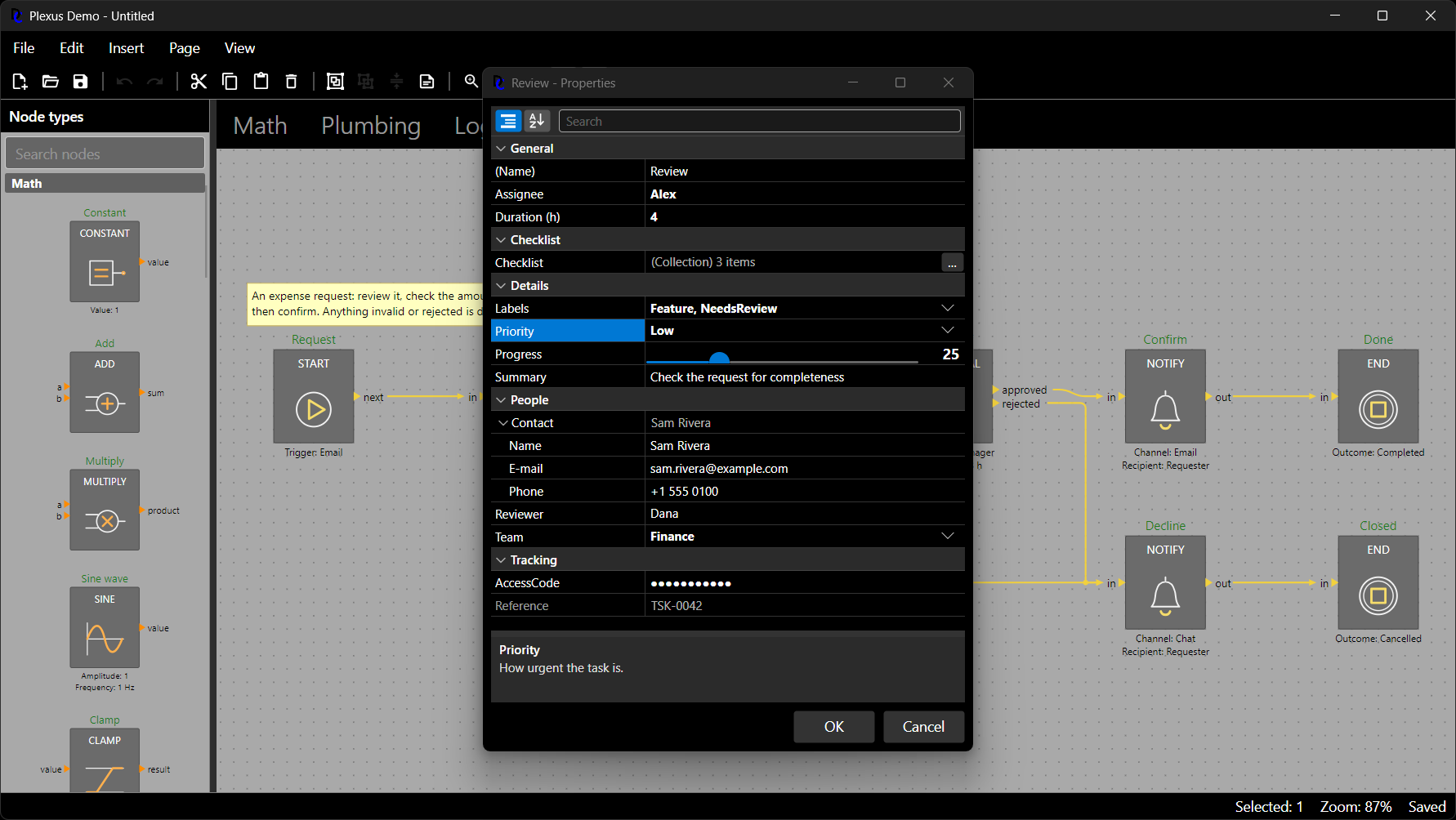
The property grid edits a node and its host data in a dialog (or a docked panel), with categories, drop-downs, a slider, nested objects, collections and validation; OK is one undo step.
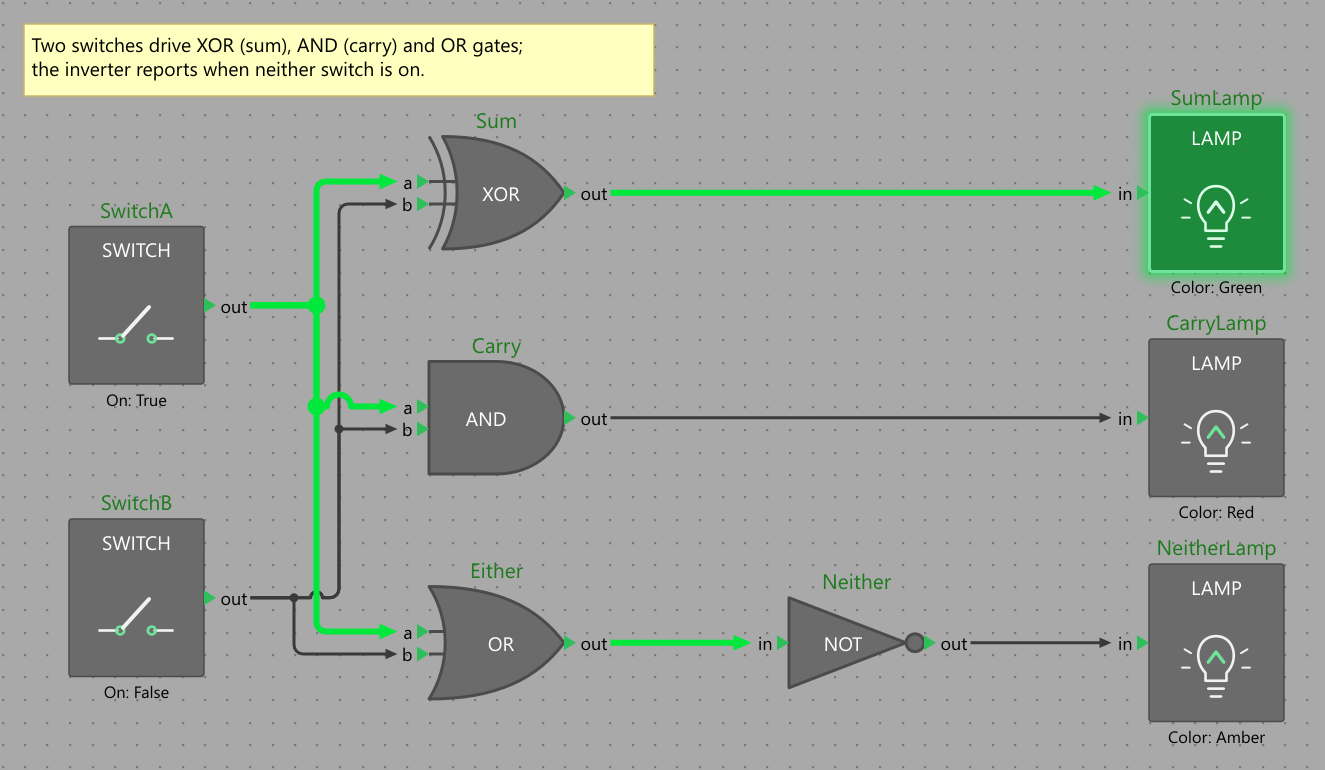
Wires are routed orthogonally around nodes, with junction dots where wires of one net branch apart and hops where wires of different nets cross.
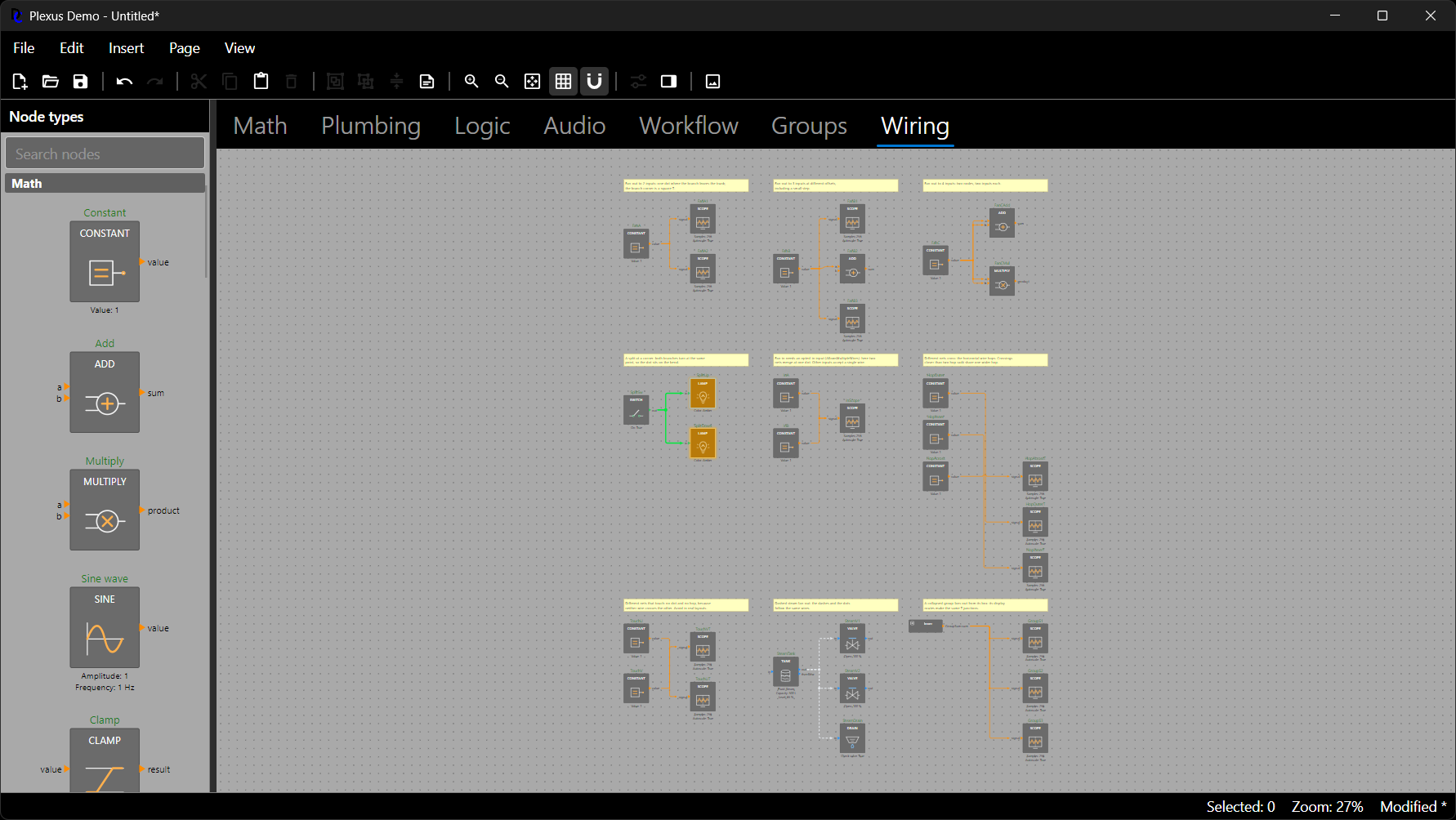
Any page renders headlessly to PNG, without a window, from the command line or from code.
The repository includes applications that are not shipped in any package:
- Demo (
demo/):plexus-demo, an Avalonia desktop application showing how little a host must write to get a complete editor,plexus-demo-render, a command line tool that renders diagram JSON files to PNG, and the shared demo node types and file format. Run the demo withdotnet run --project demo/DemaConsulting.Plexus.Demo.Gui. - Puppet (
tools/):plexus-puppet, a Windows tool that lets an AI coding agent or test script drive the real demo GUI with UI Automation, a named pipe and real mouse input, to find usability problems that headless tests cannot.
Plexus requires the .NET 10 SDK. To build and test the solution:
pwsh ./build.ps1Before submitting changes, apply automatic formatting and run the lint checks:
pwsh ./fix.ps1
pwsh ./lint.ps1- User Guide: Concepts and task-by-task usage: declaring node types, building diagrams, undo, files and clipboard,
rendering, the editor, the palette, the property grid, styling, wires, extension points and testing. It is published
as
Plexus User Guide.pdfwith every release; the Markdown sources are in the user guide folder. - API Reference: Every package ships its API reference as Markdown in the package's
api/folder, generated from the XML doc comments by ApiMark and organized for gradual disclosure, so a developer or a coding agent can read a small targeted page instead of one large document. Start atapi/api.md(the index), open a namespace page for a complete usage example and overview, then follow the links to type and member pages. For example, theDemaConsulting.Plexusnamespace page is a "hello diagram": declare node types, build a diagram, connect two nodes, undo and save as JSON. When building from source, the same files are written tosrc/DemaConsulting.Plexus*/api/. - Compliance documents: Each release also ships the build notes, software design and verification design, requirements and justifications, trace matrix, code quality report, and review plan and report, generated on every CI run.
Contributions are welcome. See CONTRIBUTING.md for development setup, coding standards, and the pull request process.
Copyright (c) DEMA Consulting. Licensed under the MIT License. See LICENSE for details.
By contributing to this project, you agree that your contributions will be licensed under the MIT License.