
atannex/desk-editor is a rich text editor and publishing platform for Laravel, built with TipTap 3 and ProseMirror.
It combines a configurable editor, editorial CMS, media library, collaboration tools, and a public blog. The compiled assets are included, so no frontend build step is required in the consuming Laravel application.
<x-desk-editor name="body" :value="$post->body" />
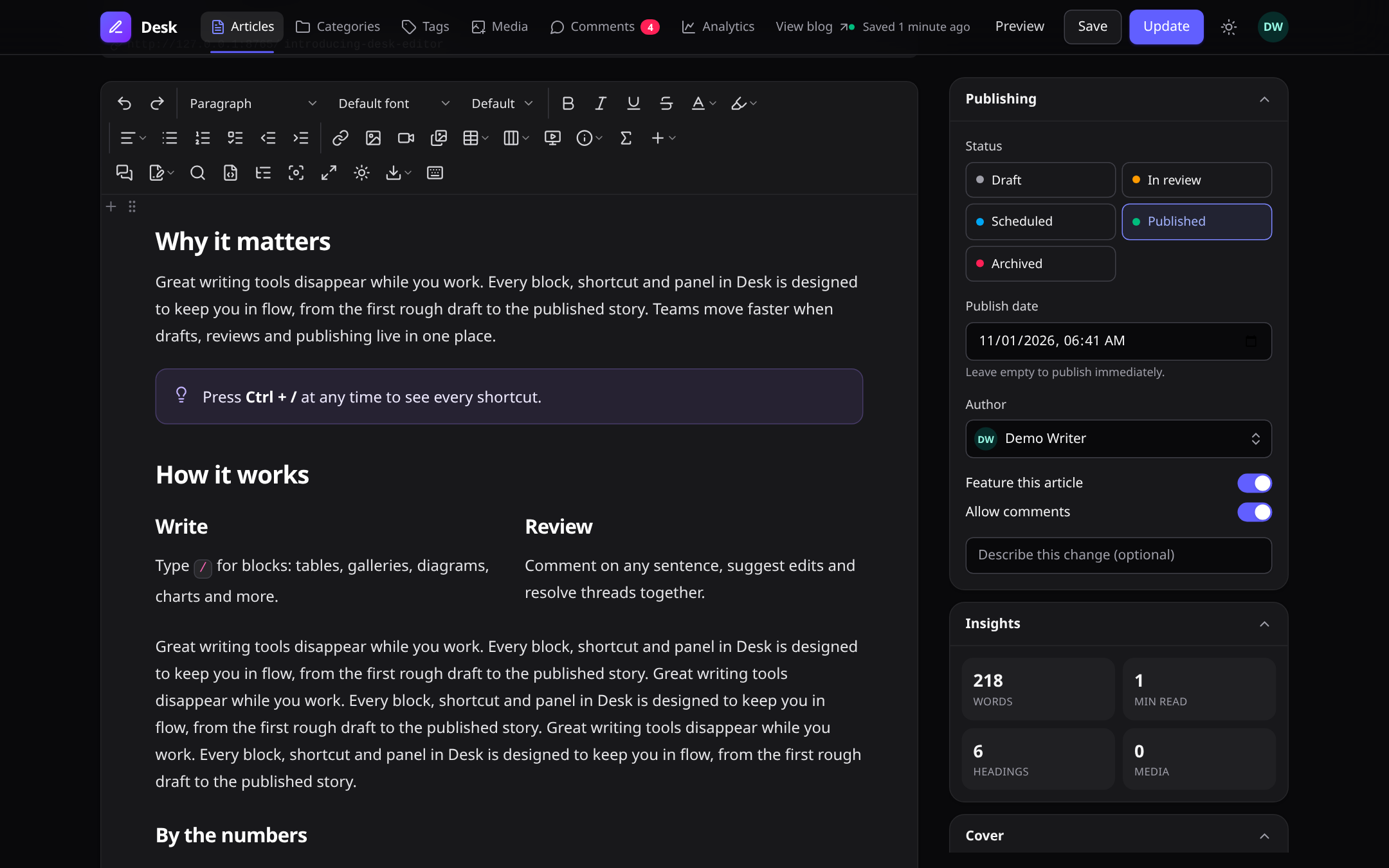
- Rich editing: headings, formatting, lists, tables, columns, callouts, code blocks, math, diagrams, charts, embeds, and Markdown shortcuts.
- Media: image uploads and editing, galleries, audio/video, attachments, responsive image variants, and a searchable media library.
- Editorial tools: inline comments, tracked suggestions, drafts, find and replace, outline, preview, and export.
- Collaboration: live co-editing, presence, coloured cursors, and document-level authorization.
- CMS: articles, authors, categories, tags, translations, revision history, review workflow, edit locks, and scheduled publishing.
- Public blog: article and taxonomy pages, reader comments, RSS/Atom, sitemap, SEO metadata, and analytics.
- Integration: Blade, Livewire, Filament, and a JavaScript API.
- Accessibility and responsive UI: keyboard navigation, reduced-motion support, and mobile-friendly controls.
- Localization: English, French, Spanish, German, Brazilian Portuguese, Arabic, and Simplified Chinese.
Light theme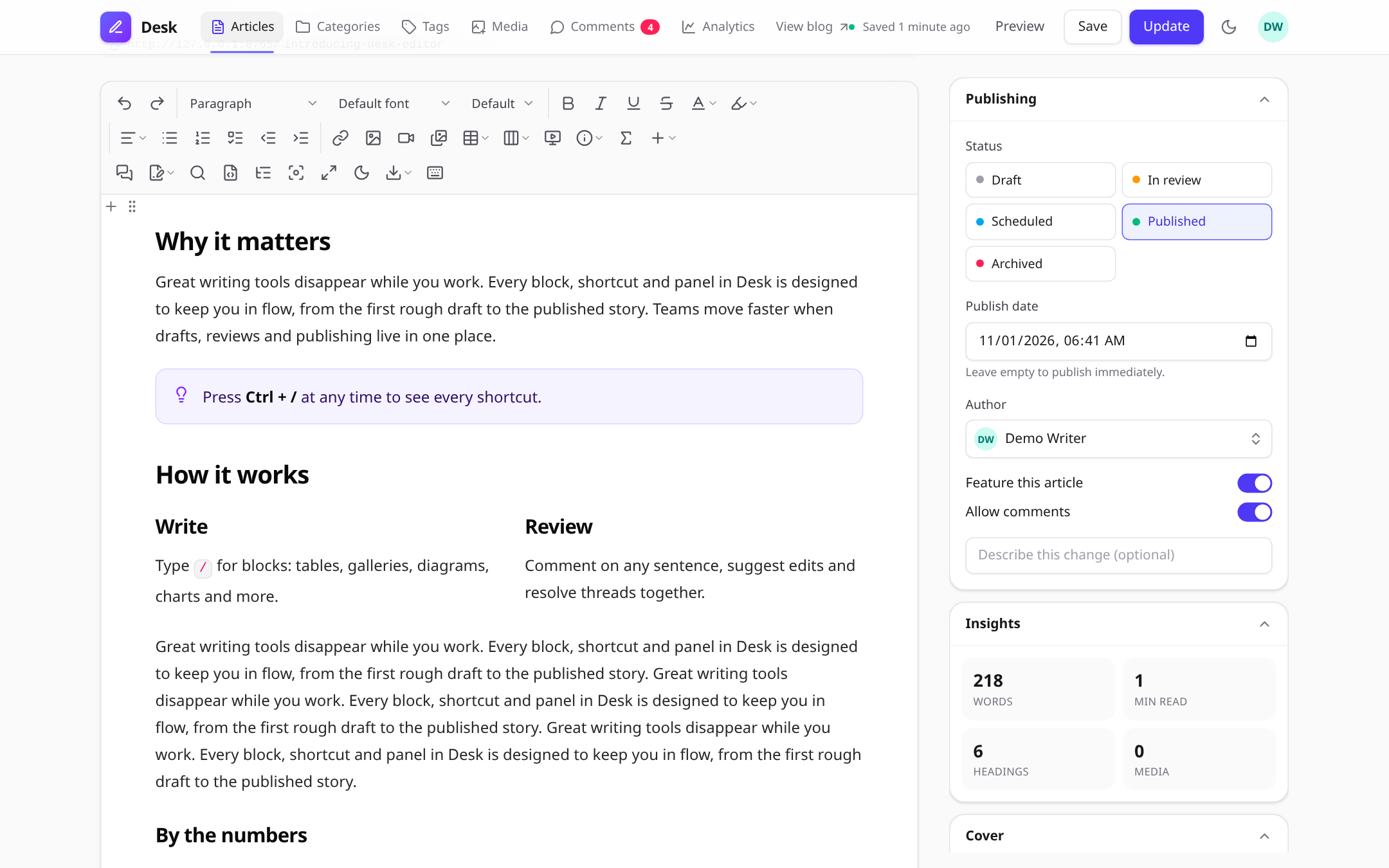 |
Dark theme |
Slash commands: type / to insert any block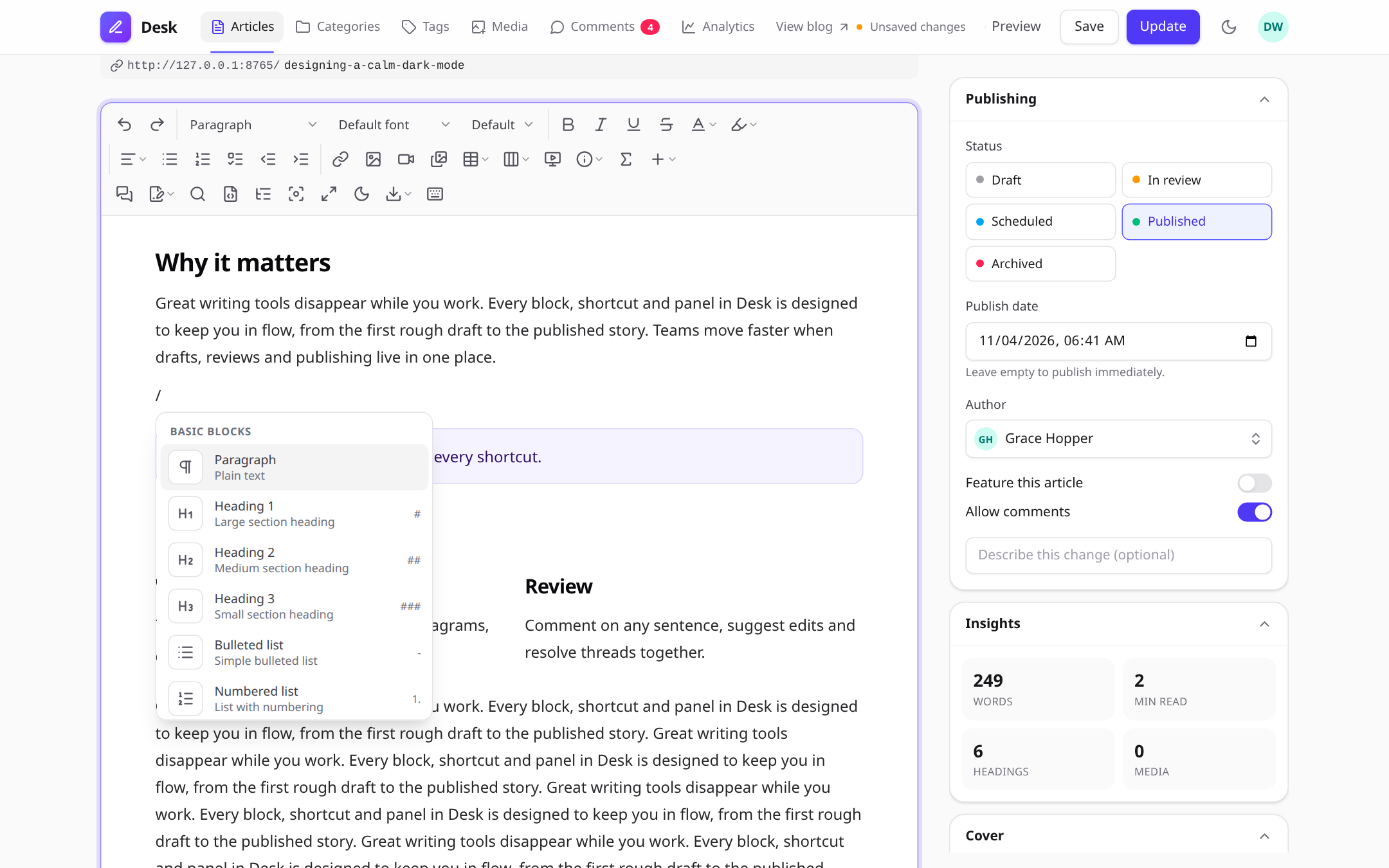 |
Bubble menu on any text selection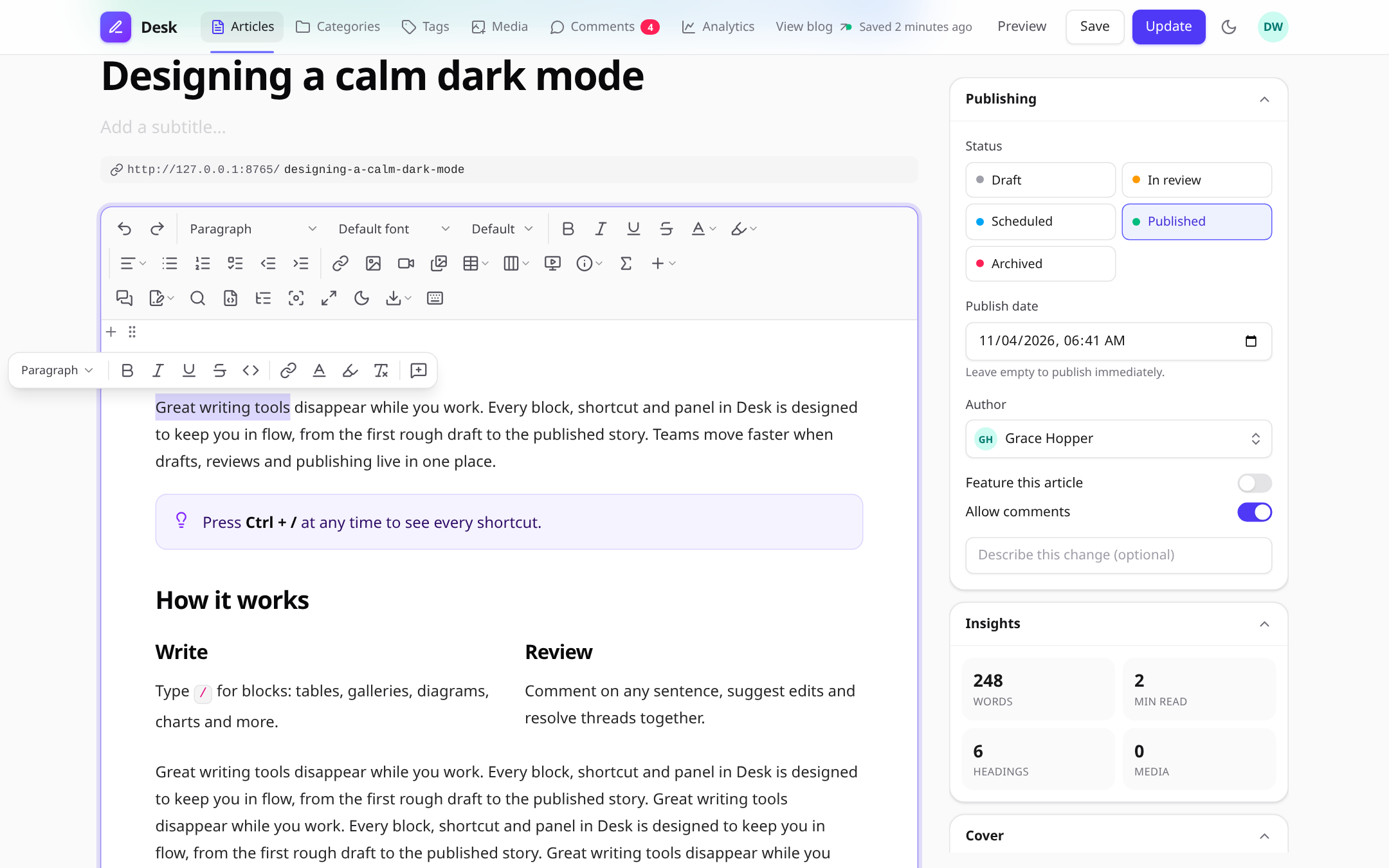 |
Comments and suggestion mode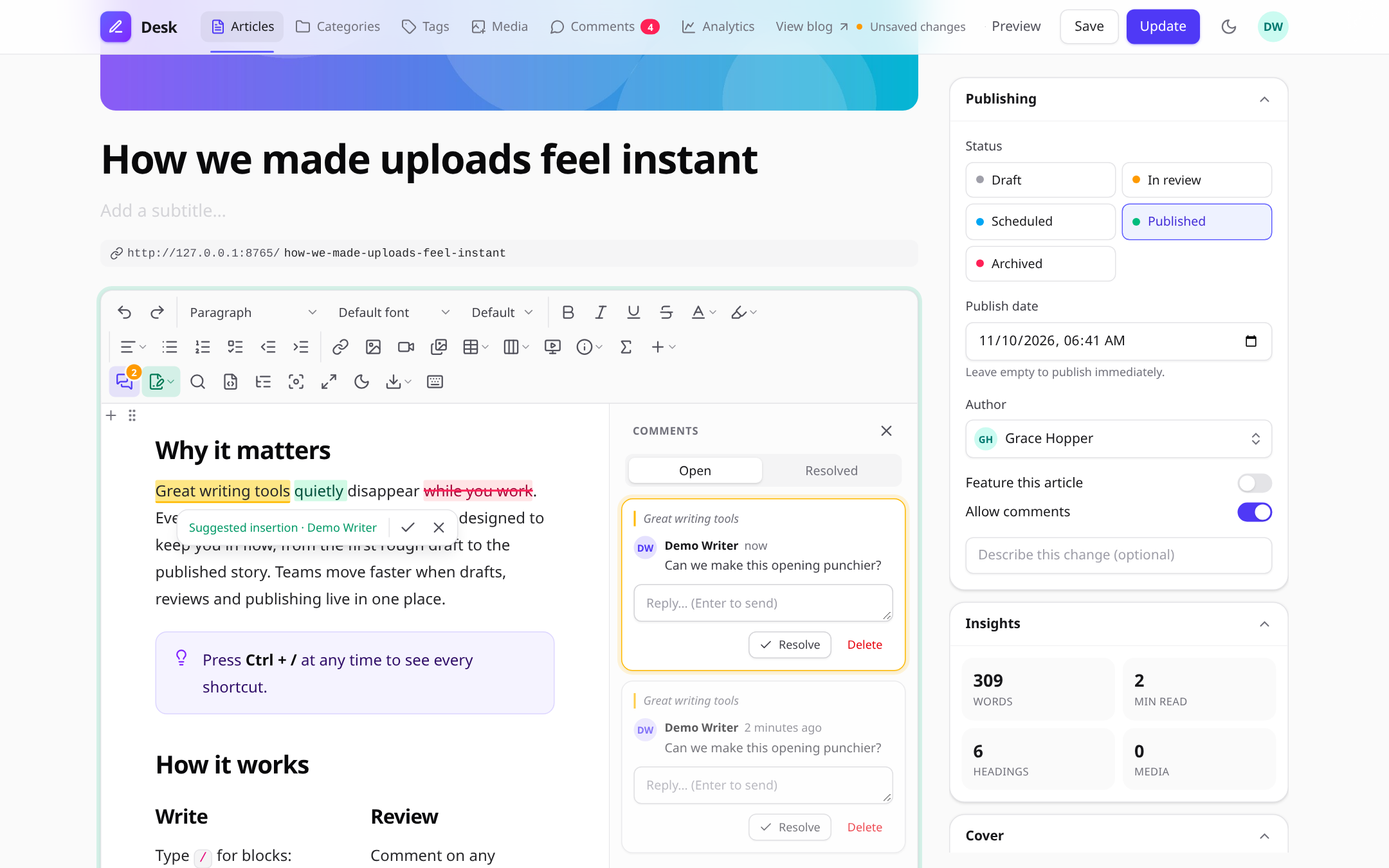 |
Live collaboration with named cursors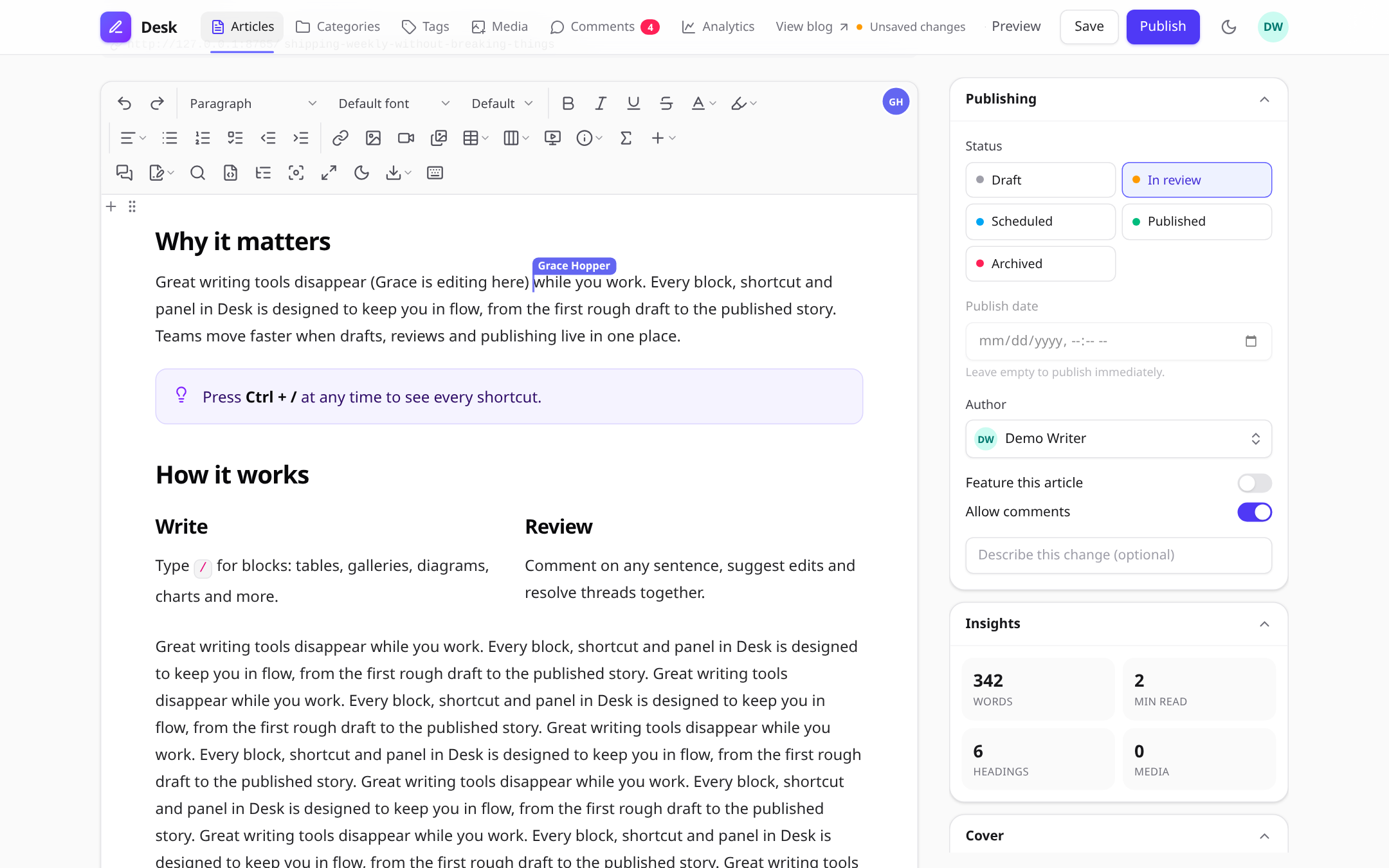 |
Diagram editor (Mermaid, live preview)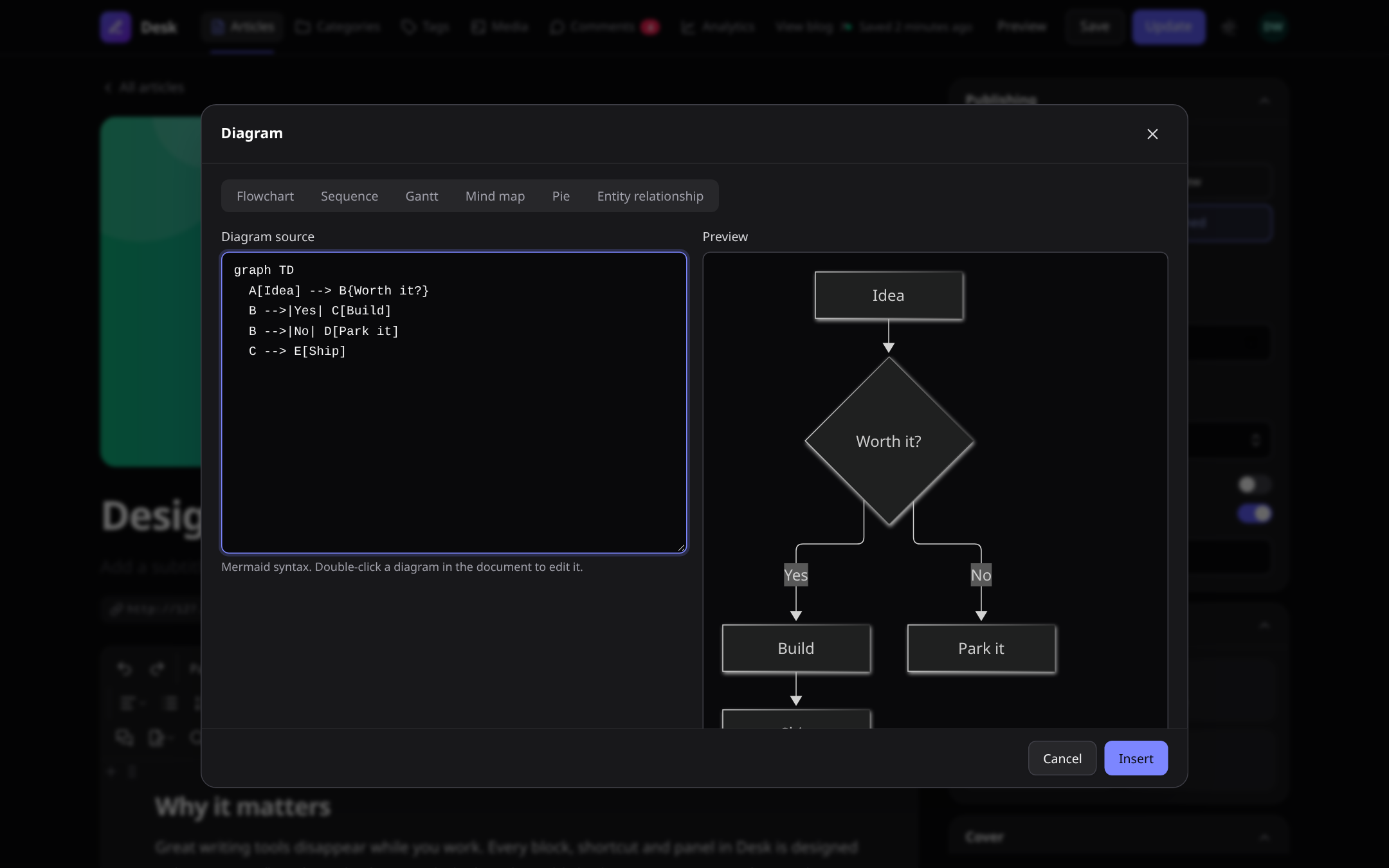 |
Chart editor (bar, line, pie and more)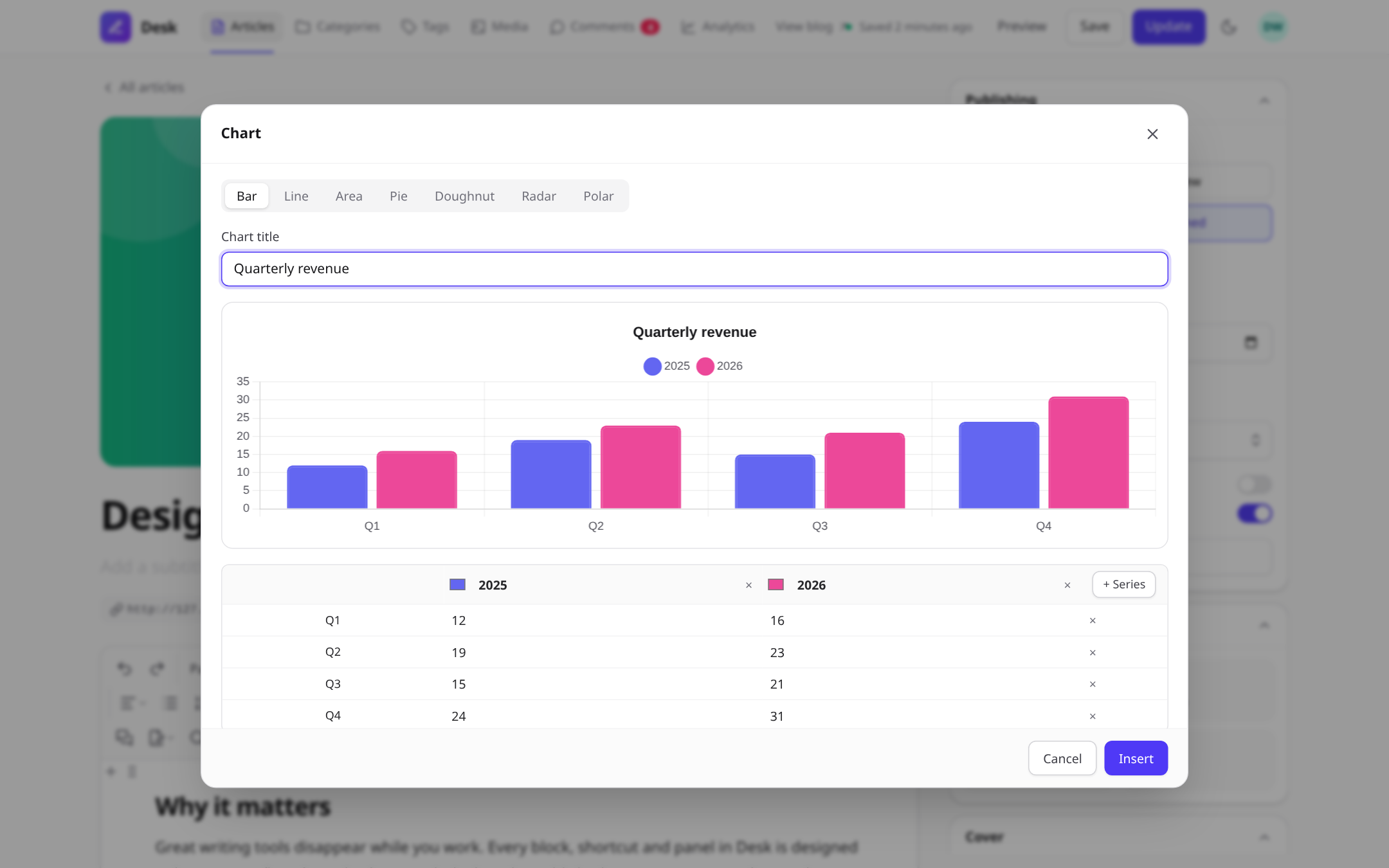 |
Image editor: crop, rotate, flip, filters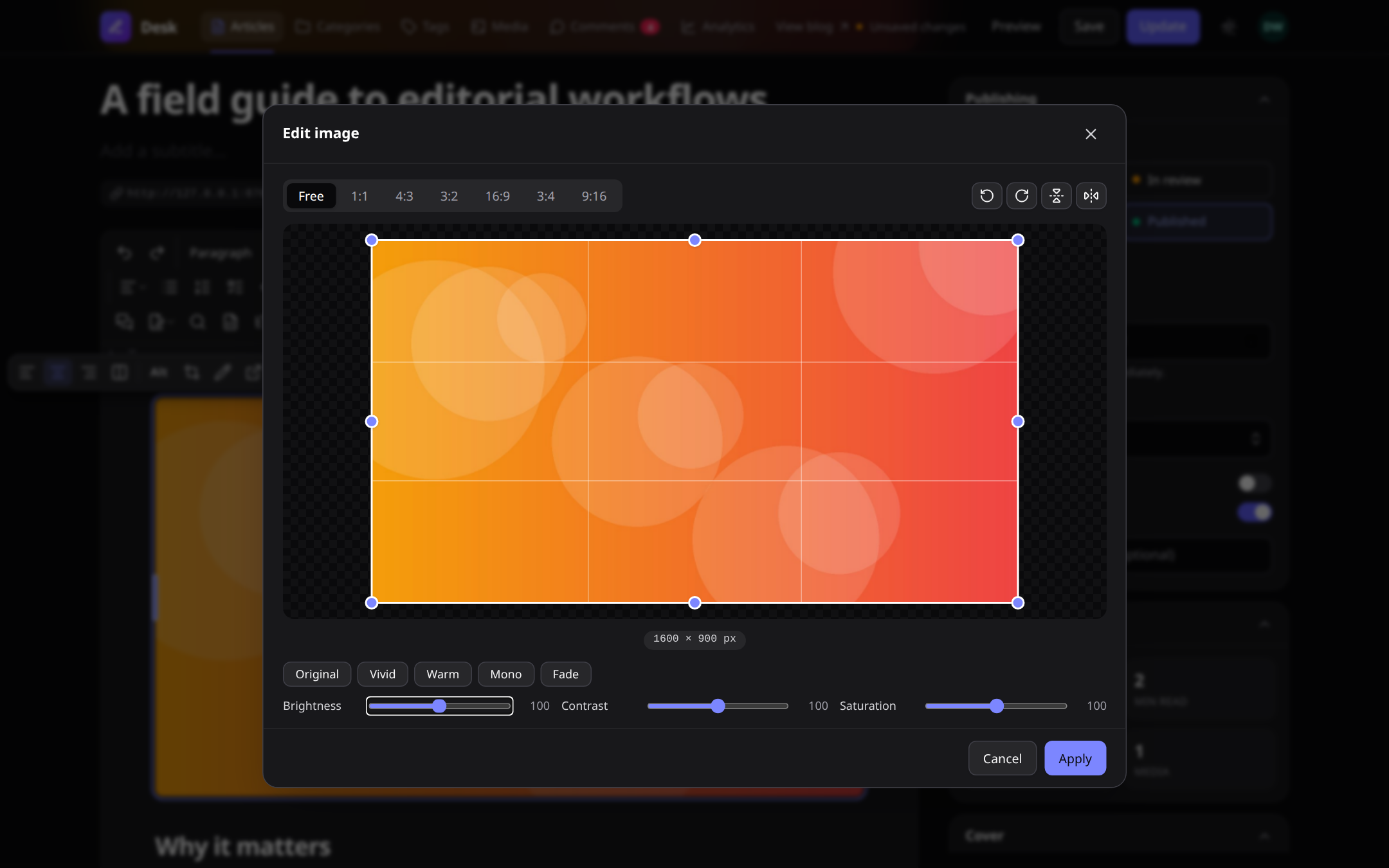 |
Media library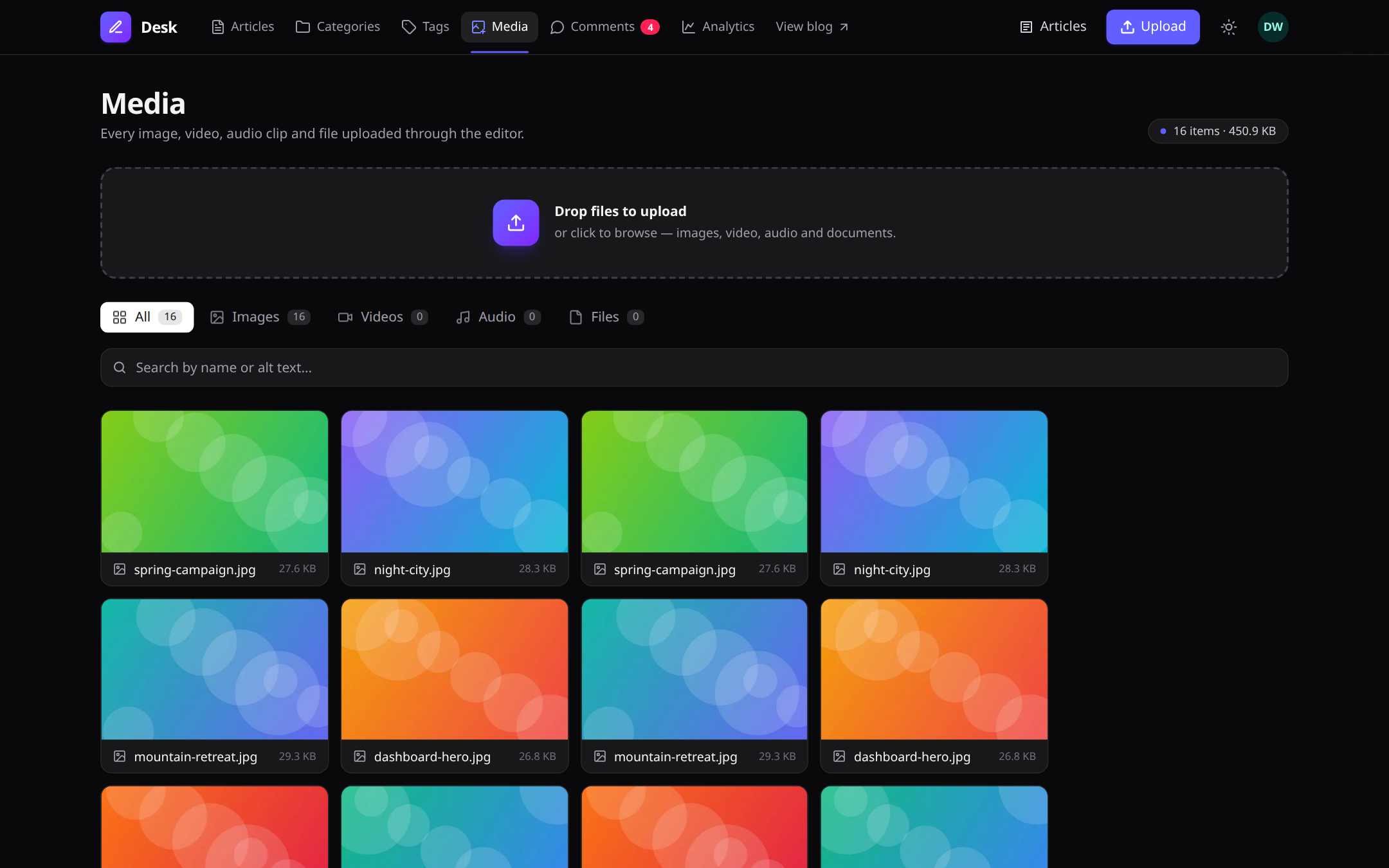 |
Article manager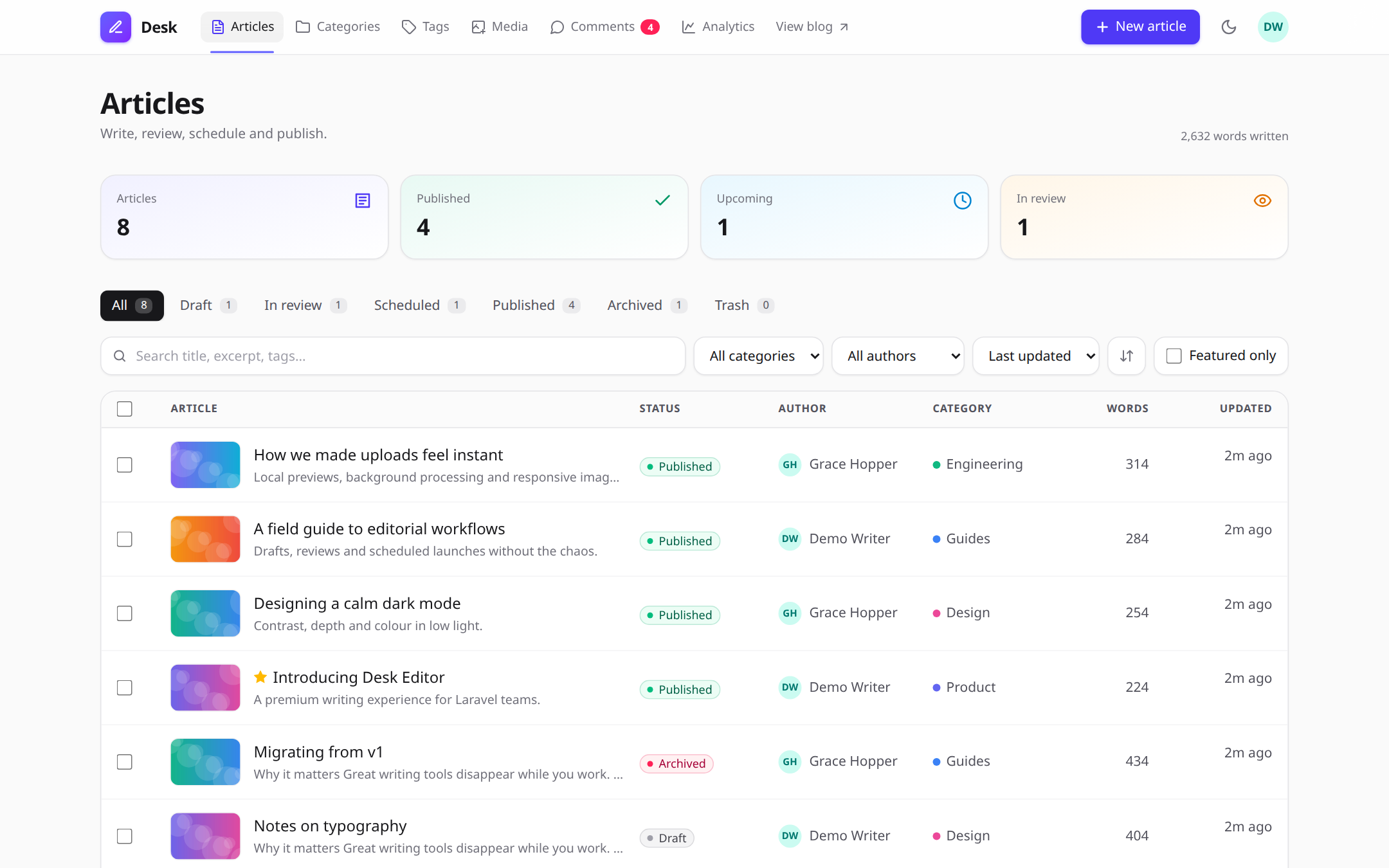 |
Analytics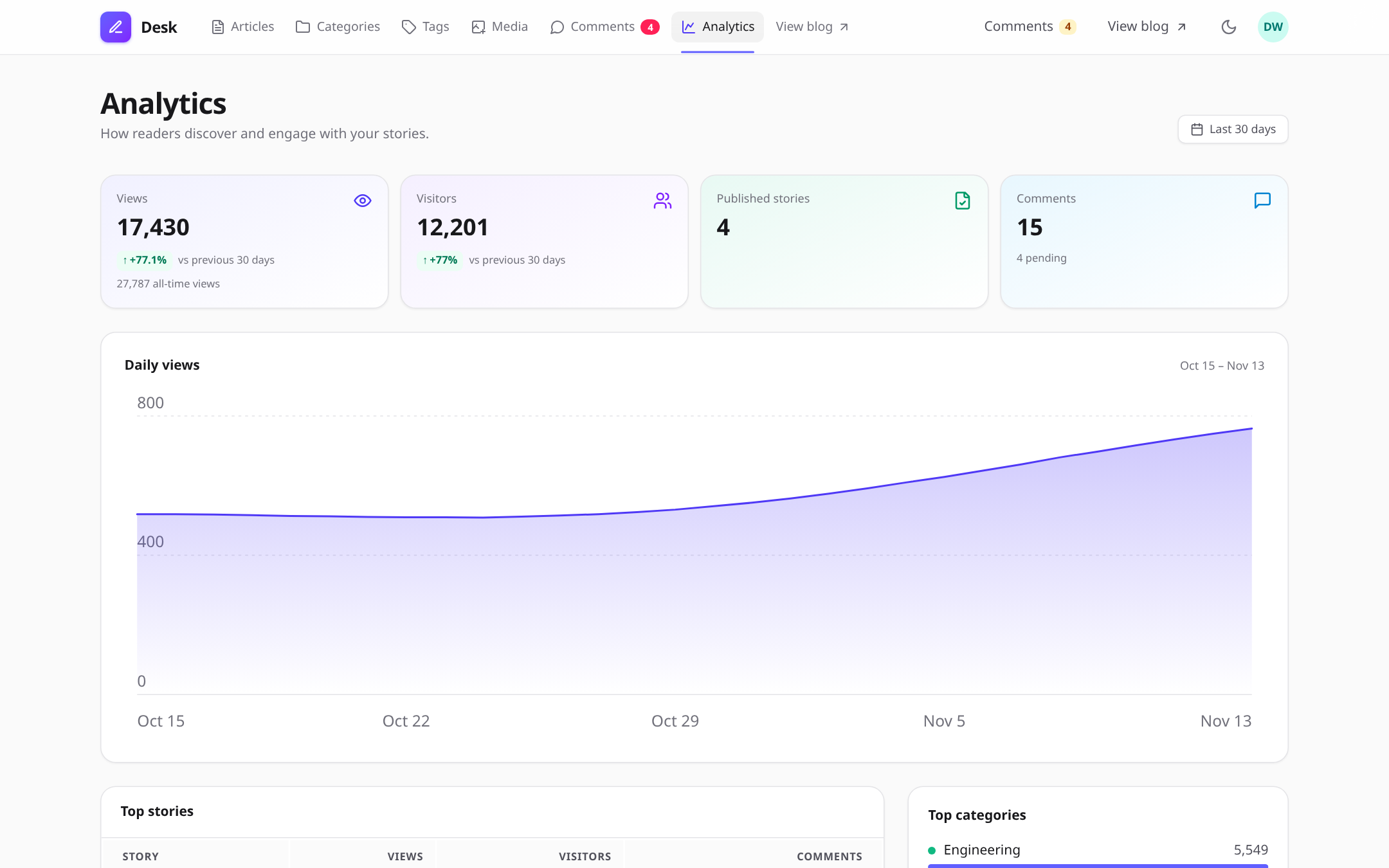 |
Public blog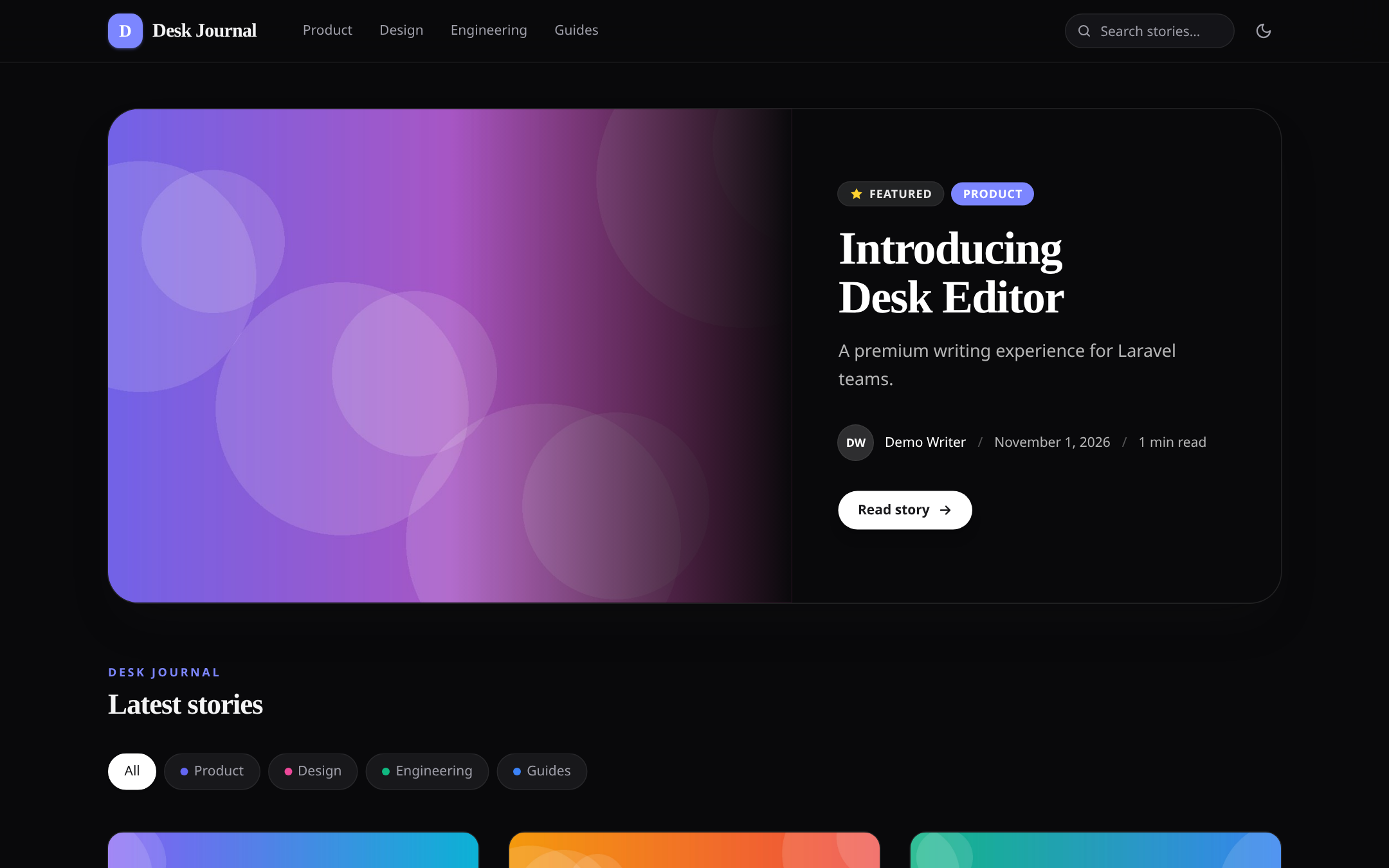 |
Reader view: columns, charts, contents sidebar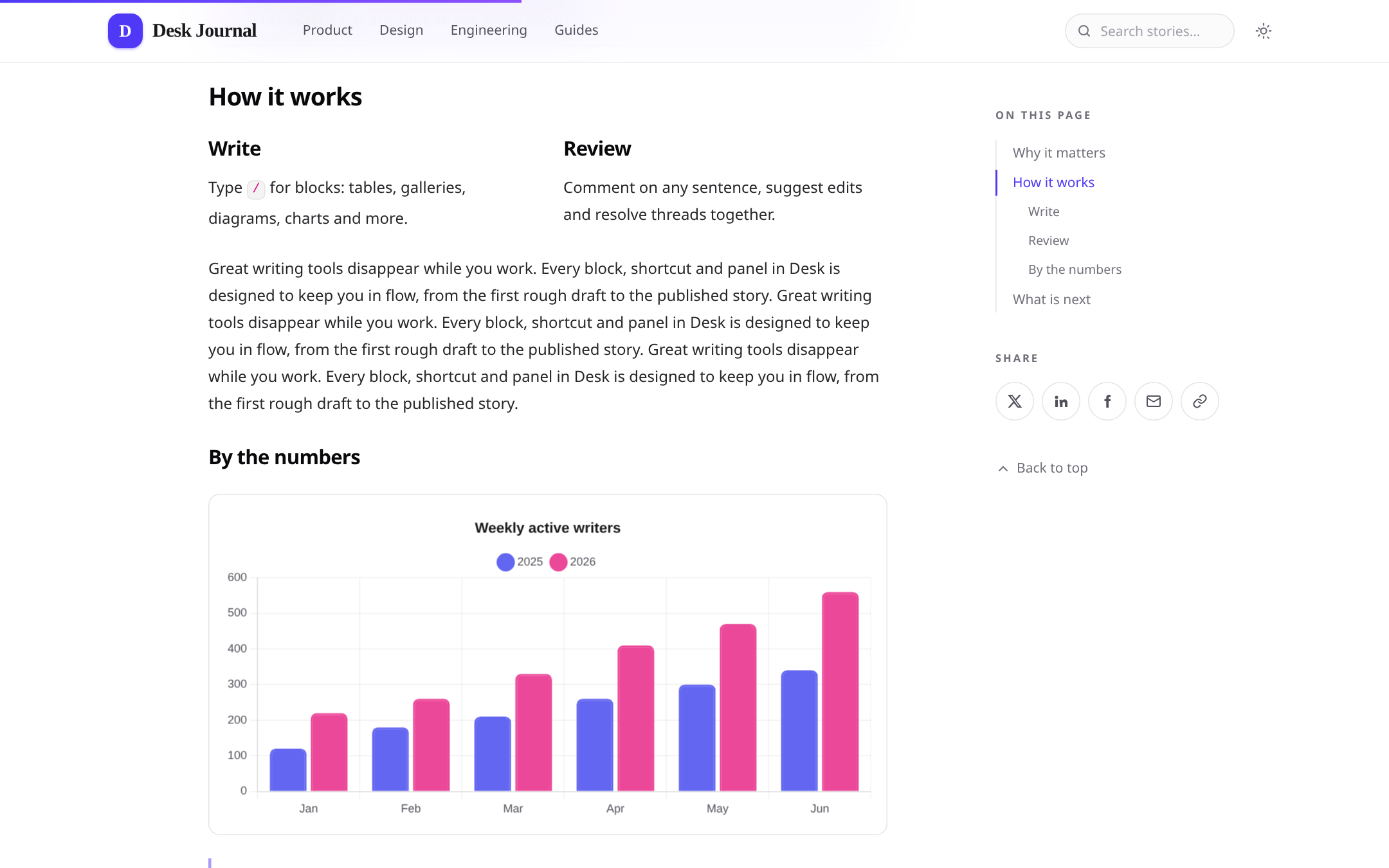 |
composer require atannex/desk-editor
php artisan desk-editor:install --migrate
The installer publishes the configuration, links public storage, and runs the package migrations.
Optional installer flags:
php artisan desk-editor:install --assets --views --lang --forceAdd Laravel's scheduler to your deployment. Scheduled publishing runs every minute, and media pruning runs daily.
Add the component to a Blade form:
<form method="POST" action="{{ route('posts.store') }}">
    @csrf

    <x-desk-editor
        name="body"
        :value="old('body', $post->body)"
        toolbar="standard"
        placeholder="Tell your story..."
        theme="auto"
        accent="#e11d48"
        min-height="24rem"
        :max-characters="20000"
        :max-words="3000"
        format="html"
    />

    <button type="submit">Save</button>
</form>
The editor supports html, json, and markdown formats. The toolbar accepts a preset, a comma-separated list, or an array. Use | to start a toolbar group and -> to push items to the right.
The first editor on a page injects its stylesheet and script automatically. To manage assets yourself, set inject_assets to false and include @deskEditorStyles and @deskEditorScripts.
<x-desk-editor wire:model="content" />The component binds the hidden input and keeps the editor itself under wire:ignore.
Enable document-specific features with the corresponding component attributes:
<x-desk-editor
    name="body"
    :comments="'post:'.$post->id"
    :collaboration="'post:'.$post->id"
    :autosave="['key' => 'post-'.$post->id, 'server' => true]"
/>
Server drafts are stored per user and can be restored across devices. Live collaboration requires Laravel broadcasting and a configured broadcaster.
Use the content component to render editor output for readers:
<x-desk-editor::content :html="$post->body" />Content is sanitised before rendering. Editorial-only markup is removed, media receives responsive sources and dimensions, and supported features such as diagrams, charts, code highlighting, math, collapsibles, and image lightboxes are enhanced in the browser.
Use the package cast to sanitise content when it is written:
use Atannex\DeskEditor\Casts\AsDeskContent;

protected function casts(): array
{
    return [
        'body' => AsDeskContent::class,
    ];
}
The cast provides helpers for common content tasks:
$post->body->words();
$post->body->readingTime();
$post->body->excerpt(160);
$post->body->outline();
$post->body->images();
$post->body->mentions();
Validate content with DeskContentRule:
DeskContentRule::make()
    ->required()
    ->minWords(50)
    ->maxCharacters(20000)
    ->maxImages(10);
Validation measures visible text, so empty HTML elements do not count as content.
The article manager is available at /desk/articles. It includes:
- Draft, review, scheduled, published, and archived states
- Authoring, SEO fields, categories, tags, and translations
- Reviewer approval and change requests
- Revision comparisons and restore
- Edit locks and conflict detection
- Scheduled publishing and activity history
Enable the public blog with:
DESK_BLOG_ENABLED=trueThe default URL prefix is /blog. The blog includes article and category pages, search, related posts, threaded reader comments, RSS/Atom feeds, a sitemap, structured metadata, and analytics.
Uploads are recorded in the media library at /desk/media.
- Images can be converted into responsive WebP variants.
- Video and audio metadata and posters are generated with ffprobe.
- Video transcoding uses ffmpeg and can run through queued jobs.
- Unused media can be reviewed with a dry run:
php artisan desk-editor:prune-media --dry-runSVG uploads are disabled by default. Increase PHP's upload_max_filesize and post_max_size when handling large media files.
Use the package field in a Filament form:
use Atannex\DeskEditor\Filament\DeskEditor;

DeskEditor::make('body')
    ->toolbar('standard')
    ->maxWords(3000)
    ->document(fn ($record) => $record ? 'post:'.$record->id : null)
    ->columnSpanFull();
The field stores sanitised HTML. Laravel Nova is not supported.
Get an editor instance and interact with it programmatically:
const desk = DeskEditor.get(document.querySelector('.desk-editor'));

await desk.ready;

desk.getHTML();
desk.getMarkdown();
desk.setContent('# Hello', { format: 'markdown' });

desk.toggleSuggestionMode();
desk.toggleComments();
desk.toggleFocusMode();

desk.on('change', ({ html, words }) => {
    // Handle editor changes.
});
The package also emits DOM events, including desk-editor:ready, desk-editor:change, desk-editor:upload, and desk-editor:peers. Editors added dynamically are initialised automatically. To disable automatic initialisation, set window.DeskEditorAutoInit = false and call DeskEditor.init(container).
theme="auto"follows the page theme and operating-system preference;lightanddarkare also supported.- Use
accentto customise the editor's accent colour. - The editor uses an HTML allow-list sanitiser.
- Iframes are restricted to HTTPS allow-listed hosts and sandboxed.
- Link previews validate destinations and redirects to protect against SSRF.
- Uploads are MIME-checked, stored under random names, and scoped to their owners.
- CMS routes are protected by authorization gates; configure the package gates to match your application's roles and permissions.
Regenerate the README screenshots from a running workbench with node scripts/screenshots.mjs (environment in workbench/collab.env.sh).
composer install
npm install

npm run build
composer test
npm test
npm run test:e2e
composer analyse
The repository includes a Testbench workbench application for trying the editor, CMS, and blog locally.
MIT © Atannex.
Bundled TipTap, ProseMirror, Yjs, KaTeX, Mermaid, Chart.js, highlight.js, and Lucide icons are distributed under their respective MIT, ISC, or Apache licenses.