

A terminal checkup for your development environment. DevDoctor is a small, read-only TUI for finding the processes, TCP listeners, and toolchains that are running or installed on your machine.
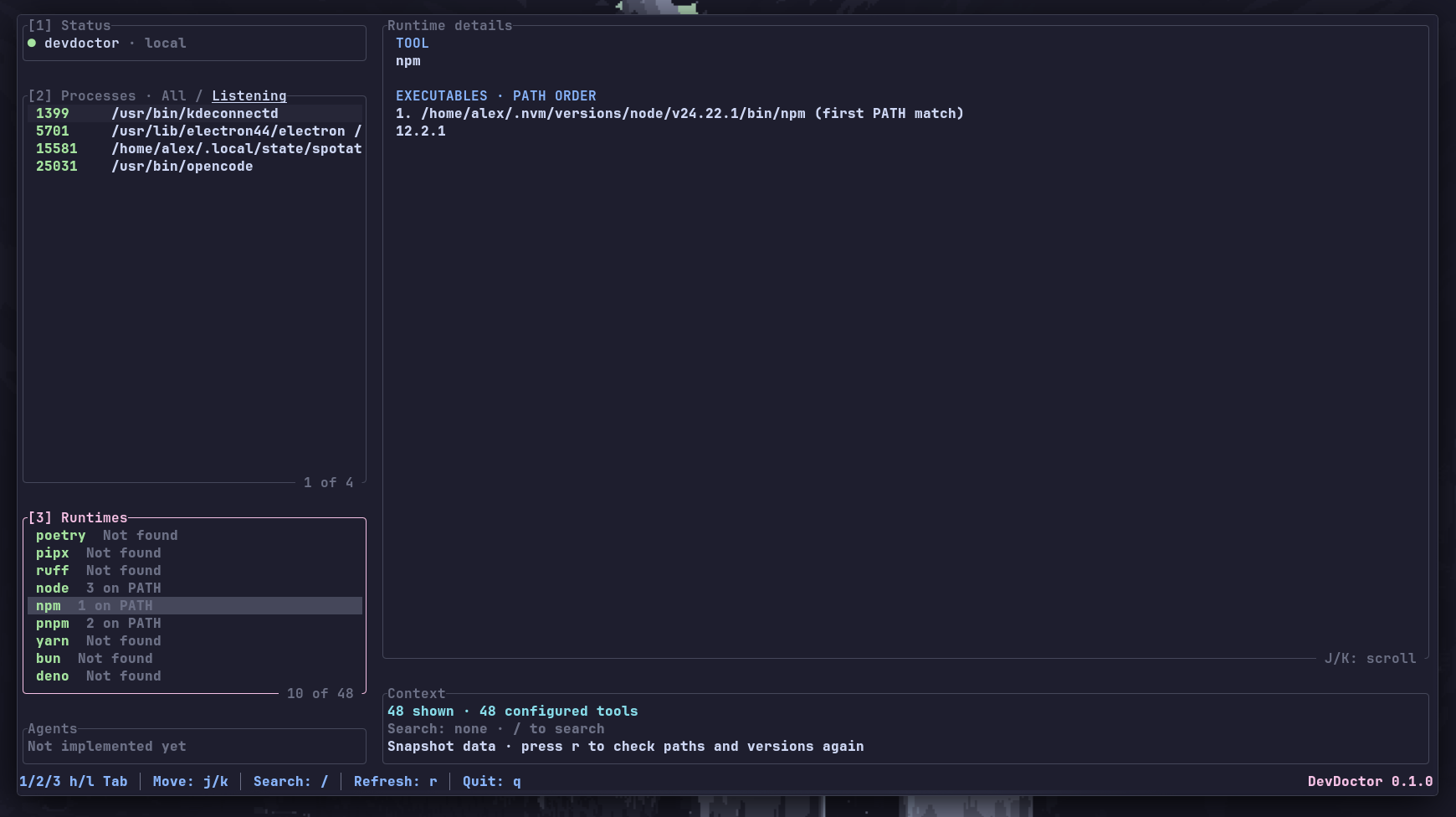
- Processes — PID, command, working directory, and reported TCP listeners. Switch between all processes and only the ones listening on a port.
- Runtimes — development tools found on
PATH, every matching executable inPATHorder, and the version reported by each one. - Details — inspect the selected process or runtime without leaving the terminal.
Processes and runtimes can be searched independently. Search is case-insensitive: processes match against the PID or full command, while runtimes match against the tool name. Counts and details always reflect the currently visible list.
DevDoctor requires a recent stable Rust toolchain.
cargo install devdoctorThen run:
devdoctor| Key | Action |
|---|---|
1 / 2 / 3 |
Focus Status, Processes, or Runtimes |
h / l / Tab |
Cycle sections |
j / k, arrows |
Move the selection |
g / G, Home / End |
Jump to the first or last item |
PageUp / PageDown |
Move ten items |
/ |
Search the focused section |
Enter |
Keep the search and stop editing |
Esc |
Clear the search and stop editing |
[ / ] / f |
Toggle All / Listening in Processes |
J / K |
Scroll the Details panel |
r |
Refresh the snapshot |
q |
Quit |
DevDoctor is read-only by design:
- It never terminates processes.
- Version checks run
--versionfor each discovered tool. They have a timeout, but they still execute local programs and can be slowed down by broken shims.
cargo run
cargo test
cargo clippy --all-targets -- -D warnings