
A small companion for Brain Exercise App. Choose a short session, understand the exercise, and keep a note of your result.
Open the planner and journal · Read the practical guide · Open BEAPP Daily Training
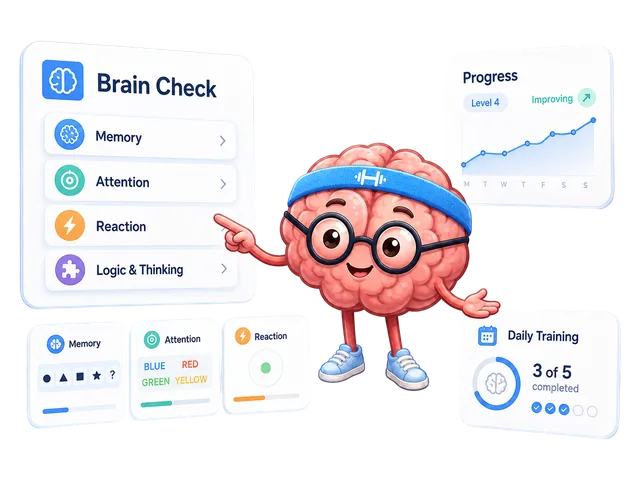
- Choose 2, 5, or 8 minutes, then a skill area or “A bit of everything.”
- Open the first exercise on BEAPP. Read its rules and finish an attempt.
- Copy the result into your manual journal. Include the difficulty, device, and input method so that your next comparison is useful.
Times are planning estimates, including reading the instructions. Finish at a comfortable pace and take a break when you need one.
Prefer a ready-made session? Open Daily Training. Want an introduction to the skill areas? Start with Brain Check.
- A short-session planner with memory, attention, reaction, and thinking choices.
- Plain-English steps for eight exercises.
- A downloadable seven-day CSV plan. Each day is optional.
- A manual browser-local journal with CSV export.
- A zero-dependency JavaScript utility for other small planning tools.
The exercises run on brainexerciseapp.com. This kit stores only the results you enter yourself. It does not import or change your app history.
Open the live planner above. To use the kit offline, download the beapp-practice-kit-v1.0.0.zip release, unzip it, and open index.html. The planner, instructions, and CSV exports work locally. Opening an exercise still requires access to BEAPP.
The kit does not include analytics or send journal entries to a server. Entries are stored in this browser's local storage. Clearing site data, changing browsers, or using private browsing can remove access to them. Export CSV to keep a copy. If storage is unavailable, the page tells you to export temporary entries before leaving.
Compare the same exercise, difficulty, device, and input method. Read accuracy alongside speed when both are shown. Record interruptions or early clicks in your notes. The kit keeps each exercise's units separate and does not combine them into an overall score.
Results describe performance in specific tasks. This kit is a planning and note-taking tool, not a medical assessment or a promise of changes in everyday abilities. How BEAPP results are calculated.
beapp-practice-planner is the small JavaScript utility from this kit. Use it to add session choices, exercise instructions, or CSV exports to your own tool. The npm package includes code and documentation; the ready-to-use planner and journal are available through the live link above.
npm install beapp-practice-plannerNode.js 20 or newer is required only for development and the utility API. No Node.js installation is needed to open the browser kit.
const { createSession, createWeek, resultsToCsv } = require('beapp-practice-planner');
const session = createSession({ minutes: 5, focus: 'memory' });
console.log(session.tasks.map(task => task.name));
const week = createWeek({ startDate: '2026-10-06', minutes: 5, focus: 'mixed' });
const csv = resultsToCsv([{
  date: '2026-10-06', task: 'reaction', value: 240,
  condition: 'same difficulty · laptop · mouse', notes: 'no early clicks'
}]);
ES modules and TypeScript can use named imports:
import { createSession } from 'beapp-practice-planner';

const session = createSession({ minutes: 5, focus: 'mixed' });
for (const task of session.tasks) {
  console.log(task.name, task.url, task.steps);
}
createSession picks one task for 2 minutes, two for 5 minutes, and up to
three for 8 minutes. A focused session cannot contain more tasks than are
available in that area. offset rotates the starting exercise.
createWeek returns seven suggestions; your tool decides when to show them.
resultsToCsv exports manually entered results in each exercise's own units.
The utility itself does not store entries, contact a server, or import app history.
API reference: API.md. Dates use YYYY-MM-DD; the seven-day schedule uses UTC calendar arithmetic. CSV export quotes text and protects against spreadsheet formula interpretation.
npm run check
npm test
Tests cover planning choices, date boundaries, result units, validation, and CSV handling. Pull requests run the Quality gate workflow. There is no build step and no runtime dependency.
New utility code and documentation are MIT licensed. BEAPP logos, mascot artwork, and skill icons have separate brand asset terms. Brand images are displayed from the public repository and are not bundled in the npm package.