
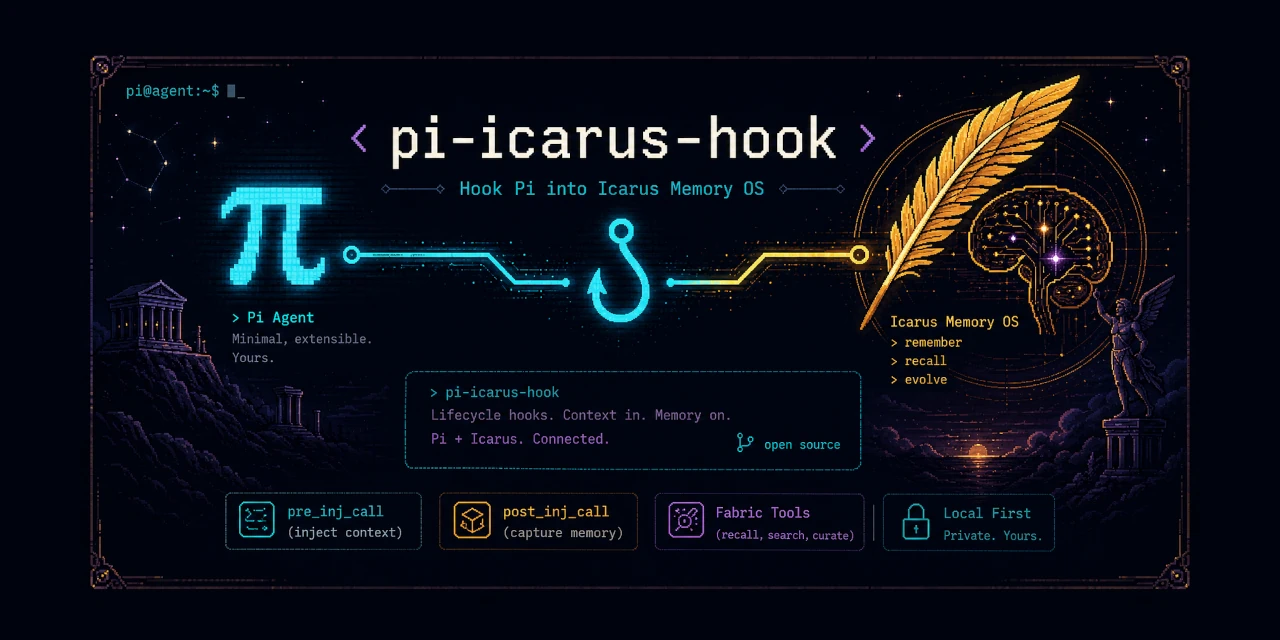


Binds Pi to an existing Hermes/Icarus Memory OS.
Use this when you want Pi to get the same ambient memory behavior Hermes gets from Memory OS - Icarus: retrieve context before an answer, capture useful exchanges afterward, and expose normal Fabric tools.
Requires the Memory OS ecosystem to hook into.
- Thin bridge: Pi lifecycle events -> Icarus hooks.
- Memory is automatic: context is injected before the model answers.
- Injected context is visible by default; hide it per-session with
/icarus context hide. /icaruscontrols memory hooks, context visibility, defaults, and inspection.- Pi footer shows
🪽 Icaruswhile ambient memory hooks are active. - Normal Fabric tools are enabled by default: write, recall, search, pending, curate, brief, Obsidian init.
- Admin/training tools are implemented but hidden by default: export, train, eval, switch model, rollback, telemetry, report.
- Not included: raw Qdrant/Redis/worker controls, ingestion queues, reflection controls, or ground-truth editing.
- Persistent Python worker: required so Icarus keeps per-session state across hook calls.
A Pi session starts. pi-icarus-hook calls Icarus, receives any relevant session or memory context, and injects it into Pi before the model answers.
At startup, session context is added as a Pi custom message without starting an extra model turn. The first nonempty prompt in each session is marked as the first turn for Icarus; empty or disabled prompts do not consume it. This lifecycle behavior uses the Pi 1.0.0 extension API.
User prompt
  -> Pi before_agent_start
    -> pi-icarus-hook
      -> Icarus pre_llm_call(...)
        -> Fabric / sessions / Memory OS context lookup
      <- { "context": "relevant memories..." }
  -> Pi model answers with that context available
After the answer, the extension calls Icarus again so useful exchanges can be captured and later persisted.
Default UI: injected context is visible, and the footer shows 🪽 Icarus while hooks are active.
Install the package into Pi:
pi install npm:pi-icarus-hook
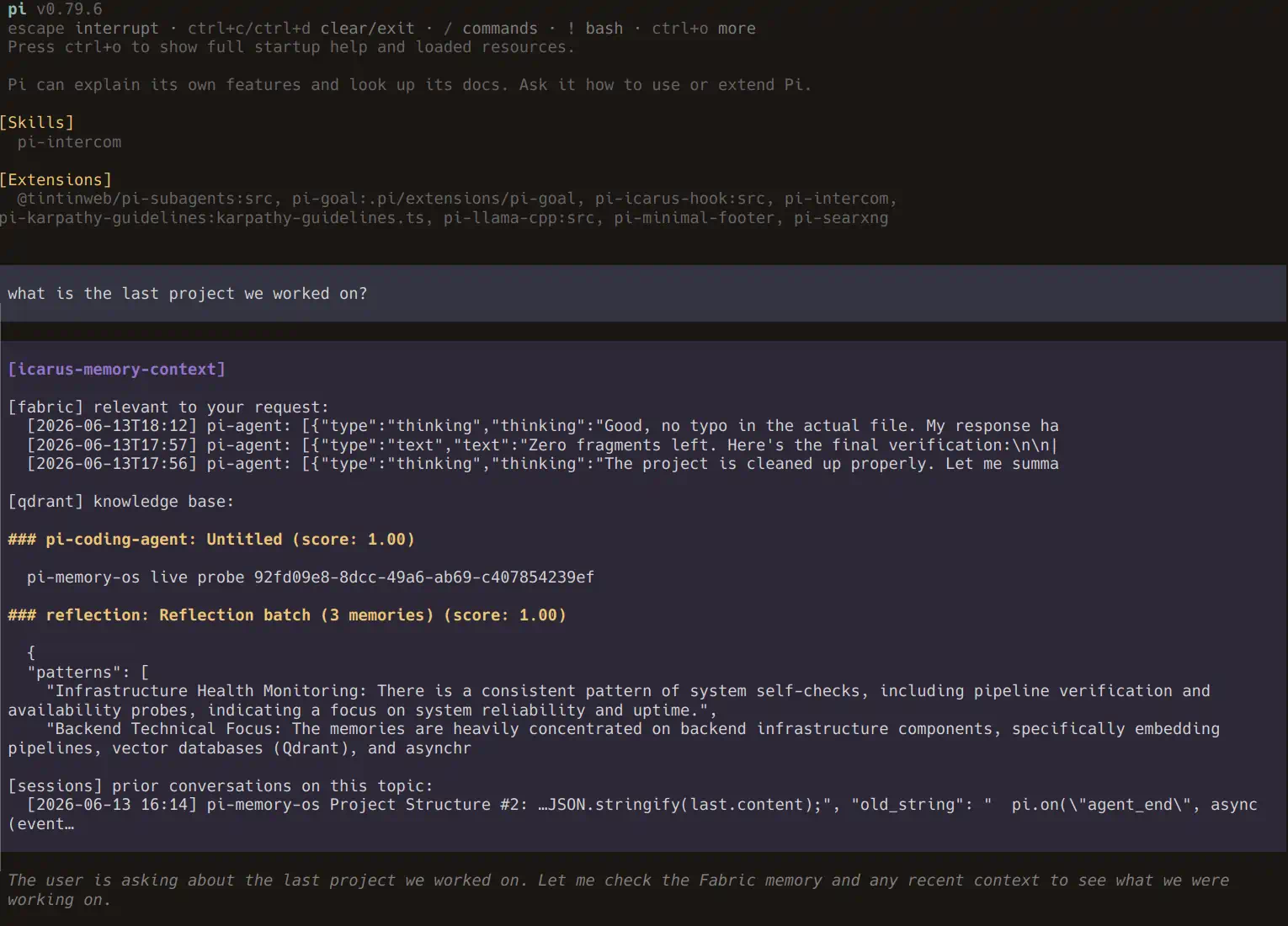
Start Pi normally:
piFor a one-shot prompt:
pi -p "What is the last project we worked on?"| Command | Effect |
|---|---|
/icarus |
Toggle memory hooks for this session |
/icarus on / /icarus off / /icarus status |
Control memory hooks |
/icarus context |
Toggle injected context visibility for this session |
/icarus context show / /icarus context hide / /icarus context status |
Control context visibility now |
/icarus context default show / /icarus context default hide / /icarus context default status |
Control startup default for future sessions |
/icarus context default hide project |
Write .pi/settings.json |
/icarus context default hide global |
Write ${PI_CODING_AGENT_DIR:-~/.pi/agent}/settings.json |
/icarus config |
Print effective config |
/icarus schema |
Print settings schema |
Runtime toggles are session-local. Default toggles write settings and apply on next Pi start. Use both if you want now + future:
/icarus context hide
/icarus context default hide
Unknown commands, invalid scopes, and extra arguments show usage guidance without changing hooks or settings.
The read-only agent tool is icarus_hook_config.
To hide injected context by default in JSON instead:
{
  "piIcarusHook": {
    "contextDisplay": false
  }
}- Node.js 22 or newer.
- Python available as
python3, or setICARUS_PYTHON. - A local Icarus checkout. By default this is expected at
~/.hermes/plugins/icarus. - Any Memory OS, Qdrant, SQLite, or LLM dependencies required by the Icarus hooks you call.
Most setups need little or no configuration if Hermes/Icarus uses the standard local layout.
Pi extension behavior is read in this order:
- Project settings at
.pi/settings.json. - Global Pi agent settings at
${PI_CODING_AGENT_DIR:-~/.pi/agent}/settings.json. - Built-in defaults.
Environment variables are only used for external Hermes/Icarus runtime paths and identity, not for Pi UI/tool/hook behavior.
Use piIcarusHook or pi-icarus-hook in Pi settings:
{
  "piIcarusHook": {
    "icarusDir": "~/.hermes/plugins/icarus",
    "hermesHome": "~/.hermes",
    "fabricDir": "~/fabric",
    "agent": "pi-agent",
    "platform": "pi",
    "hooks": true,
    "tools": true,
    "adminTools": false,
    "timeoutMs": 30000,
    "contextDisplay": true,
    "footerStatus": "🪽 Icarus"
  }
}
To customize the footer label globally, put this in ${PI_CODING_AGENT_DIR:-~/.pi/agent}/settings.json:
{
  "piIcarusHook": {
    "footerStatus": "🪽 Icarus"
  }
}
The Pi-specific keys platform, hooks, tools, adminTools, timeoutMs, contextDisplay, and footerStatus are intentionally Pi-settings-only. They are not read from environment variables because they control Pi adapter/UI/tool behavior, not the external Icarus/Hermes runtime.
Pi settings:
| Setting | Default | Purpose |
|---|---|---|
platform |
pi |
Platform label passed to Icarus hooks |
hooks / bindHooks |
true |
Register lifecycle hooks |
tools / registerTools |
true |
Register normal Fabric tools |
adminTools / registerAdminTools |
false |
Register admin/training tools |
timeoutMs / callTimeoutMs |
30000 |
Timeout for each Icarus worker call |
contextDisplay (hiddenDisplay legacy alias) |
true |
Show injected context instead of hiding it |
footerStatus / statusLabel |
🪽 Icarus |
Footer text shown while ambient hooks are active |
Typical variables:
| Variable | Default | Purpose |
|---|---|---|
ICARUS_DIR |
~/.hermes/plugins/icarus |
Local Icarus Python package directory |
HERMES_HOME |
~/.hermes when it exists |
Hermes home for Icarus state files |
HERMES_AGENT_NAME |
inferred from .hermes-<agent>, else pi-agent |
Agent name passed to Icarus |
FABRIC_DIR |
~/fabric |
Shared Fabric markdown directory |
Advanced variables:
| Variable | Default | Purpose |
|---|---|---|
ICARUS_PYTHON |
python3 |
Python executable for the worker |
STATE_DB_PATH / HERMES_STATE_DB |
unset | Optional explicit Hermes session SQLite path |
FABRIC_PROJECT_ID |
current directory name | Project id passed to Icarus writes/retrieval |
Boolean values accept false, 0, no, off, and disabled as false.
For machine-readable inspection, the extension exports CONFIG_SCHEMA from src/config-schema.ts and exposes:
/icarus config— effective config and settings snippet./icarus schema— supported settings schema.icarus_hook_config— read-only agent tool with the same schema/effective config.
/icarus config, /icarus schema, and icarus_hook_config are read-only. /icarus context default ... is the explicit settings-writing path and reports the changed file.
pi-icarus-hook exposes the Icarus/Fabric surface that is safe and useful inside a normal Pi coding session.
These run automatically when Pi emits lifecycle events:
| Pi event | Icarus hook | Behavior |
|---|---|---|
session_start |
icarus.hooks.on_session_start() |
Injects startup context when returned |
before_agent_start |
icarus.hooks.pre_llm_call() |
Injects per-turn memory context when returned |
agent_end |
icarus.hooks.post_llm_call() |
Captures decisions and updates Icarus session state |
session_shutdown |
icarus.hooks.on_session_end() |
Scores and persists the session, then closes the worker |
The hook path is the recommended default. The model does not need to remember to call a tool before every answer; memory is injected as infrastructure. Use /icarus off to stop loading/saving memory for the current session, or /icarus context hide to keep hooks active but hide injected context.
These are regular work-session tools and are safe to expose to Pi agents by default:
fabric_write— write a structured entry into shared Fabric memory. Setverified: "true"only for results you actually verified, withevidence(how) andsource_tool(which tool produced the result); the tool rejectsverifiedwithoutevidence.fabric_recall— ranked retrieval of relevant Fabric memories by query.fabric_search— literal keyword search across Fabric entries.fabric_pending— list open tasks, reviews, and tickets assigned through Fabric.fabric_curate— update an entry's training value:high,normal, orlow.fabric_brief— summarize pending work, recent Fabric activity, other agents' work, and suggested next action.fabric_init_obsidian— initialize Fabric as an Obsidian-readable vault.icarus_hook_config— inspect this extension's config schema and effective config.
These tools can export training data, start model training, evaluate models, or switch/rollback the active model. They are implemented, but hidden from Pi unless explicitly enabled:
fabric_report— report corpus health and trainable-memory statistics.fabric_telemetry— show recall/reuse telemetry.fabric_export— export Fabric entries as fine-tuning JSONL training pairs.fabric_train— start a Together AI fine-tuning job from Fabric data.fabric_train_status— check status of a Fabric/Together fine-tuning job.fabric_models— list fine-tuned models trained from Fabric.fabric_eval— evaluate a replacement model against Fabric-derived eval prompts.fabric_switch_model— switch the active agent model to an evaluated replacement.fabric_rollback_model— restore the previous model config from backup.
Keep these hidden from Pi by default. They are operational controls, not normal coding-session memory tools. Hermes can keep them available for the main controller/operator, while Pi agents should only receive them when you intentionally enter admin mode.
Enable them only when needed in .pi/settings.json or global Pi settings:
{
  "piIcarusHook": {
    "adminTools": true
  }
}This package is not:
- a Memory OS client;
- a Qdrant, SQLite, or Fabric reimplementation;
- a replacement for Icarus;
- an orchestrator for Hermes internals;
- a Memory OS admin console.
It also does not expose lower-level Memory OS infrastructure controls. If those are needed, they should live in a separate optional admin extension rather than in this thin hook bridge.
Examples of intentionally absent admin/diagnostic surfaces:
- raw Qdrant/vector search
- Redis queue inspection
- worker health controls
- ingestion/reflection enqueue and retry controls
- ground-truth promotion or editing
- last injected context inspection
Keeping this package narrow avoids tool-name conflicts, reduces accidental destructive operations, and preserves the boundary: Pi calls Icarus; Icarus owns Memory OS behavior.
Simple cascade:
Pi event
  -> pi-icarus-hook
    -> icarus.hooks.pre_llm_call(...)
      -> Icarus internally uses Fabric / Qdrant / SQLite / Memory OS pieces
Context-returning hooks are injected back into Pi as visible messages by default:
Icarus returns {"context": "..."}
  -> pi-icarus-hook wraps it as a Pi message
    -> Pi receives the memory context with display: true
The persistent Python worker is intentional. Icarus keeps per-session dedupe sets and state.exchanges in Python module globals, so hook calls must share one long-lived Python process.
If Memory OS changes behind Icarus, pi-icarus-hook should not need to change unless Icarus hook or tool signatures change.
Run the package tests:
npm testThe smoke tests verify that Fabric tools pass through to Icarus and that hook session state persists across calls in the Python worker.
For integration tests, select the Icarus checkout and its Python environment:
ICARUS_DIR=/path/to/memory-os/icarus \
ICARUS_PYTHON=/path/to/memory-os/.venv/bin/python npm test
The test runner defaults to ~/.hermes/plugins/icarus and python3; it does not read Pi settings. Use an environment with Icarus's dependencies installed, including PyYAML: without it, quoted Fabric references can fail to resolve even when the referenced entry exists.
From a local checkout:
npm install
npm run build
Load this checkout directly:
pi --no-extensions -e ./src/index.tsUse --no-extensions when the npm-installed copy is enabled in Pi settings; otherwise Pi may load both copies and report a duplicate extension.
For a one-shot local smoke test without other installed extensions:
pi --no-extensions -e ./src/index.ts -p "What is the last project we worked on?"The package declares its Pi extension entry and gallery image in package.json:
{
  "pi": {
    "extensions": ["./src/index.ts"],
    "image": "https://raw.githubusercontent.com/Ryu-CZ/pi-icarus-hook/main/media/banner.webp"
  }
}