
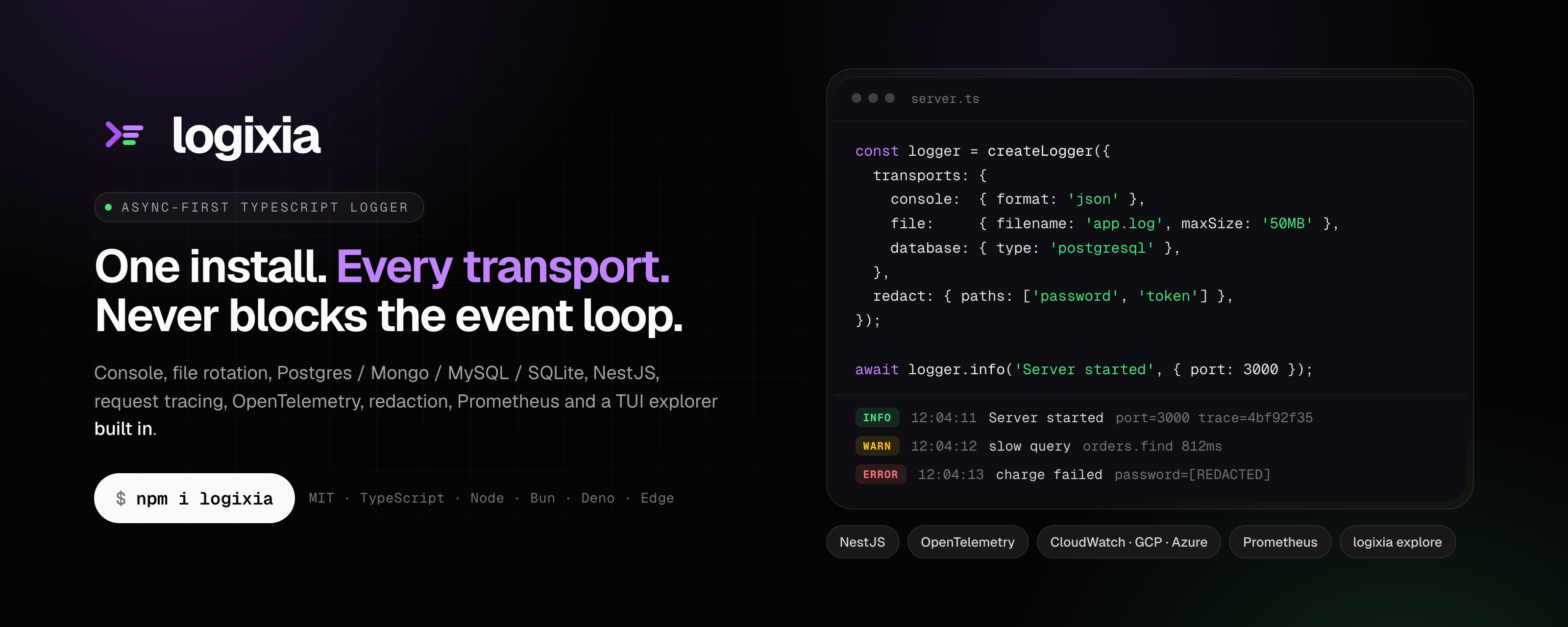
An async-first TypeScript logger with request tracing, redaction, OpenTelemetry export and the transports you usually have to assemble yourself.





Documentation · Getting started · Upgrading to 2.x · Issues
Most Node loggers give you a fast info() and leave the rest to you. logixia keeps the call simple and ships the parts you end up writing anyway:
- Request tracing built in. Trace IDs travel through
awaitviaAsyncLocalStorage. Express and Fastify helpers readtraceparent,x-request-idand friends, and every log line inside the request carries the ID. - Redaction before dispatch. Mask paths (
*.password,req.headers.authorization) and regex patterns once, before any transport sees the entry. Transport credentials are also kept out of serialized output and error text. - Transports for real destinations. Console, rotating files, PostgreSQL, MySQL, MongoDB, SQLite, CloudWatch, Google Cloud Logging, Azure Monitor, Datadog, OTLP, Sentry, Slack, Discord, and a worker-thread wrapper. Several can run on one log call.
- OpenTelemetry-native. Read the active span for trace/log correlation, or export logs as OTLP/HTTP records. The OTLP transport builds the JSON itself, so no
@opentelemetry/*SDK is required to emit logs. - Runs outside Node too.
logixia/browserhas no Node built-ins and is written for browsers and edge runtimes such as Cloudflare Workers. - Small footprint. Two runtime dependencies (
commander,picocolors), no install scripts, ESM and CommonJS builds with types.
Log calls are async and transport failures are caught internally, so a full disk or a flaky database does not crash your process.
npm install logixia
# or: pnpm add logixia | yarn add logixia | bun add logixia
Node.js: the library declares node >=16 and is tested in CI on Node 18, 20 and 22. TypeScript 5.0+ is recommended for the bundled types. Building logixia from source needs a newer toolchain (Node ^22.19 || ^24.11 || >=26); see CONTRIBUTING.md.
Database transports use optional drivers that you install yourself: pg, mysql2, mongodb, or sqlite3 plus sqlite.
import { createLogger, runWithTraceId } from 'logixia';

const logger = createLogger({
  appName: 'api',
  environment: 'development',
  traceId: true,
  redact: { paths: ['password'] },
});

await logger.info('Server started', { port: 3000 });

await runWithTraceId('req-8f3a', async () => {
  await logger.warn('Slow query', { table: 'orders', ms: 842 });
  await logger.info('Login', { user: 'alice', password: 'hunter2' });
});

await logger.error(new Error('Connection timeout'), { orderId: 'ord_123' });
Output (colors omitted, stack trace shortened):
[2026-10-30T14:24:30.621Z] [INFO] [api] [ec339fb5-5afb-4675-8c39-ecbad4353818] Server started {"port":3000}
[2026-10-30T14:24:30.623Z] [WARN] [api] [req-8f3a] Slow query {"table":"orders","ms":842}
[2026-10-30T14:24:30.623Z] [INFO] [api] [req-8f3a] Login {"user":"alice","password":"[REDACTED]"}
[2026-10-30T14:24:30.625Z] [ERROR] [api] [ec339fb5-5afb-4675-8c39-ecbad4353818] Connection timeout {"orderId":"ord_123","error":{"name":"Error","message":"Connection timeout","stack":"Error: Connection timeout\n    at main (...)"}}
Errors can also sit in a field, in a nested object or in an array. They keep their name, message, stack, cause and extra fields such as code, up to three levels down:
await logger.error('Payment failed', { orderId: 'ord_123', error: new Error('Card declined') });
// → {"orderId":"ord_123","error":{"name":"Error","message":"Card declined","stack":"Error: Card declined..."}}
Without a transports key logs go to the console. Add transports to write to files, databases or cloud services, all concurrently. There is also a ready-made default instance: import { logger } from 'logixia'.
→ Getting started · Configuration · Log levels
import { createExpressContextMiddleware, createLogger, getCurrentTraceId } from 'logixia';
import { createExpressMiddleware } from 'logixia/middleware';

const logger = createLogger({ appName: 'api', traceId: true });

app.use(createExpressContextMiddleware({ responseHeader: 'X-Trace-Id' }));
app.use(createExpressMiddleware(logger)); // one request/response log line per call

app.get('/orders', async (_req, res) => {
  await logger.info('Listing orders', { traceId: getCurrentTraceId() });
  res.json([]);
});
The trace ID is the first present header of traceparent (parsed to its 32-hex trace id), x-trace-id, x-request-id, x-correlation-id or trace-id, otherwise a generated UUID. Fastify has createFastifyContextHook() and createFastifyPlugin(), and createFastifyLogger() from logixia/fastify makes a logixia logger Fastify's loggerInstance. Hono has createHonoMiddleware() from logixia/hono, which also runs on Bun and Cloudflare Workers. For anything else, wrap the handler in runWithTraceId(). logixia/correlation adds X-Correlation-ID propagation through fetch, axios, Kafka and SQS.
→ Tracing · HTTP logging · Fastify · Hono · Child loggers and context
Everything NestJS-specific lives in logixia/nest, so plain Node apps never load @nestjs/common.
import { Module } from '@nestjs/common';
import { LogixiaLoggerModule } from 'logixia/nest';

@Module({
  imports: [
    LogixiaLoggerModule.forRoot({
      appName: 'nestjs-api',
      traceId: true,
      transports: { console: {}, file: { filename: 'app.log', dirname: './logs' } },
    }),
  ],
})
export class AppModule {}
The module registers the trace middleware, provides LogixiaLoggerService for injection and also ships forRootAsync, @LogMethod(), LogixiaExceptionFilter, and Kafka and WebSocket trace interceptors. A full app with Docker Compose is in examples/nestjs-app.
const logger = createLogger({
  appName: 'api',
  redact: {
    paths: ['password', '*.token', 'req.headers.authorization', '**.creditCard'],
    patterns: [/Bearer\s+\S+/gi],
    censor: '[REDACTED]',
  },
});

await logger.info('Login', { user: 'alice', password: 'hunter2' });
// → {"user":"alice","password":"[REDACTED]"}
Paths support * (one segment) and ** (any depth), match case-insensitively, and the input object is never mutated. Circular references are printed as [Circular].
An error's stack repeats its message, so to hide a message by path, list both error.message and error.stack, or use a pattern, which covers both.
All transports run concurrently. Built-in ones are configured under transports; the rest are classes you pass in transports.custom.
import { createLogger, OtlpLogTransport, SlackTransport } from 'logixia';

const logger = createLogger({
  appName: 'api',
  transports: {
    console: { level: 'info' },
    file: {
      filename: 'app.log',
      dirname: './logs',
      maxSize: '50MB',
      maxFiles: 14,
      zippedArchive: true,
    },
    custom: [
      new OtlpLogTransport({ url: 'http://localhost:4318/v1/logs', serviceName: 'api' }),
      new SlackTransport({ webhookUrl: process.env.SLACK_WEBHOOK_URL!, level: 'error' }),
    ],
  },
});| Transport | Where it comes from | Use it for |
|---|---|---|
| Console | transports.console |
Colorized dev output or JSON to stdout |
| File | transports.file |
Size/date rotation, gzip, retention |
| Database | transports.database |
PostgreSQL, MySQL, MongoDB, SQLite |
| CloudWatch | logixia/cloudwatch |
AWS CloudWatch Logs, optional EMF metrics |
| Google Cloud | logixia/gcp |
Cloud Logging with Cloud Trace correlation |
| Azure Monitor | logixia/azure |
Logs Ingestion API (Data Collection Rule) |
| Datadog | transports.analytics.datadog, logixia/transports |
Logs and metrics to Datadog |
| OTLP | logixia, logixia/transports |
OTLP/HTTP to Grafana, Axiom, SigNoz, a Collector |
| Analytics | transports.analytics |
Mixpanel, Segment, Google Analytics, Datadog |
| Sentry | logixia, logixia/transports |
Errors, breadcrumbs and logs to Sentry |
| Slack / Discord | logixia, logixia/transports |
Alerting to a chat channel via webhooks |
| Worker thread | logixia/worker |
Move file/database/console I/O off the main thread |
| Custom | transports.custom with ITransport |
Anything else: S3, queues, internal services |
import { createLogger, initOtelBridge } from 'logixia';

initOtelBridge(); // call once, after your OTel SDK starts

const logger = createLogger({ appName: 'checkout' });
await logger.info('Payment processed', { orderId: 'ord_123' });
// the active span's traceId and spanId are added to the entry
initOtelBridge() uses @opentelemetry/api when it is installed and does nothing when it is not. To export logs rather than only correlate them, add OtlpLogTransport (see Transports above). Ready-made OTLP configs for Grafana, Axiom, Better Stack and a local Collector are in the OTLP transport guide.
→ OpenTelemetry · OTLP transport
import { createBrowserLogger } from 'logixia/browser';

const logger = createBrowserLogger({ appName: 'web', level: 'info' });
logger.info('Page loaded', { route: '/home' });
logixia/browser has no Node built-ins and ships a console transport plus a batching BrowserRemoteTransport that uses fetch. Working examples: examples/cloudflare-worker and examples/nextjs.
const logger = createLogger({
  appName: 'api',
  namespaceLevels: { 'db.*': 'debug', '*': 'info' },
  sampling: {
    rate: 0.1, // keep 10% in steady state
    traceConsistent: true, // keep or drop a whole trace together
    adaptive: { errorRateThreshold: 0.05, boostRate: 1.0, windowMs: 10_000 },
  },
});
When the windowed error rate crosses the threshold, the sample rate is raised until things calm down. You can also change levels in a running process: registerLevelSignal(logger) cycles the level on SIGUSR2, and createLevelControlHandler(logger) gives you an HTTP handler to mount behind your own auth.
→ Sampling · Log levels · Graceful shutdown
import { createLogger, createMetricsPlugin } from 'logixia';

const metrics = createMetricsPlugin({
  http_requests_total: { type: 'counter', help: 'HTTP requests', labels: ['method', 'status'] },
});
const logger = createLogger({ appName: 'api' }).use(metrics);

await logger.info('request handled', { method: 'GET', status: 200 });
app.get('/metrics', metrics.expressHandler()); // Prometheus text format
→ Metrics
npx logixia tail ./logs/app.log --follow --filter level:error
npx logixia search ./logs/app.log --query "payment failed"
npx logixia explore ./logs/app.log   # interactive terminal explorer
The CLI also has stats, analyze, export and query. For in-process search, logixia/search exports SearchManager, which indexes entries in memory and supports text, filters, natural-language queries and trace correlation.
→ CLI · Log search
Typed fields with createTypedLogger and defineLogSchema (typed logger), wide events / canonical log lines with wideEventMiddleware and addEventFields, a plugin API with onInit / onLog / onError / onShutdown hooks, and createMockLogger from logixia/testing for unit tests (testing).
2.0 has one breaking change: everything NestJS-specific moved from the root entry to logixia/nest.
- import { LogixiaLoggerModule, LogMethod, InjectLogger } from 'logixia';
+ import { LogixiaLoggerModule, LogMethod, InjectLogger } from 'logixia/nest';
The root logixia entry no longer loads @nestjs/common, so Express, Fastify and plain Node apps work without NestJS installed. → Migration guide
- Redaction runs before any transport sees an entry, and HTTP logging redacts sensitive headers and query parameters by default.
- Secrets stay out of output. Transport credentials (API keys, passwords, webhook URLs, tokens) are hidden from
JSON.stringify,util.inspectand error messages. - Supply chain. Releases are published from CI with npm provenance through npm trusted publishing, so there is no long-lived npm token. The package has no install scripts and three runtime dependencies.
- Reporting. Please report vulnerabilities privately through GitHub private vulnerability reporting. See SECURITY.md.
| Topic | Link |
|---|---|
| Full documentation | logixia.github.io/logixia |
| Configuration reference | guide/configuration |
| API reference | guide/api |
| Runnable examples (Express, Fastify, Hono, NestJS, Next.js, Workers) | examples/ |
| Changelog | CHANGELOG.md |
Pull requests are welcome. For larger changes, open an issue first. Setup, scripts and the commit convention are in CONTRIBUTING.md.
git clone https://github.com/Logixia/logixia.git
cd logixia
npm ci --ignore-scripts
npm testlogixia is free and MIT-licensed, and it is built and maintained by one person. If it saves you time, sponsoring keeps it moving:
npm fund logixia prints the same links.