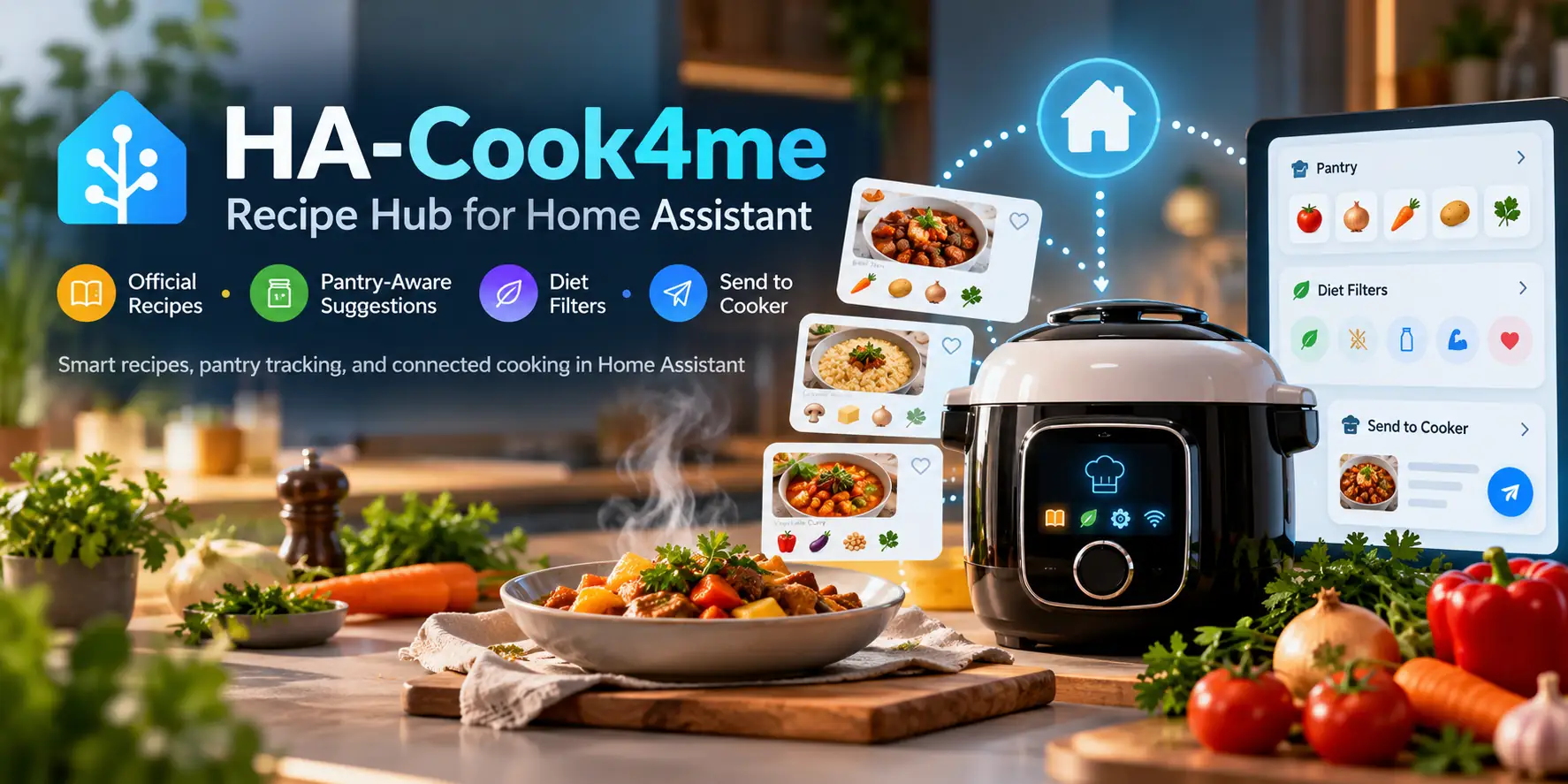


Recipes, pantry, meal plans, shopping and your connected cooker — together in Home Assistant.
HA-Cook4me is a community integration for compatible KRUPS / Tefal Cook4Me and Cookeo Wi-Fi cookers. It provides a dedicated Cook4Me sidebar panel, supported official recipe delivery, a kitchen inventory, meal planning, product and receipt scanning, household food profiles, and Home Assistant device entities.
Independent community project. This integration is not affiliated with or endorsed by Groupe SEB, KRUPS or Tefal. Device compatibility depends on the model and the available SEB cloud services. Cooker communication is cloud-connected, not fully local.
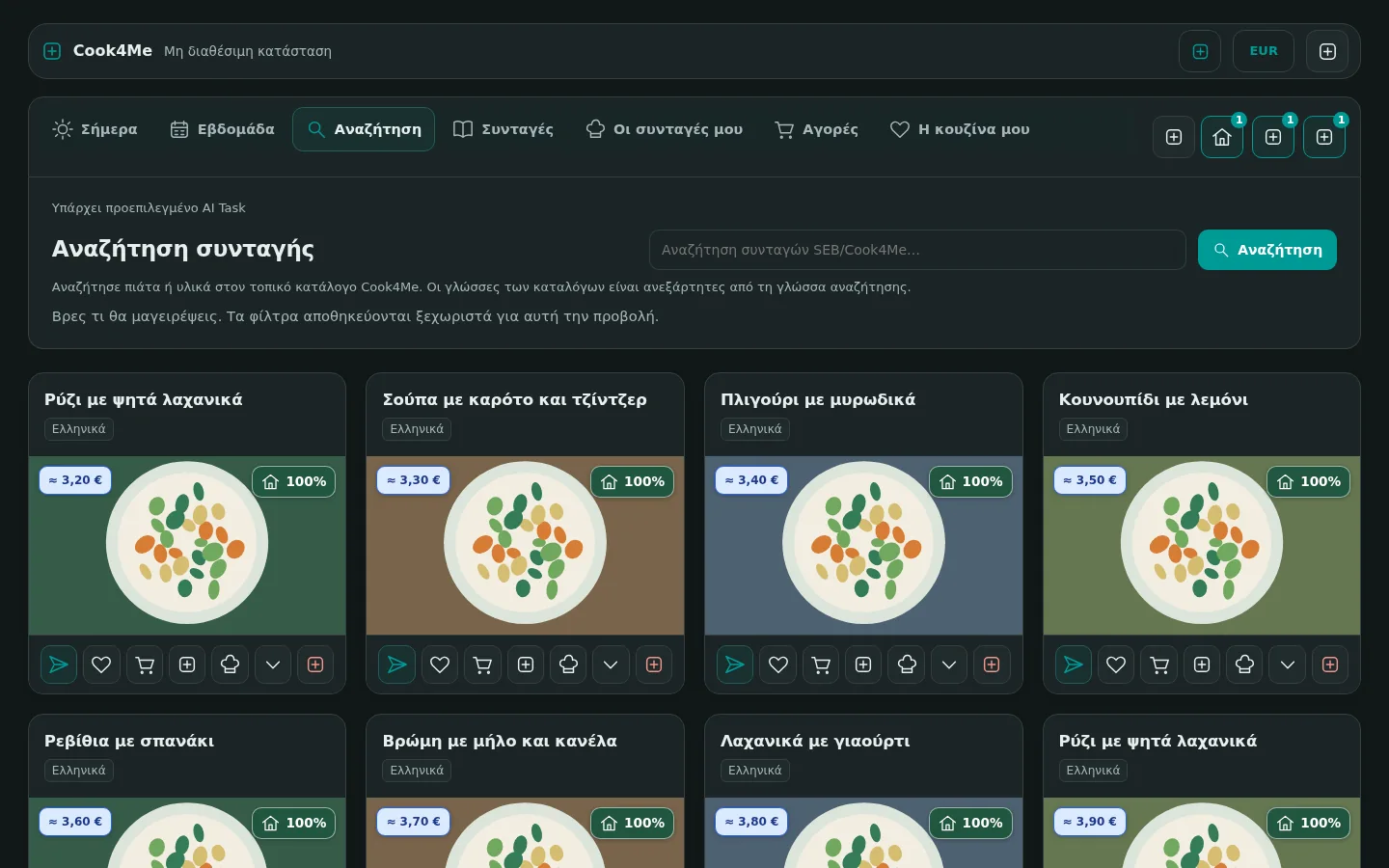
Discover recipes |
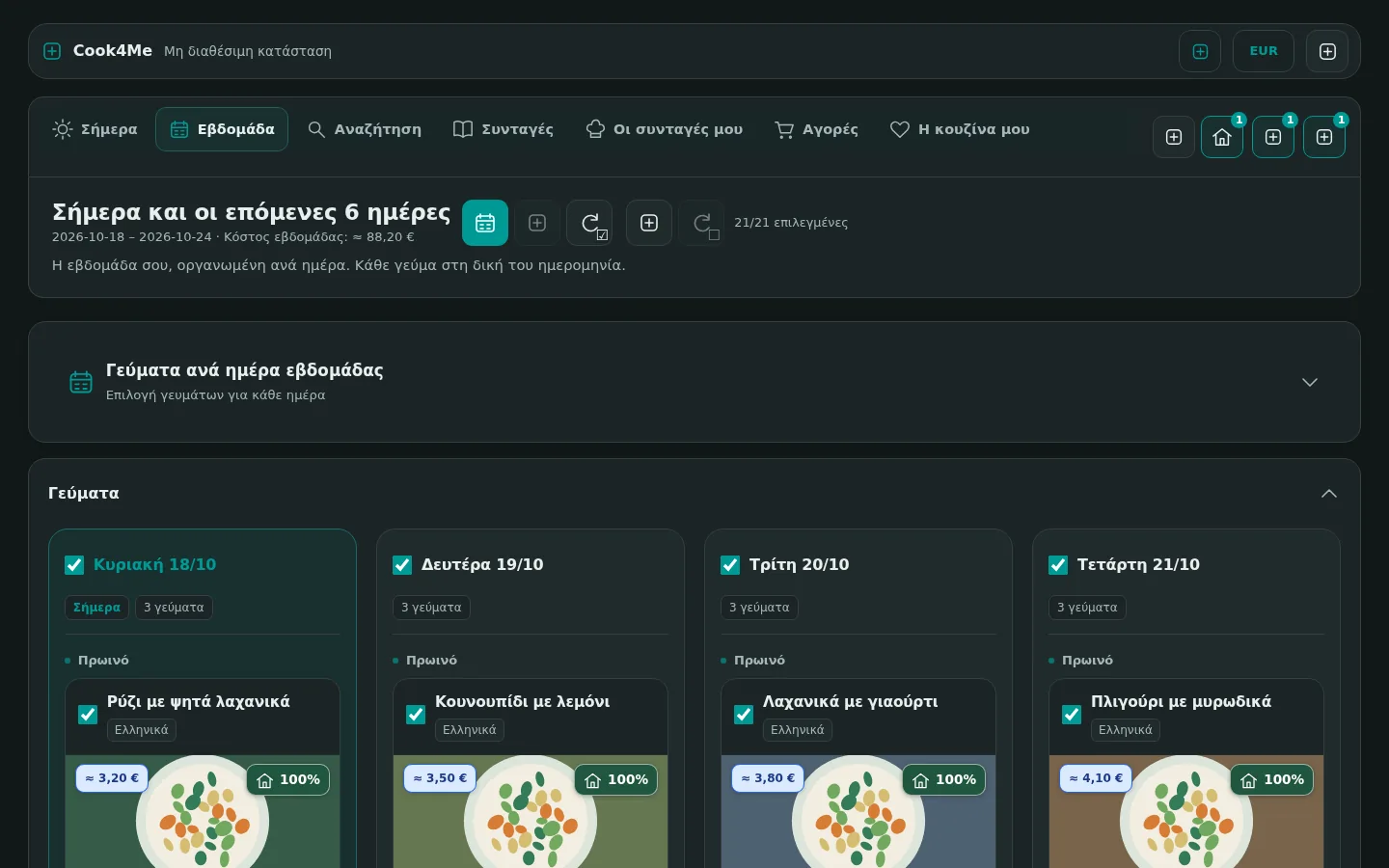
Plan your week |
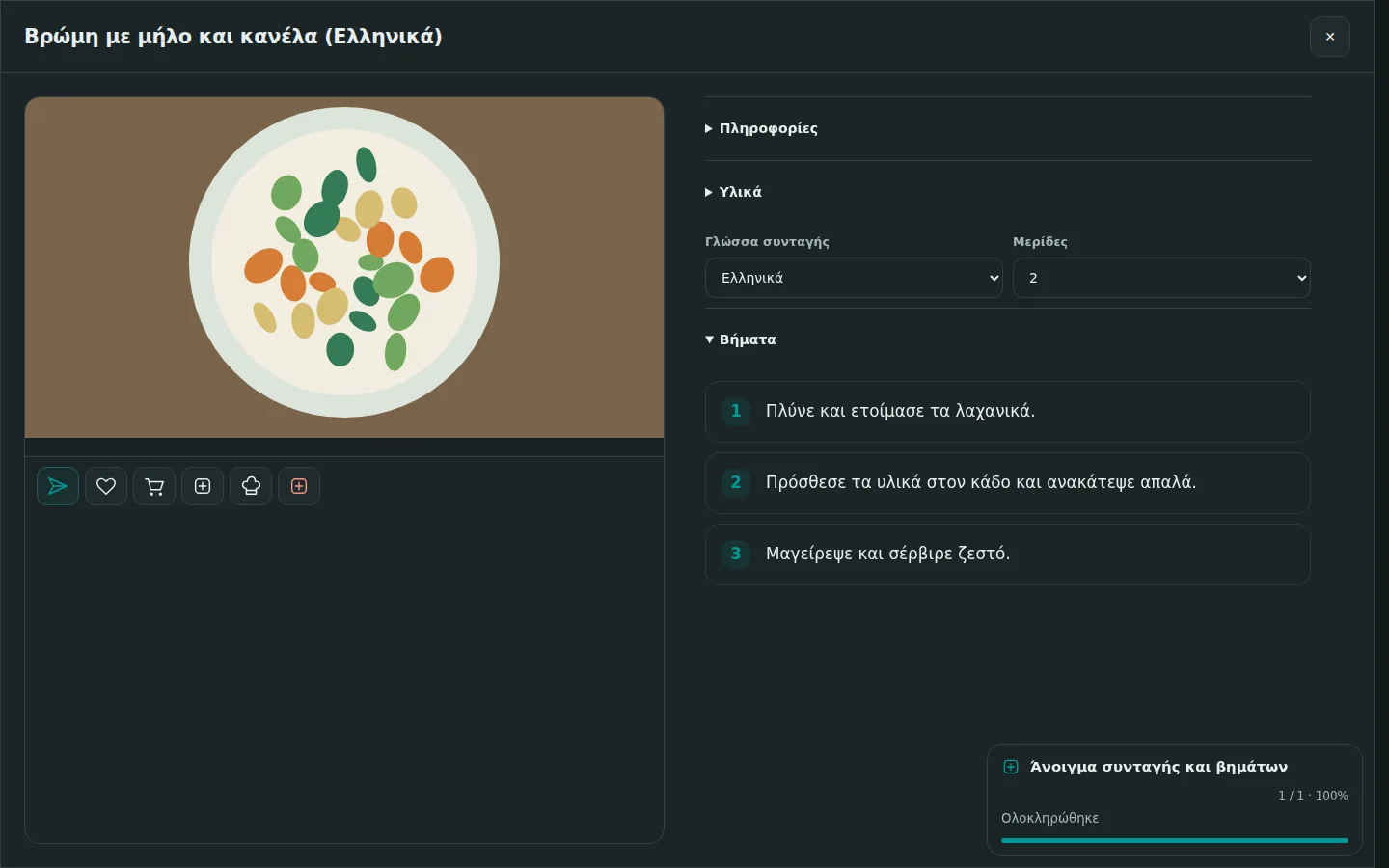
Cook along |
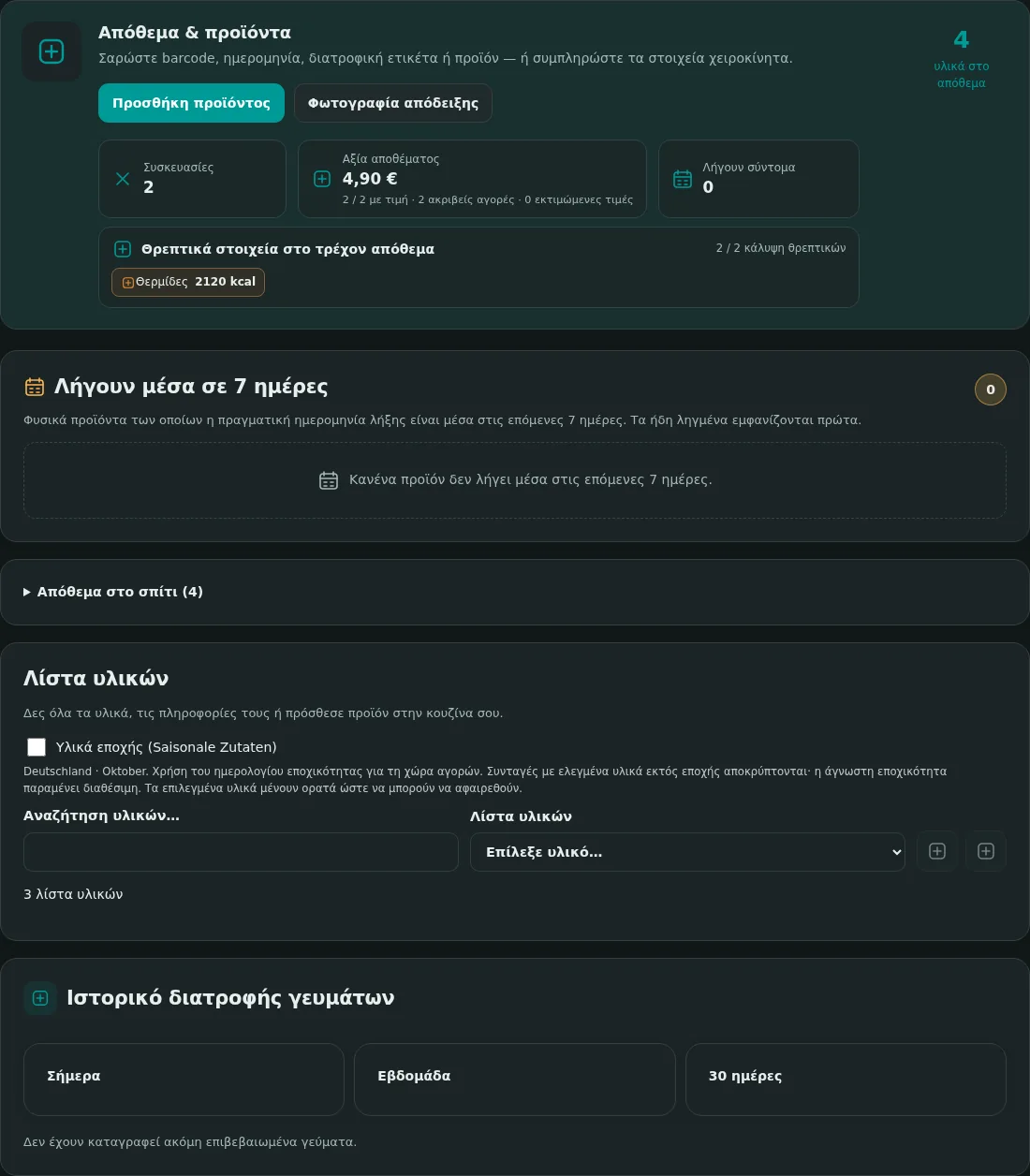
Manage your kitchen |

Use food in time |
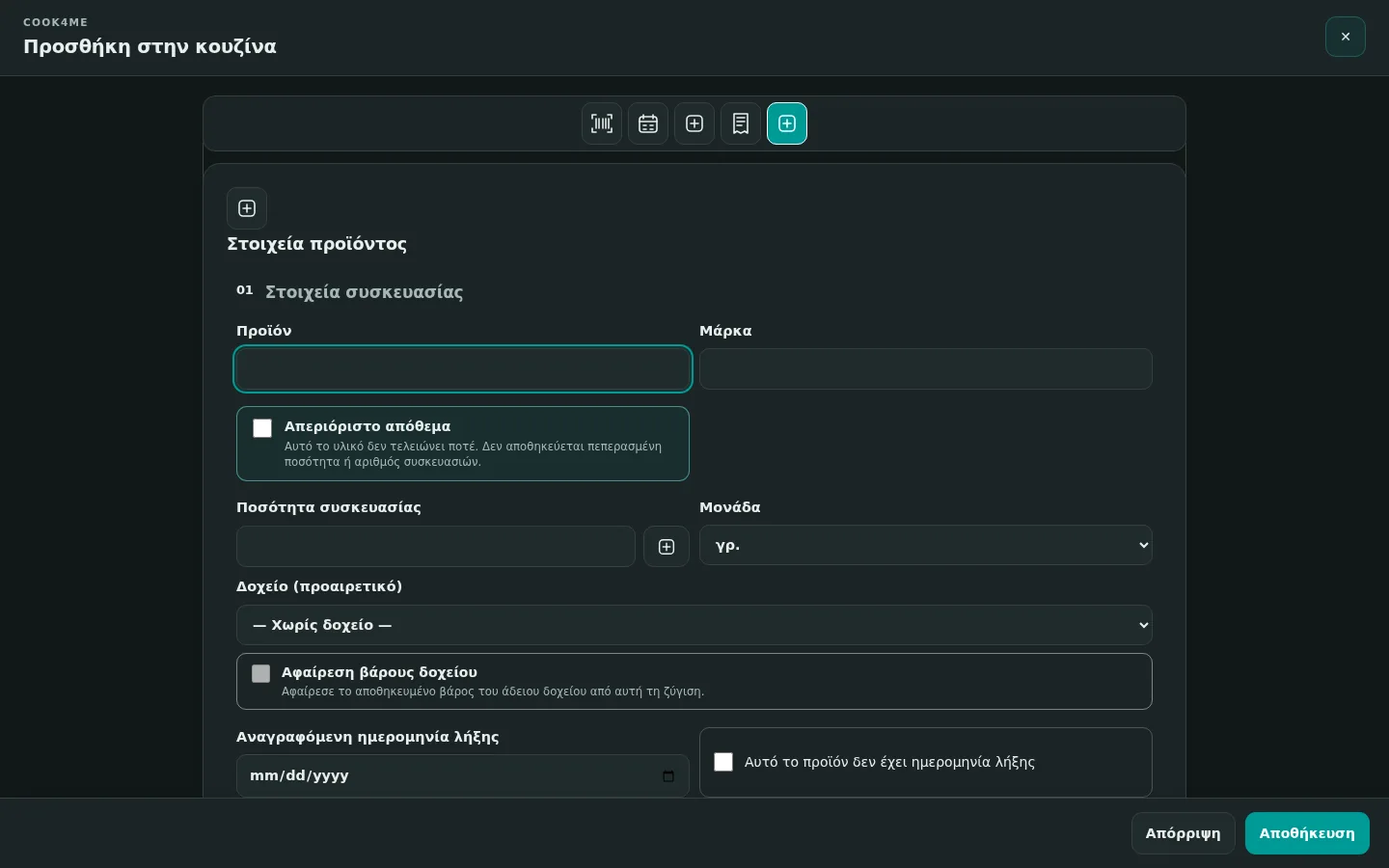
Capture products |
These are screenshots of the real Cook4Me frontend using bundled demonstration data, not private household information. The displayed language, theme, device status and available optional features may differ in your installation.
| Area | What it offers |
|---|---|
| Cooker | Connection and cooking-state details, supported official recipe delivery, Home Assistant device entities |
| Official recipes | Photos, ingredients, cooking steps, languages, serving variants, searchable filters and favorites |
| Meal planning | Daily suggestions, seven-day plans, meal types, regeneration and shopping requirements |
| Personal recipes | Recipe book, manual cook-along recipes and optional AI-assisted recipe creation |
| Pantry | Ingredient availability, individual packages, unlimited staples, storage places and expiry reminders |
| Product scanner | Barcode, date, nutrition-label and photo-assisted capture, plus manual review |
| Shopping and receipts | Missing ingredients, Home Assistant shopping list and reviewable scanned receipts |
| Food intelligence | Household diets, allergies, substitutions, nutrition goals, prices and cost estimates |
| Smart-home features | Services, device-state attributes, notifications and optional spoken announcements |
- Home Assistant 2026.3.0 or later
- HACS for the recommended installation path
- A compatible Wi-Fi Cook4Me / Cookeo cooker and its supported cloud connectivity
- Internet access for official online recipes and cloud-based cooker operations
- Optional Home Assistant AI Task, Conversation, scale, TTS or media-player integrations for the corresponding extras
- Open HACS → Integrations.
- Choose ⋮ → Custom repositories.
- Add
https://github.com/Chreece/HA-Cook4me, with type Integration. - Install HA-Cook4me and restart Home Assistant.
- Go to Settings → Devices & services → Add integration and select HA-Cook4me.
- Follow the configuration flow for your supported cooker/account, then open Cook4Me from the Home Assistant sidebar.
The panel is responsive, uses Home Assistant theme colors, and supports desktop and mobile layouts.
Get meal ideas for the current day based on eligible recipes, household preferences, available ingredients and other selected filters. Open a suggested meal, inspect what is already in stock, check missing ingredients and use the recipe's supported actions. The eligibility checks avoid presenting a simple ingredient-cooking guide as a complete suggested meal.
Build a seven-day meal plan covering today and the next six days. Configure meal categories such as breakfast, lunch and dinner, generate or regenerate ideas, select meals or whole days, and review shopping requirements. Recipe suitability and variety checks apply to generated suggestions. Generation has visible progress, elapsed time and cancellation behavior.
Explore official SEB/KRUPS recipes with photos, ingredients and full preparation steps. Search by text and use available filters for recipe language, ingredients, diet, seasonal foods, cooking time, and price or nutrition criteria where known.
Where publisher data supports it, editions of the same recipe are grouped into one logical card with language and serving selectors, rather than showing every serving edition as a separate recipe.
Keep favorites and recipes saved for later. Open them directly for full details, shopping actions or an appropriate cook-along experience.
Create and save manual cook-along recipes. Optionally, a configured Home Assistant Conversation agent can help create a recipe from your pantry, preferences and a written request. AI recipe data is checked against the chosen dietary and allergy profile before saving.
Manual and AI-created recipes are not uploaded to the Wi-Fi cooker as custom appliance programs. Only supported official SEB recipe variants can be sent to the appliance.
Review missing ingredients from recipes and the weekly plan, and send relevant items into Home Assistant's shopping-list workflow. Available finite stock, matched physical packages and declared unlimited staples help distinguish what you need to buy from what you already have.
Manage Stock & products, Food preferences, Storage places and Integration settings. This is where you add packages, scan labels and receipts, define your household preferences, review expiration dates, inspect stock costs and configure optional integrations.
Recipe cards and fullscreen details can show:
- A recipe photo and original title, with selectable language where alternatives exist.
- Published serving counts, ingredient amounts and ordered cooking instructions.
- Recognized cooking programs such as pressure cooking, browning, steaming, simmering, boiling and keep-warm, translated into the supported UI language where source evidence exists.
- Availability and missing-ingredient information from saved stock.
- Actions for sending, saving, favoriting, translating, viewing alternatives or adding ingredients to shopping.
- Optional diet-safe ingredient substitutions, without relaxing allergy restrictions.
Sending to the cooker is intentionally stricter than viewing a recipe. The integration requires a genuine official recipe variant, compatible with the selected serving count and the cooker's supported locale. It cannot invent vendor identifiers or arbitrary device instructions. Sending can also be blocked while the appliance is offline, occupied by another loaded session, or the recipe violates the saved dietary profile.
Set general household preferences and, where appropriate, separate profiles for individual members:
- Diet types: Omnivore, pescatarian, vegetarian or vegan.
- Allergies and avoid lists: Explicit hard restrictions and ingredients you would rather not eat.
- Nutrition goals: Optional per-serving targets for calories, protein, carbohydrates, fats, sugars, fiber, salt and other nutrients when verified data is available.
- Ingredient availability: Quantities, packages, preferred ingredients and the match against your pantry.
- Recipe preferences and seasonal ingredients: Additional ways to rank or filter suitable results.
Ranking hints and substitutions do not override explicit allergy or dietary safety checks.
Cook4Me can manage individual physical packages, not just a list of ingredient names. An item can include its catalog ingredient link, brand, barcode, quantity, unit, package count, purchase details, nutrition values, expiry/opening dates and storage location.
The stock area supports:
- Named fridge, freezer, pantry, cupboard, shelf, drawer and other storage places.
- Multiple brands and packages for the same underlying ingredient.
- Unlimited staples such as water or salt without fabricated quantities.
- Localized search and direct editing of existing products.
- Package weighing, net quantities and saved container tare when suitable scale entities are available.
- Ingredient storage locations displayed alongside matching recipe ingredients.
- Stock value and nutrient summaries using whatever verified package data exists.
A dedicated dashboard section shows packages with effective expiry dates in the next seven days, with already-expired items first. An opening-related use-within deadline can affect the effective date when it has been recorded and applied.
Each expiring package can be opened for editing or removed permanently after confirmation. The At home list also provides a complete removal action for the exact displayed product entry; it does not remove unrelated products just because they share the same ingredient. Finite packages and unlimited/no-lot stock use their corresponding persistent inventory operations. Counts and summaries are refreshed from server data.
Open My kitchen → Add product and choose a capture mode:
| Mode | Purpose |
|---|---|
| Barcode | Find a printed barcode and review proposed product/catalog matches |
| Best-before | Capture a date label or enter the date manually |
| Nutrition label | Read a nutrition panel or enter verified per-100-g/ml values |
| Product photo / AI | Optionally analyze a product with a configured, image-capable Home Assistant AI Task |
| Manual | Enter a product without using the camera |
Capture modes share the same editable draft. Review the product name, catalog ingredient, amount and unit, package count, storage, price, date and optional nutrition before applying it.
Scanning never silently adds stock. Inventory is written only after an explicit save. The editor also supports multi-package entries, manual corrections, product/container weights, and retry handling for interrupted saves.
With an eligible image-capable Home Assistant AI Task, you can photograph or import a shopping receipt and review its recognized lines. Edit the shop, date, currency, total, product names, prices, package sizes and ingredient matches before adding anything to stock.
Saved receipt drafts can be reopened later, and supported barcode/catalog enrichment can proceed in the background. Lines may be edited, applied individually or discarded. Ambiguous prices, VAT, discounts and product identities stay reviewable; printed receipt data is not automatically trusted as nutrition or actual stock.
Receipt images may be processed by your selected AI provider under that provider's privacy terms.
Saved purchase prices and available observed prices can produce a stock valuation, recipe cost and per-serving estimates. Country and currency preferences are independent of recipe language. The price basis takes quantities and multi-packs into account where supported. Exact purchase evidence, estimates and missing values remain distinct; missing prices are not treated as zero.
Review package-label or catalog nutrition and calculate amounts from matched ingredient quantities and units. Optional configured food-data sources and manually verified values can fill supported gaps. Missing or conflicting nutrition stays visible for review rather than being silently guessed.
Compatible Home Assistant scale readings can support package weights, stable net values, container tare and related stock-management workflows. Scale availability and supported capabilities depend on the connected Home Assistant entities.
The compact device header and the Home Assistant device page provide access to reported cooker information, including firmware and available connection/cooking details.
The default entity selection emphasizes:
- State sensor: Device phase/status, current recipe, program, step, instruction, timers, progress and supported attributes.
- Connected binary sensor: Cooker connectivity and related connection information.
- Optional granular sensors: Available for users or automations that need individual values; some are disabled by default for a cleaner entity list.
Reported fields depend on the appliance and its cloud connection.
| Action | Use |
|---|---|
cook4me.send_recipe |
Send a compatible official recipe variant to a connected cooker |
cook4me.search_recipes |
Search recipe data from an automation or script |
cook4me.recommend_recipes |
Request recipe recommendations using available profile/stock information |
Search and recommendation are response-only actions; they do not start cooking. Use Developer Tools → Actions to inspect the current schema before building automations. Sending is safest with an official variant_id, allowing the integration to resolve and validate the exact vendor identifiers.
Home Assistant notifications and optional TTS/media-player announcements can communicate relevant device events. Select supported speakers, TTS voice/language and event preferences in integration settings. These extras depend on what your Home Assistant instance has installed and authorized.
- Panel interface: English, German and Greek labels.
- Published recipes: Multiple SEB market languages, according to which variants exist for the selected recipe.
- Translation: An available preferred Home Assistant AI Task can translate display text into the HA UI language. Without it, the original recipe remains available. Translations never modify official recipe IDs or cooker commands.
- AI recipes: Use a configured Conversation agent, separately from AI Task translation or image recognition.
- Caching: Official search results, details and translation data are stored in bounded caches to avoid needless repeated requests.
- Persistence: Profiles, inventory, cooking preferences, meal plans, recipe data and relevant drafts are held in Home Assistant's integration storage. Saved receipt drafts additionally have user/entry scoping.
- Online dependencies: Cloud device features and official recipe searches need their supported services; translation, external pricing, receipt analysis and food-data lookups use their respective optional providers.
The cooker shows offline. Check Wi-Fi and the supported cloud connection, as well as integration/account configuration. Being able to reach Home Assistant does not guarantee the appliance is available for a recipe send.
I can view a recipe but cannot send it. It may lack an exact compatible official variant, be blocked by your dietary profile, or the cooker may already be busy with a loaded recipe.
Why does a recipe show the original foreign-language instructions? Optional translation requires a usable Home Assistant AI Task; the original instructions are retained when translation is unavailable.
Why does a food have no price, expiry or nutrient value? Enter verified data in its package editor. Cook4Me does not manufacture a missing value merely to complete a summary.
Can I cook a manually created recipe? Yes, follow its instructions in the Recipe Hub. It is not treated as an officially sendable Cook4Me device program.
This is an independent hobby project provided without a paid support contract. If you would like to send its maintainer a voluntary personal thank-you, Ko-fi is available. Contributions are optional and do not guarantee support, features or priority; this is not a charitable donation.