

Drop-in sandbox component that executes AI-generated React code with zero configuration.
<Renderize code={llmGeneratedCode} />Renderize injects LLM-generated code into a srcdoc iframe that comes pre-loaded with React 18, Tailwind CSS, Babel standalone, and a curated set of UI libraries. The iframe runs without allow-same-origin, so it can't access the parent page's cookies, storage, or DOM.
A built-in fetch proxy bridges the null-origin restriction: the iframe posts fetch requests to the parent window, which executes them and sends the response back. This means AI-generated code can call external APIs without any CORS configuration.
Parent window
│
├── <Renderize />                  mounts the iframe, owns the message bus
│   ├── fetch proxy                relays fetch calls from iframe → real network
│   └── error forwarding           surfaces runtime errors via onError()
│
└── srcdoc iframe (sandboxed)
    ├── React 18 + ReactDOM
    ├── Tailwind CSS (CDN)
    ├── Babel standalone           transpiles JSX + modern JS at runtime
    ├── dynamic importmap          resolved from the code's own imports
    ├── radix barrel               compound components like <Dialog.Root>
    └── App()                      your LLM-generated component
npm i @aquiles-ai/renderize
# or
pnpm add @aquiles-ai/renderizeimport { Renderize } from "@aquiles-ai/renderize";
export default function Playground() {
const code = `
function App() {
const [count, setCount] = useState(0);
return (
<div className="flex flex-col items-center gap-4 p-8">
<h1 className="text-2xl font-bold">{count}</h1>
<button
onClick={() => setCount(c => c + 1)}
className="px-4 py-2 bg-blue-600 text-white rounded"
>
Increment
</button>
</div>
);
}
`;
return <Renderize code={code} height={400} />;
}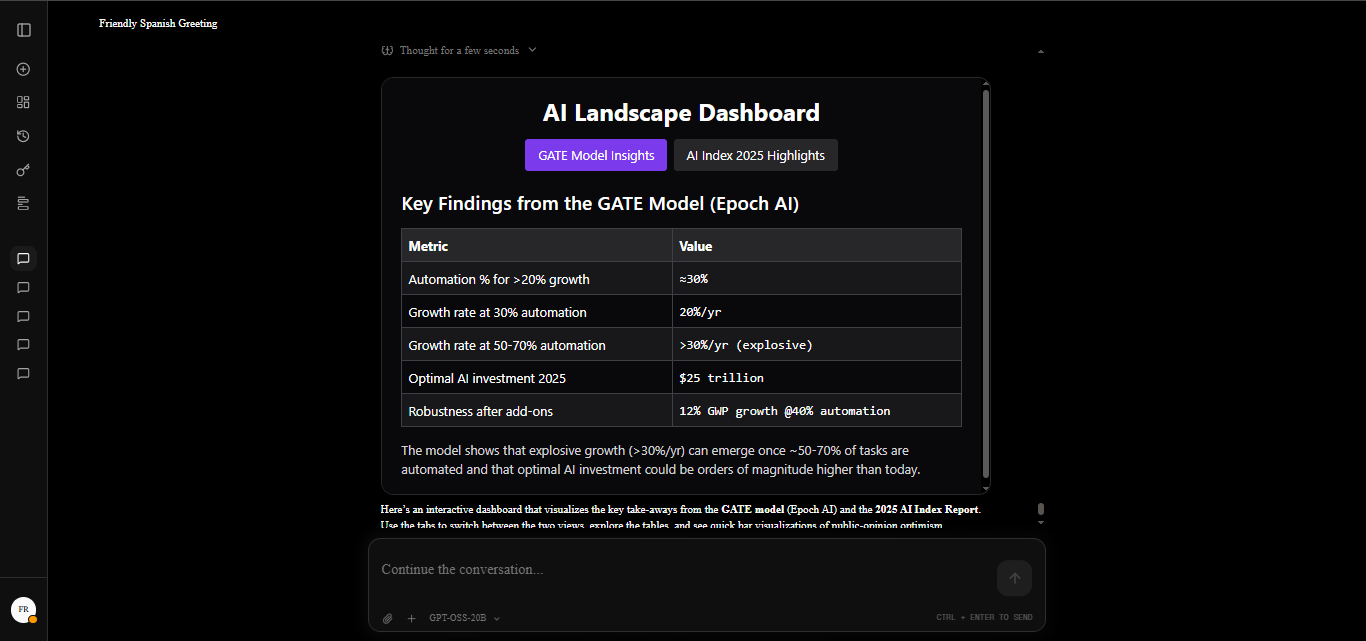
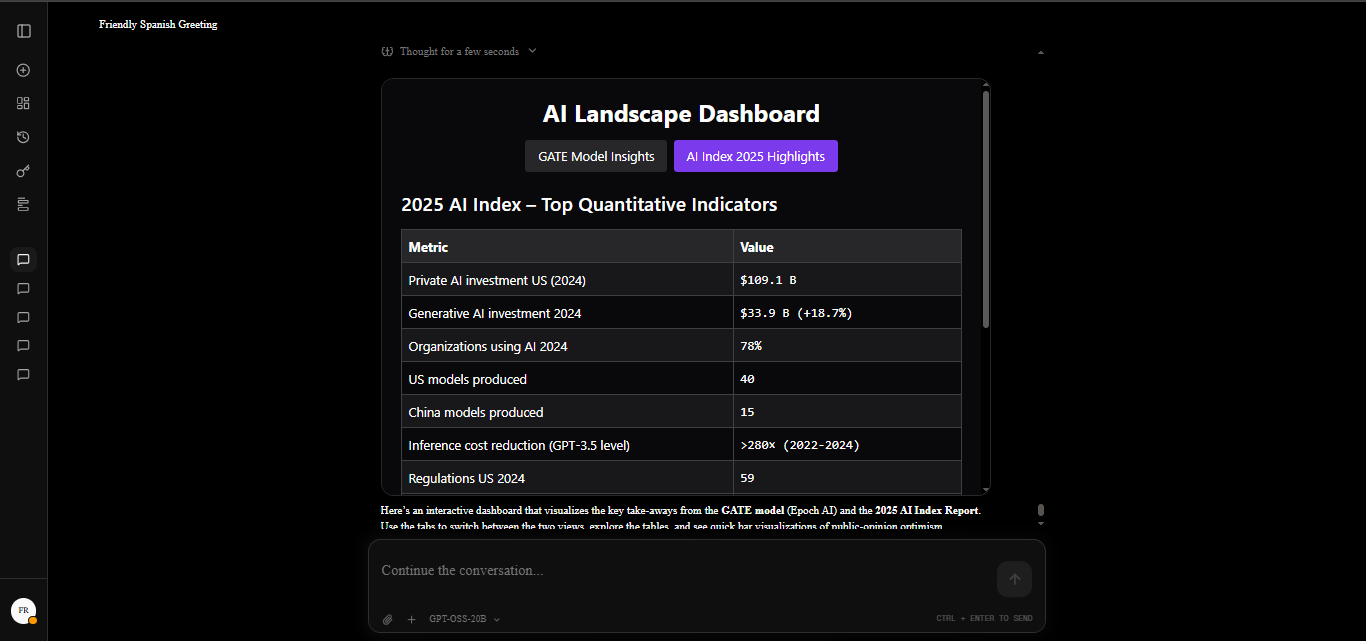
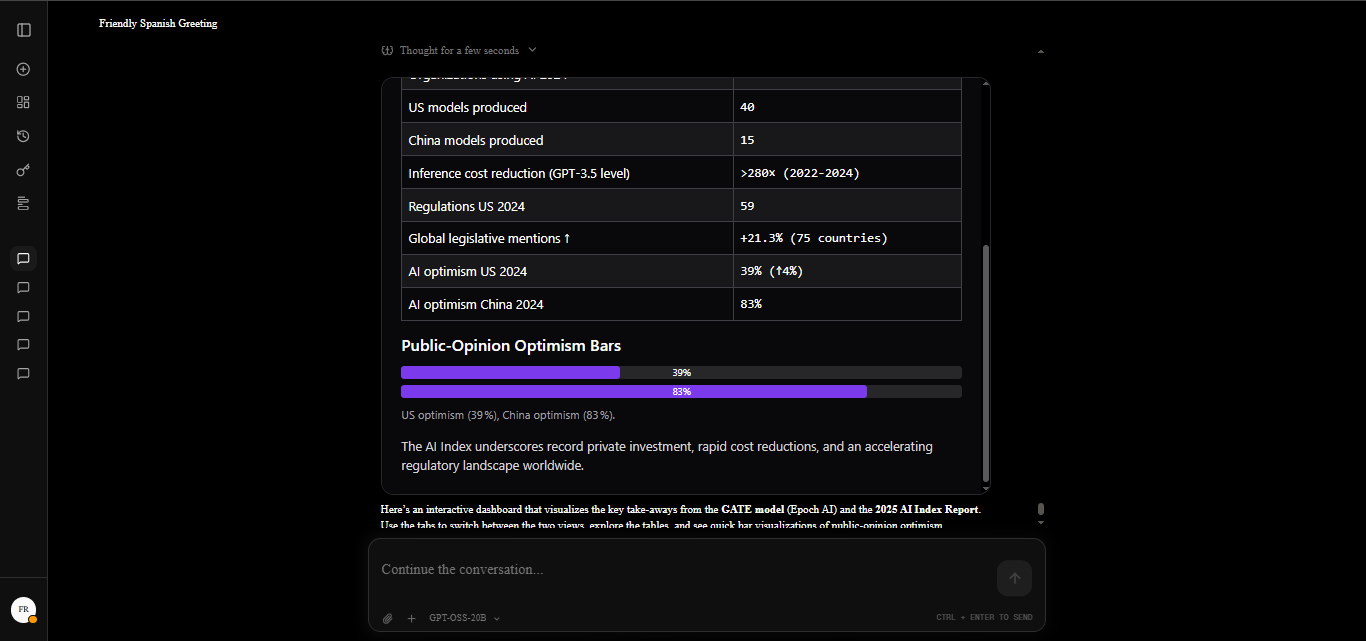
Want to try it live before integrating? The Renderize Playground is an open-source demo app: connect any OpenAI-compatible endpoint (OpenAI, self-hosted, local models), describe a component, and watch AI-generated React code render inside a Renderize sandbox — with auto-fix on render errors, syntax-highlighted code view, and local-only credentials.
git clone https://github.com/Aquiles-ai/renderize-playground.git
cd renderize-playground
npm install
npm run dev| Prop | Type | Default | Description |
|---|---|---|---|
code |
string |
React code generated by the LLM. Must define a function component named App. |
|
height |
string | number |
"100%" |
Height of the sandbox iframe. |
width |
string | number |
"100%" |
Width of the sandbox iframe. |
className |
string |
Class name for the wrapper <div>. |
|
style |
React.CSSProperties |
Inline styles for the wrapper <div>. |
|
onError |
(error: string) => void |
Called when the sandbox encounters a runtime error. |
The model writes plain imports — Renderize resolves them against a catalog and
builds the iframe's importmap dynamically. The catalog is exposed as
Renderize.CATALOG (and each entry is machine-readable), so you can feed it to
your LLM's system prompt.
Agent hint: stop models from guessing packages. Print
Renderize.CATALOGor the README's table into the prompt, and tell them: "you may import any of the following; importing anything else will fail loudly with the available list, so correct your next attempt."
| Package | Description | Example |
|---|---|---|
react react-dom |
Already loaded — hooks in scope | no import needed |
radix |
All Radix primitives in one namespace (Dialog, Select, Tabs, …) — compound components |
import { Dialog } from "radix"; <Dialog.Root>… |
@radix-ui/react-* |
Full Radix suite (direct imports also work) | import { Root } from "@radix-ui/react-dialog" |
lucide-react |
Icons | import { Plus } from "lucide-react" |
clsx |
Class name utility | import { clsx } from "clsx" |
tailwind-merge |
Tailwind class merging | import { twMerge } from "tailwind-merge" |
class-variance-authority |
Variant-based styling | import { cva } from "class-variance-authority" |
recharts |
Charts | import { LineChart, Line } from "recharts" |
framer-motion |
Animations | import { motion } from "framer-motion" |
three |
3D rendering | import * as THREE from "three" |
zustand |
State management | import { create } from "zustand" |
date-fns |
Date utilities | import { format } from "date-fns" |
axios |
HTTP client | import axios from "axios" |
react-hook-form |
Forms | import { useForm } from "react-hook-form" |
zod |
Schema validation | import { z } from "zod" |
@tanstack/react-query |
Data fetching | import { useQuery } from "@tanstack/react-query" |
sonner |
Toasts | import { toast } from "sonner" |
Imports are resolved, not stripped: each catalog package is wired into the
importmap as https://esm.sh/<pkg>…?external=react,react-dom, which guarantees a
single React instance across all packages (the classic "invalid hook call"
double-React trap is handled for you). Subpath resolution is included too
(three/examples/jsm/…), so deep imports also work.
Fail loud, never silent. If the code imports a package outside the catalog,
the sandbox shows a clear error listing the offending package and the available
ones, and onError fires with the same message — so the error can be fed back
to the model for self-correction on the next attempt.
Instead of assembling prompt rules by hand, feed the model the exported
SYSTEM_PROMPT — it encodes every sandbox rule (catalog packages, in-scope
hooks, no TypeScript, only-import-what-you-use, fail-loud behavior) and is
generated from the catalog, so it never drifts from what the sandbox supports.
import { Renderize, SYSTEM_PROMPT } from "@aquiles-ai/renderize";

const messages = [
  { role: "system", content: SYSTEM_PROMPT },
  { role: "user", content: "A bar chart of quarterly sales" },
];import { Dialog } from "radix" exposes the React built-in in scope, no
package name memorization needed. Even without an import, using a Radix
component name like <Dialog.Root> is detected and resolved automatically.
import { Dialog } from "radix";

function App() {
  const [open, setOpen] = React.useState(false);
  return (
    <Dialog.Root open={open} onOpenChange={setOpen}>
      <Dialog.Trigger className="px-4 py-2 rounded bg-blue-600 text-white">
        Open
      </Dialog.Trigger>
      <Dialog.Content className="fixed inset-0 m-auto h-fit w-96 rounded-lg bg-white p-6">
        <Dialog.Title>Hello</Dialog.Title>
        <Dialog.Description>I work inside the sandbox.</Dialog.Description>
        <Dialog.Close className="mt-4 text-sm text-gray-500">Close</Dialog.Close>
      </Dialog.Content>
    </Dialog.Root>
  );
}
React hooks (useState, useEffect, useRef, useCallback, useMemo,
useReducer, useContext, createContext, forwardRef, Fragment) and
React itself are already in module scope. The LLM does not need to import
them.
The component name must be App. The template calls React.createElement(App) directly, so:
// Correct
function App() { ... }

// Also correct (sanitizeCode will fix these automatically)
export default function App() { ... }
export default function Dashboard() { ... }
function MyComponent() { ... } // if it's the only PascalCase componentThe iframe uses this sandbox attribute:
allow-scripts allow-forms allow-modals allow-popups allow-downloads
allow-same-origin is intentionally omitted. This means:
- No access to
localStorageorsessionStorage - No access to
document.cookie - No access to
indexedDB - No access to the parent page's DOM
The fetch proxy is the only bridge between the iframe and the outside world.
Apache 2.0